EasyManua.ls Logo

Deif CGC 400 - User Manual

Deif CGC 400
14 pages
Print Icon
To Next Page IconTo Next Page
Loading...
DEIF A/S · Frisenborgvej 33 · DK-7800 Skive · Tel.: +45 9614 9614 · Fax: +45 9614 9615 · info@deif.com · www.deif.com
OPERATOR'S MANUAL
Compact Genset Controller, CGC 400
Push-buttons
LEDs
Display and menu structure
Display readings
Alarm handling and log list
Document no.: 4189340787A
SW version: 1.00

Other manuals for Deif CGC 400

Question and Answer IconNeed help?

Do you have a question about the Deif CGC 400 and is the answer not in the manual?

Summary

General Information

Warnings, Legal Information, and Safety

Covers warnings, legal information, and safety precautions including electrostatic discharge awareness.

About the Operators Manual

Details the purpose, intended users, and overall structure of the operator's manual.

Push-buttons and LEDs

Push-button Functions

Details the functions of each push-button on the unit, including secondary functionalities.

LED Functions

Explains the functionality and status indication of the 10 LEDs on the display unit.

Display and Menu Structure

Menu System and View Menu

Describes the display's menu systems and the detailed view menu structure.

Menu Structure Example

Provides an illustrative example of the menu structure arrangement and symbol meanings.

Display Functions and Examples

Explains display readings, functional examples, alarm acknowledgment, and parameter settings.

Status Line Text

Status Line Text Descriptions

Details standard status line texts displayed on the unit, their conditions, and corresponding comments.

Running Modes

Running Mode Overview

Explains the different running modes (Auto, Test, Manual, Block) and their operational characteristics.

Alarm Handling and Log List

Alarm Handling

Describes how to view, acknowledge, and manage alarms displayed on the unit.

Log List

Details the different log lists available (Event, Alarm, Battery Test) and how to access them.

Summary

General Information

Warnings, Legal Information, and Safety

Covers warnings, legal information, and safety precautions including electrostatic discharge awareness.

About the Operators Manual

Details the purpose, intended users, and overall structure of the operator's manual.

Push-buttons and LEDs

Push-button Functions

Details the functions of each push-button on the unit, including secondary functionalities.

LED Functions

Explains the functionality and status indication of the 10 LEDs on the display unit.

Display and Menu Structure

Menu System and View Menu

Describes the display's menu systems and the detailed view menu structure.

Menu Structure Example

Provides an illustrative example of the menu structure arrangement and symbol meanings.

Display Functions and Examples

Explains display readings, functional examples, alarm acknowledgment, and parameter settings.

Status Line Text

Status Line Text Descriptions

Details standard status line texts displayed on the unit, their conditions, and corresponding comments.

Running Modes

Running Mode Overview

Explains the different running modes (Auto, Test, Manual, Block) and their operational characteristics.

Alarm Handling and Log List

Alarm Handling

Describes how to view, acknowledge, and manage alarms displayed on the unit.

Log List

Details the different log lists available (Event, Alarm, Battery Test) and how to access them.

Overview

The DEIF CGC 400 Compact Genset Controller is a sophisticated unit designed for the control and monitoring of generator sets. It offers a comprehensive set of features for both daily operation and maintenance, ensuring reliable and safe performance of the genset.

Function Description

The CGC 400 is primarily an operator's manual, providing essential information for the daily use of the unit. It details the functions of push-buttons and LEDs, explains the display and menu structure, outlines various display readings, and covers alarm handling and the log list. The controller supports four different running modes: Auto, Test, Manual, and Block mode, allowing for flexible operation depending on the application and maintenance requirements.

In Auto mode, the unit operates automatically, with the operator unable to manually initiate sequences. This mode is ideal for continuous, unattended operation where the controller manages the genset based on predefined conditions.

The Test mode initiates a test sequence, the type of which is selected via parameter 7040. This is crucial for verifying the genset's readiness and functionality at regular intervals.

Manual mode allows for operator-initiated sequences, meaning the unit will not automatically start or stop unless external signals are provided. This mode offers direct control for specific operational needs.

Block mode prevents the unit from initiating any sequences, including the start sequence. This mode is critical for safety during maintenance work on the genset, as selecting it while the genset is running will cause it to shut down.

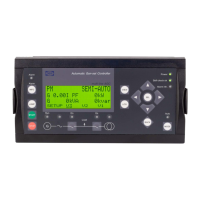
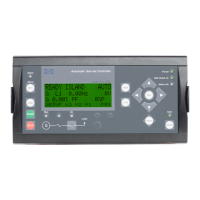
The controller features a user-friendly interface with push-buttons and LEDs for interaction. The display provides real-time information, including measured values, operational status, and alarm indications. The menu system is structured to allow easy navigation through view menus, log menus, setup menus, and service menus.

Important Technical Specifications

While specific numerical technical specifications like voltage ranges or current ratings are not explicitly detailed in the provided excerpts, the manual highlights several key functional aspects:

  • Display: The unit features a display that shows both readings and alarms, with icons and English language support for clarity. It can present up to 20 configurable display views, each with up to three configurable display lines.
  • LEDs: Ten LED functions are integrated into the display unit. These LEDs indicate various statuses, such as alarm presence (steady or flashing red), power status (green for operational, red for self-check failure), active running modes (MAN, AUT, Block mode), mains status (Mains OK, Mains failure, Mains OK delay), breaker status (MB on, GB on), and genset readiness (Hz/V ok, Run). The color of the LEDs (green, red, or a combination) provides immediate visual feedback on the genset's condition.
  • Menu System: The menu system includes:
    • View menu: Displays measured values and operational status.
    • Log menu: Contains event, alarm, and battery logs.
    • Setup menu: Used for unit configuration (password-protected for parameter changes).
    • Alarm list: Shows active acknowledged and unacknowledged alarms.
    • Service menu: Provides input, output, M-Logic status, and unit data (e.g., software version).
  • Alarm Handling: The unit automatically displays the alarm list when an alarm occurs. Alarms can be acknowledged via the OK button. The alarm list shows active alarms, both acknowledged and unacknowledged. Once an alarm condition disappears and is acknowledged, it is removed from the list.
  • Log List Capacity: The log list stores up to 50 events, 30 historical alarms, and 52 historical battery tests, providing a comprehensive record of the genset's operational history.

Usage Features

The CGC 400 is designed for intuitive operation, with clearly defined push-button functions:

  • Navigation: Dedicated up/down scroll buttons (1, 2) for display navigation and programming (increasing/decreasing setpoint values).
  • Selection/Confirmation: An "Enter" button (3) for entering menus, confirming values, and acknowledging alarms.
  • Back/Exit: A "Back" button (4) for returning to previous menus or removing pop-up messages. It can also activate Block mode by pressing "MAN" twice.
  • Mode Selection: Buttons for selecting Manual/Block (5), AUTO (7), and Test (8) running modes.
  • Breaker Control: Dedicated buttons for closing/opening the mains breaker (9, 10) and generator breaker (11, 12).
  • Engine Control: Start (13) and Stop (14) buttons for manual engine operation.
  • Horn/Alarm List: A "Reset horn relay" button (15) which, when pressed and held for 2 seconds, displays the alarm list.
  • Lamp Test: A "Lamp test" button (6) for checking the functionality of the LEDs.

The display provides various status line texts, such as "BLOCK," "SIMPLE TEST," "ISLAND MAN," "AMF ACTIVE," "COOLING DOWN," and "MAINS FAILURE," offering clear indications of the genset's current state or any ongoing processes. These texts, combined with the LED indicators, provide a comprehensive overview for the operator.

Maintenance Features

The CGC 400 incorporates features that aid in maintenance and troubleshooting:

  • Alarm List: Provides immediate access to active alarms, helping operators identify and address issues promptly. Acknowledged alarms that are no longer active are removed from the list, simplifying fault diagnosis.
  • Log List: The event log, alarm log, and battery test log are invaluable for historical analysis. This data helps in understanding past operational events, recurring alarms, and the performance of battery tests, which can inform preventive maintenance strategies.
  • Service Menu: Offers access to internal unit data, including software versions and I/O status, which is useful for technical support and advanced diagnostics.
  • Setup Menu: Although password-protected for parameter changes, this menu allows for detailed configuration of the unit, enabling technicians to fine-tune settings for optimal genset performance and to adapt to specific site requirements.
  • Block Mode: Essential for safe maintenance, ensuring the genset cannot be accidentally started while personnel are working on it.
  • Factory Settings: The manual notes that the unit is delivered with factory settings, which serve as a baseline. However, it emphasizes the importance of checking and adjusting these settings to match the specific engine/generator set before operation, a critical step in commissioning and maintenance.
  • Electrostatic Discharge Awareness: Highlights the need for precautions against static discharges during installation, indicating a design consideration for robust operation.

Overall, the DEIF CGC 400 is designed to be a reliable and user-friendly controller, providing operators with the necessary tools for efficient genset management, monitoring, and maintenance.

Deif CGC 400 Specifications

General IconGeneral
BrandDeif
ModelCGC 400
CategoryController
LanguageEnglish

Related product manuals