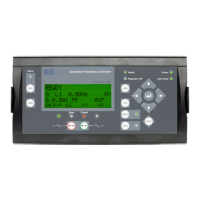
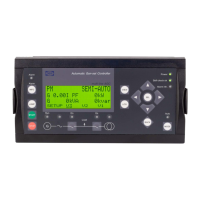
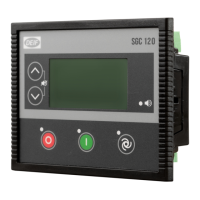
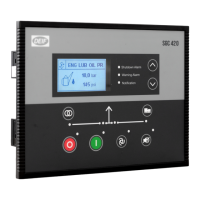
The DEIF GC-1F is a gen-set controller designed for daily operation, providing essential monitoring, control, and protection functions for generator sets. This operator's manual outlines the device's features, including push-buttons, LED indicators, and display readings.
Function Description
The GC-1F controller manages the operation of a gen-set, offering both automatic and manual control modes. It monitors various engine parameters and generator electrical values, providing alarms and feedback to the operator. The unit is designed to be panel-mounted and integrates with the gen-set to ensure reliable and safe operation.
Control Modes:
- AUTO Mode: The controller automatically manages the gen-set's operation based on predefined settings.
- MAN Mode: Allows for manual control of the gen-set, including starting and stopping the engine, and managing the generator breaker.
Monitoring and Protection:
The GC-1F continuously monitors critical parameters such as fuel level, oil pressure, water temperature, and RPM. It also monitors generator voltage and frequency. The unit incorporates an alarm system that alerts the operator to abnormal conditions, with both flashing (active, non-acknowledged) and steady (active, acknowledged) LED indications. Additional alarm LEDs provide specific fault indications based on configured outputs.
Test Functions:
A dedicated "TEST" button allows the initiation of selected test sequences, which can be configured for specific durations. A "Lamp test" function illuminates all LEDs for 3 seconds, enabling a quick check of the indicator lights.
Important Technical Specifications
- Front dimensions (H x W): 160 x 220 mm (6.30" x 8.66")
- Unit depth: 54 mm (2.13")
- Software Versions:
- GC-1F: SW version 1.2x.x
- GC-1F/2: SW version 2.0x.x or later
- Display: The unit features a display that shows various readings and alarms, supporting both icons and English language. It can show a maximum value of 9999 for 3-line views.
- Power Supply: The unit's power status is indicated by a "Power OK" LED.
- Inputs/Outputs: The device includes inputs for AC measurements and outputs for control and alarm signaling. Specific details on I/O configuration are available in the Installation Instructions and Reference Handbook.
Usage Features
The GC-1F is designed for ease of use with clearly labeled push-buttons and LED indicators.
Push-buttons:
- 1 (Start engine): Initiates engine start in local (not auto) running mode.
- 0 (Stop engine): Stops the engine immediately. In AUTO mode, pressing this button switches the unit to MAN mode and stops the engine.
- AUT (AUTO running mode selector): Selects the automatic operating mode.
- MAN (Manual running mode selector): Selects the manual operating mode.
- Breaker ON: Closes the generator breaker.
- Breaker OFF: Opens the generator breaker.
- Reset horn relay: Resets the horn relay. Press and hold for 2 seconds to view the alarm list.
- ▲ (Scroll up/Increase setpoint): Scrolls the display up once in normal display mode. Increases setpoint values during programming.
- ▼ (Scroll down/Decrease setpoint): Scrolls the display down once in normal display mode. Decreases setpoint values during programming.
- ↵ (Enter/Acknowledge): Enters values or acknowledges alarms.
- ESC (Escape): Jumps from parameter settings to the main display. Removes pop-up messages.
- TEST: Activates the selected test sequence for the entered time. Also functions as a lamp test, illuminating all LEDs for 3 seconds.
Display Readings:
The display provides real-time information on:
- System Information: Type, hardware, and software versions (e.g., HW x.xx, SW x.xx).
- Engine Parameters: Fuel level (e.g., 80%), oil pressure (e.g., 2.0 bar), water temperature (e.g., 90°C), and RPM (e.g., 0).
- Operating Hours: Service timer 1 and 2 (e.g., 0 d 0 h), and total run hours (e.g., 24 h).
- Alarm List: Displays active alarms, indicating the number of alarms present (e.g., "2 alarm(s)"). When an arrow is present, more alarms are active, and the user can scroll through the list.
- Parameter Settings: Allows access to various parameters for configuration, such as "D+ delay" with minimum, actual, and maximum values (e.g., 0.0 s, 10.0 s, 100.0 s).
LED Indicators:
- Power (Green): Indicates that power is OK.
- Alarm (Red):
- Flashing: Active, non-acknowledged alarm(s) present.
- Steady: Active, acknowledged alarm(s) present.
- Additional Alarm Indication LEDs (1, 2, 3, 4):
- Flashing: Active, non-acknowledged alarm(s) where output A or B is configured to the specific LED.
- Steady: Active, acknowledged alarm(s) where output A or B is configured to the specific LED.
- Running feedback present (Green): Indicates engine running feedback.
- U/f OK generator (Green): Indicates generator voltage and frequency are within limits.
- Generator breaker ON (Green): Indicates the generator breaker is closed.
- ON in AUTO mode (Green): Indicates the controller is in AUTO mode.
- ON in manual mode (Green): Indicates the controller is in MAN mode.
Maintenance Features
- Parameter Configuration: The unit allows for parameter settings to be adjusted. Some parameters can only be changed using the PC utility software (USW) for GC-1F. The parameter list will automatically be abandoned if no button is pressed during a 30-second period.
- Factory Settings: The unit is delivered with factory settings, which are average values. It is crucial to check and adjust these settings to match the individual engine before running the gen-set.
- Troubleshooting: The alarm list and LED indicators provide immediate feedback on system status, aiding in quick identification of issues.
- Firmware Updates: The device supports different software versions, implying the possibility of firmware updates for improved functionality or bug fixes.
- Documentation: Detailed information on changing parameters and setup is available in the Installation Instructions and Reference Handbook.
Safety and Legal Information:
- Unauthorized Access: The units are not to be opened by unauthorized personnel; doing so will void the warranty.
- Electrical Safety: Installation and maintenance involve dangerous currents and voltages and should only be performed by authorized personnel. Operators are warned against touching AC measurement inputs due to the risk of injury or death.
- Electrostatic Discharge (ESD): Care must be taken to protect terminals against static discharges during installation.
- UL Applications: These controllers are intended for use in Listed Generator Assemblies, with suitability determined by Underwriters Laboratories. The devices have been evaluated for fire and shock only; voltage regulating, metering, monitoring, protection, and signaling functions have not been evaluated for accuracy or reliability under UL.

 Need help?
 General

 To Next Page