EasyManua.ls Logo

Deif SGC 120 - User Manual

Deif SGC 120
76 pages
Print Icon
To Next Page IconTo Next Page
Loading...
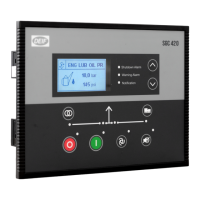
SGC 120
Single Genset Controller
User manual
4189341340A

Table of Contents

Questions and Answers

  • T
    travis54Sep 3, 2025
    How to troubleshoot Deif SGC 120 when it does not power on?
    • C
      Crystal JonesSep 3, 2025
      If the Deif Controller is not powering on, check the battery voltage, the fuse on the battery supply, the continuity between the battery positive and controller terminal 2, and the continuity between the battery ground and controller terminal 1.
  • D
    Diane BrownSep 18, 2025
    Why Deif Controller shows genset ON while genset is at rest?
    • B
      Brian ZamoraSep 18, 2025
      If the governor actuator chatters even after the engine stops, the Deif Controller shows genset ON while genset is at rest, or a Fail to stop alarm occurs when genset is at rest, enter Configuration mode in the controller and verify the configuration for the LLOP and LOP. Also, check the wiring. Ensure that Mains voltage wiring is not connected by mistake to the controller's genset voltage terminals.
  • B
    Brandon JonesSep 16, 2025
    Why Deif Controller sends a Start command in Auto mode when Mains is present?
    • R
      Robert GoldenSep 16, 2025
      If, while in Auto mode, the Deif Controller sends a Start command even if the Mains is present, check the wiring of the mains L1, L2, and L3 phase to the controller's respective input terminal. Also, verify the configuration for the Mains monitoring in the Controller's Configuration mode.
  • L
    Lori JacksonSep 14, 2025
    Why Deif SGC 120 Controller shows incorrect reading for LOP, fuel level or temperature sensors?
    • W
      William RodriguezSep 14, 2025
      If the Deif Controller shows an incorrect reading for any of LOP, fuel level, or temperature sensors, check the respective sensor and its wiring. Also, verify the calibration for the respective sensor in the Controller's Configuration mode.
  • D
    david40Sep 12, 2025
    Why Deif Controller shows incorrect mains voltage?
    • A
      Ann GonzalesSep 12, 2025
      If the Deif Controller shows incorrect mains voltage or incorrect main alternator voltage, check the wiring of the respective phase to the controller. If the problem persists, replace the controller and try again.
  • B
    Bryan CookSep 12, 2025
    Why Deif SGC 120 Controller shows incorrect PF value or kW or load current?
    • A
      Adam LeeSep 12, 2025
      If the Deif Controller shows an incorrect PF value, kW, or load current, check the wiring of the respective alternator phase voltage and the CT to the controller. Also, verify the CT ratio if the kW or current reading is faulty.
  • J
    James CastroSep 9, 2025
    What to do if Deif SGC 120 fails to crank-start the engine?
    • T
      Thomas Wu Jr.Sep 9, 2025
      If the Deif Controller fails to crank-start the engine, check the battery voltage. Enter the Configuration mode in the controller and verify the configuration for the Start output. Check that the Start output is working correctly by measuring its output voltage. Enter the Configuration mode in the controller and verify the configuration of the Crank disconnect method. Verify the configuration of the LLOP Switch polarity. Ensure that the lube oil pressure switch and sensor are working OK. Check their wiring.
  • D
    Deborah SandovalSep 7, 2025
    What to do if Deif SGC 120 Controller display freezes?
    • L
      Laura HernandezSep 7, 2025
      If the Deif Controller display freezes or hangs up, reset the controller power.
  • C
    Chad SpencerSep 5, 2025
    Why Deif Controller shows genset to be OFF when engine runs?
    • H
      Hannah PageSep 5, 2025
      If the engine runs, but the Deif Controller shows the genset to be OFF, check if the MPU signal (if used) and the main alternator voltage signal (L1 phase) are received by the controller terminals. Also, check if the LOP and LLOP are working correctly and verify the wiring to the controller.
  • K
    Karen RobertsonAug 20, 2025
    What to do if Deif SGC 120 Controller generates unnecessary Shutdown alarms or Warning alarms?
    • R
      Robert ChristianAug 20, 2025
      If the Deif Controller generates unnecessary Shutdown or Warning alarms, check the corresponding switch, sensor, and wiring. Also, verify the respective threshold configuration in the Controller's Configuration mode.

Summary

Introduction to SGC 120 Controller

1.2 Function Overview

Summary of key functions like monitoring, inputs/outputs, communication, and modes.

1.4 Warnings and Safety

Crucial safety information, including hazard symbols and electrical precautions.

Installation Guide

2.1 Dimensions and Panel Cut-out

Specifies the physical dimensions of the controller and the required panel cut-out.

2.4 Terminal Connections

Detailed layout and description of all terminal connections on the SGC 120 controller.

Wiring and Connections

2.5.1 Typical Wiring

Presents a general example of how to wire the SGC 120 controller.

2.5.2 Grounding Best Practices

Essential guidelines for proper grounding to ensure reliable operation and safety.

2.5.4 AC Connection Configurations

Diagrams illustrating AC power connections for various phase systems.

Display and Menu Navigation

3.1 Display, Buttons, and LEDs

Identifies and explains the function of the controller's display, buttons, and indicator LEDs.

3.2 Display Settings

Customizing display parameters like contrast, power save, and deep sleep modes.

3.4 Configuration Menu

Steps to access and navigate the controller's configuration menu.

Configurable Parameters

3.5.1 Module Parameters

Settings related to the controller module, such as profile name and language.

3.5.2 Digital Input Configuration

How to configure the source, polarity, and action of digital inputs.

3.5.3 Analogue Input Configuration

Settings for configuring analogue inputs like temperature and pressure sensors.

Generator Configuration

Alternator Configuration (ALT CONFIG)

Parameters for setting up the generator, including AC system and pole number.

Nominal Values

Setting default and alternative nominal values for voltage, frequency, and current.

Voltage Monitoring (VOLT MONITOR)

Monitoring generator voltage for under/over-voltage conditions and trip points.

Mains Configuration and Monitoring

Mains Configuration Settings

Settings for mains monitoring, phase system, and phase reversal detection.

Mains Voltage Monitoring

Monitoring mains voltage for under/over-voltage conditions and trip points.

Mains Frequency Monitoring

Monitoring mains frequency for under/over-frequency conditions and trip points.

Engine Monitoring and Control

Crank Disconnect Settings

Configure settings to disconnect engine cranking based on conditions like oil pressure.

Engine Speed Monitoring

Parameters for monitoring engine speed, including under/over-speed protection.

Engine Preheating

Configuration for the engine pre-heating system to maintain optimal temperature.

Maintenance and Password Management

Maintenance Alarm Configuration

Setting up alarms and intervals for scheduled maintenance tasks.

Controller Password Management

Managing password levels for access control and changing passwords.

Modes of Operation

Operation Modes Overview

Explains the two primary operating modes: AUTO and Manual.

AUTO Mode Functions

Details various AUTO mode functions like Island, AMF, Engine Drive, and Auto Exercise.

Manual Mode Operation

How to operate the controller manually using the display and digital inputs.

General Functions and Settings

AC Measurement Systems

How to configure AC measurement systems for different phase configurations.

Nominal Settings

Setting default and alternative nominal values for voltage, frequency, and current.

Alarms Management

Understanding alarm types, causes, and how to acknowledge them.

Engine Functions and Sequences

Engine Start Sequence

Detailed sequence of operations for starting the genset, including timers and outputs.

Engine Stop Sequence

Outlines the steps and timers involved in stopping the genset safely.

Idle Mode Operation

How to configure and use the engine's idle mode for specific operational phases.

Modbus Communication

Modbus Protocol Overview

Introduction to the Modbus protocol used by the SGC controller for communication.

Modbus Connection Setup

Guidelines for establishing physical and logical Modbus RTU connections.

Modbus Communication Settings

Configuration parameters for Modbus communication, including baud rate and server ID.

CAN Bus Engine Communication

CAN Bus Communication Overview

Explains how the SGC controller communicates with engines via CAN bus.

Supported Engines

Lists manufacturers and models of engines compatible with CAN bus communication.

Engine Communication Settings

Configuration of engine communication parameters using DEIF Smart Connect software.

Inputs and Outputs

9.1 Digital Inputs

Description and sources for various digital inputs to the controller.

9.2 Digital Outputs

List of digital output sources and their corresponding functions and descriptions.

Troubleshooting Guide

General Troubleshooting

Common faults and their recommended actions for general controller problems.

AUTO Mode Troubleshooting

Solutions for issues specifically occurring within the AUTO operating mode.

Deif SGC 120 Specifications

General IconGeneral
BrandDeif
ModelSGC 120
CategoryController
LanguageEnglish

Related product manuals