Need help?
Do you have a question about the Deif GPC-3 and is the answer not in the manual?
Covers warnings, legal disclaimers, safety precautions, and ESD awareness.
Details the functions of display push-buttons and LEDs.
Details accessing and using the setup menu for parameter configuration.
Illustrates how to change a specific parameter in the setup menu.
Explains how the unit handles and displays alarms.
Step-by-step guide to setting up or changing parameters.
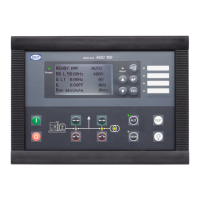
The DEIF Multi-line 2 unit is a versatile controller designed for generator paralleling and protection, available in models such as GPC-3 (Generator Paralleling Controller), GPU-3/GPU-3 Hydro (Generator Protection Unit), and PPU (Paralleling and Protection Unit). This device serves as a central interface for monitoring, controlling, and managing generator sets, ensuring safe and efficient operation.
The primary function of the Multi-line 2 unit is to provide comprehensive control and protection for generator applications. Depending on the specific model, it can perform generator paralleling, protection, or a combination of both.
The GPC-3 model, as a Generator Paralleling Controller, manages the synchronization and load sharing of generators when operating in parallel with other generators or the mains. This involves precise control of voltage, frequency, and power to ensure seamless integration and stable operation. It facilitates both internal and external load sharing, fixed power operation, and droop mode, allowing for flexible power management strategies. The GPC-3 also supports static and dynamic synchronization, ensuring that generators are brought online smoothly and safely.
The GPU-3 and GPU-3 Hydro models, as Generator Protection Units, focus on safeguarding the generator and its associated equipment from various electrical and mechanical faults. These units monitor critical parameters such as voltage, frequency, current, and power, triggering alarms or protective shutdowns if abnormal conditions are detected. This includes protection against over-current, under/over voltage, under/over frequency, reverse power, and other potential issues that could damage the generator or compromise system stability. The "Hydro" variant is specifically adapted for hydroelectric generator applications, likely incorporating specialized protection and control algorithms for such systems.
The PPU model, as a Paralleling and Protection Unit, combines the functionalities of both the GPC-3 and GPU-3. It offers both generator paralleling capabilities and extensive protection features, making it a comprehensive solution for managing and protecting generator sets in complex power systems. This integrated approach simplifies system design and operation by consolidating control and safety functions into a single unit.
The unit operates in different modes: LOCAL, REMOTE, and SWBD (Switchboard). In LOCAL mode, the display push-buttons (START, STOP, GB ON, GB OFF) are active, allowing direct operator control. The regulators are also active, bringing the generator to nominal speed upon start and synchronizing the breaker if allowed. In REMOTE mode, the display control push-buttons are disabled, and the genset is controlled via digital inputs, such as "Start sync./control." In SWBD mode, display push-buttons are disabled, and control is exclusively through the switchboard, though protection functions remain active. In this mode, regulators are not active, and speed control must be managed from the switchboard.
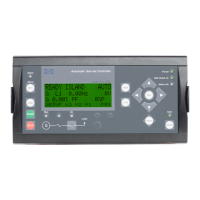
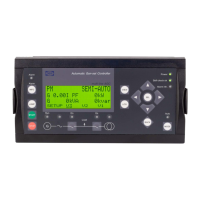
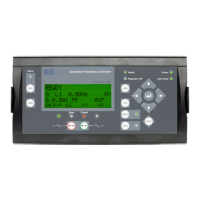
The Multi-line 2 unit features a user-friendly display unit (DU-2) with push-buttons and LEDs for intuitive interaction. The display dimensions are H x W = 115 x 220 mm (4.528" x 9.055").
The display unit provides two main menu systems: the View menu and the Setup menu. The View menu is commonly used for daily operation, offering up to 20 configurable windows to display various measured values and operational statuses. Navigation within the View menu is done using arrow push-buttons. The Setup menu is used for parameter configuration and accessing detailed information not available in the View menu. Changes in parameter settings within the Setup menu are password protected, ensuring system integrity.
Key push-button functions include:
LED indicators provide quick visual feedback on the unit's status:
The display also provides information texts (e.g., "NOT IN LOCAL," "DG RUNNING," "WRONG PASSWORD") and status texts (e.g., "READY," "MANUAL," "FIXED FREQUENCY INT.," "COOLING DOWN ###s") that appear automatically during operation or after push-button presses, offering real-time operational context.
The Multi-line 2 unit incorporates several features to aid in maintenance and troubleshooting.
Alarm Handling: When an alarm occurs, the unit automatically displays the alarm list. This list shows both acknowledged and unacknowledged active alarms. Once an alarm is acknowledged and its condition disappears, it is removed from the list. The INFO button provides direct access to the alarm list at any time. Users can scroll through alarms using the up/down arrow buttons, acknowledge alarms by selecting "ACK," and jump to the first or last alarm using "FIRST" or "LAST" selections.
Log List: The unit maintains a comprehensive log list, divided into three categories:
Service Menu: A dedicated service menu (accessed via JUMP menu 9120) provides information about the genset's current operating condition, which is invaluable for troubleshooting in conjunction with the event log. This menu includes:
Parameter Setup and Password Protection: The unit's parameters can be configured using the Setup menu, which is password protected to prevent unauthorized changes. There are three password levels: Customer, Service, and Master, each offering different access rights. These passwords can be changed in specific menus (9116, 9117, 9118). The PC utility software allows for setting specific password levels for individual parameters, ensuring granular control over system configuration. This layered security helps maintain the integrity of the generator control system.
Lamp Test and Dimmer Functions: For maintenance and operational convenience, the unit includes lamp test and dimmer functions. The lamp test, activated by placing the cursor under "SETUP" and pressing the up arrow button, illuminates all DU-2 and AOP-1 LEDs in yellow (except the power LED), allowing for quick verification of LED functionality. The dimmer function, accessible via JUMP menu 9150, allows adjustment of the display backlight and LED intensity using the up/down arrow buttons, with settings saved by pressing ENTER. The AOP-2 unit has a separate push-button for combined lamp test and dimmer functionality, where a short press activates the lamp test, and multiple/continuous presses adjust the light intensity.
These features collectively contribute to the reliable operation, efficient troubleshooting, and secure management of generator sets controlled by the DEIF Multi-line 2 unit.
 General
| Model | GPC-3 |
|---|---|
| Protection front | IP65 |
| Power consumption | 10 W |
| Operating temperature | -20°C to +55°C |
| Storage temperature | -40°C to 85°C |
| Communication | Ethernet |
| Display | Graphical LCD |
| Dimensions | 144 x 144 x 115 mm |

 To Next Page