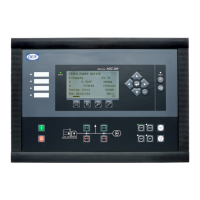
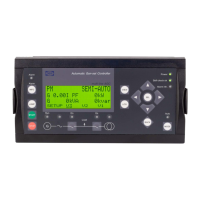
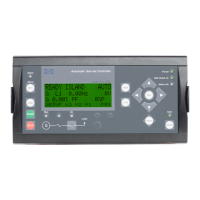
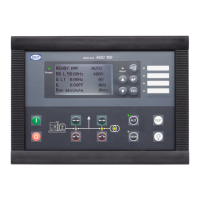
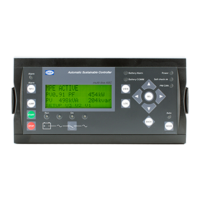
The DEIF AGC 200 (Advanced Genset Controller) is a versatile control unit designed for managing generator sets and power systems. It offers a range of functionalities for various applications, from island operation to complex power management systems involving multiple generators and mains connections. The controller is designed for daily use by operators, providing clear display readings, intuitive push-button functions, and comprehensive alarm handling.
Function Description
The AGC 200 acts as the central control unit for a genset, monitoring and regulating its operation. It supports several variants, including:
- Island (AGC 212/222/232/242): For standalone generator operation.
- Automatic Mains Failure (AGC 213/233/243): Automatically starts the genset upon mains failure and transfers load.
- Mains (AGC 245): For applications where the genset operates in parallel with the mains.
- Mains and Tie Breaker (AGC 246): Manages both mains and bus tie breakers for more complex power distribution.
- Bus Tie Breaker (AGC 244): Specifically for controlling bus tie breakers in multi-busbar systems.
The unit features four distinct running modes and one block mode, selectable via push-buttons on the front panel:
- Auto Mode: The unit operates automatically, with the operator unable to initiate manual sequences. This is ideal for continuous, unattended operation.
- Semi-Auto Mode: The operator must initiate all sequences, either through push-buttons, Modbus commands, or digital inputs. When started in semi-automatic mode, the genset runs at nominal values.
- Manual Mode: Allows the use of binary increase/decrease inputs (if configured) and start/stop push-buttons. Starting in manual mode initiates the genset without subsequent regulation.
- Test Mode: Initiates a test sequence for the genset.
- OFF Mode: Disables the unit from initiating any sequences, including the start sequence. This mode is crucial for maintenance work on the genset, ensuring safety by preventing accidental starts.
The AGC 200 continuously monitors various parameters of the generator and mains, including voltage, frequency, active power (kW), reactive power (kVAr), apparent power (kVA), and power factor. It also tracks energy counters (total, daily, weekly, monthly kWh) and run times (absolute and relative). For power management applications (AGC 24x variants), it handles load sharing, synchronisation of breakers (generator, mains, and tie breakers), and manages blackout scenarios. The controller can display status texts indicating various operational conditions, such as "BLOCK" (block mode activated), "ISLAND ACTIVE" (genset running in Auto), "MAINS FAILURE" (mains failure and timer expired), and "SYNCHRONISING TB XX" (tie breaker synchronising).
Important Technical Specifications
While specific numerical values for technical specifications like voltage ranges, current ratings, and environmental conditions are not detailed in the provided text, the manual highlights several key aspects:
- Display: A backlit LCD graphical display, with adjustable light intensity, LED indication, and contrast (menu 9150).
- Memory: The log list can store up to 150 events, 30 historical alarms, and 52 historical battery tests. These events are deleted when the AGC is switched off, except for historical alarms and battery tests.
- Communication: Supports CAN line for power management applications, allowing for broadcasting of applications between units.
- Inputs/Outputs: Features configurable inputs for various functions, including those used for manual increase/decrease in manual mode. AC measurement inputs are present, and users are warned about hazardous live currents and voltages.
- Software: Configurable via PC utility software (USW) for selecting display values and setting parameters. Language files can be downloaded from the PC utility software.
- Factory Settings: Units are delivered with factory settings based on average values, which may require adjustment to match the specific engine/generator set.
Usage Features
The AGC 200 is designed for user-friendly operation:
- Display Readings: All measured and calculated values are accessible through the display. The view menu system offers up to 20 configurable windows, navigable using arrow push-buttons.
- Menu Structure: Two menu systems are available:
- View Menu System: Commonly used for daily operation, allowing navigation through various display windows without a password.
- Setup Menu System: Used for unit configuration and accessing detailed information. Parameter settings in this menu are password-protected.
- Navigation: Arrow push-buttons (up, down, left, right) are used for navigating menus and scrolling through lists. The "ESC" button allows stepping backwards in menus.
- Push-button Functions: Dedicated buttons for:
- Viewing measured values.
- Accessing log lists (events, alarms, battery tests).
- Parameter settings.
- Service menu.
- Alarm list.
- Silence horn.
- Escape/step backwards.
- Test mode.
- Lamp test.
- Mode selection (Semi-auto, Off, Manual, Auto).
- Breaker control (MB open/close, GB open/close).
- Genset start/stop (in semi-auto or manual modes).
- LED Indicators: 10 LED functions provide visual feedback on the unit's status, including auxiliary supply, unacknowledged alarms (flashing red), acknowledged alarms (fixed red), operational modes (Off, Semi-auto, Manual, Auto), mains status (green for OK, red for failure, flashing green during "mains OK delay"), breaker status (mains and generator), voltage/frequency status (green for OK), and generator running status. A user-configurable LED is also available.
- Alarm Handling: When an alarm occurs, the unit automatically displays the alarm list (configurable). The alarm list shows active alarms, indicating if they are unacknowledged. Alarms can be acknowledged by placing the cursor over the channel number and pressing the acknowledge button. Once an alarm is acknowledged and its condition disappears, it is removed from the active alarm list. If an alarm is blocking a genset in AUTO mode, the genset will automatically start and close the breaker once the alarm condition is resolved and acknowledged.
Maintenance Features
The AGC 200 incorporates features that aid in maintenance and troubleshooting:
- Log Lists: Comprehensive log lists provide historical data:
- Events: Up to 150 events (e.g., breaker closing, engine start).
- Alarms: Up to 30 historical alarms (e.g., over-current, high cooling water temperature).
- Battery Test: Up to 52 historical battery tests (e.g., test OK, test failed).
- Battery Test: The unit can perform battery tests, and the results are logged.
- Service Timers: Two service timers are available, likely for scheduling routine maintenance.
- Alarm Jump Functionality: The "Alarm jump" setting (channel 6900) can be configured to automatically display the alarm list upon an alarm event, facilitating quick identification of issues.
- Electrostatic Discharge Awareness: Emphasizes the need for care during installation to protect terminals against static discharges, ensuring the longevity of the unit.
- Warranty: The manual states that the unit should not be opened by unauthorized personnel, as doing so will void the warranty, implying that internal maintenance or repairs should be performed by qualified technicians.
Overall, the DEIF AGC 200 is a robust and intelligent controller designed to provide reliable and efficient management of generator sets across a wide range of power system configurations, with a strong emphasis on user interaction and safety.

 Need help?
 General

 To Next Page