maxx_guide_installation_de-en_v080508
7. Close Cabinet
These are the final steps before you can operate your new cabinet.
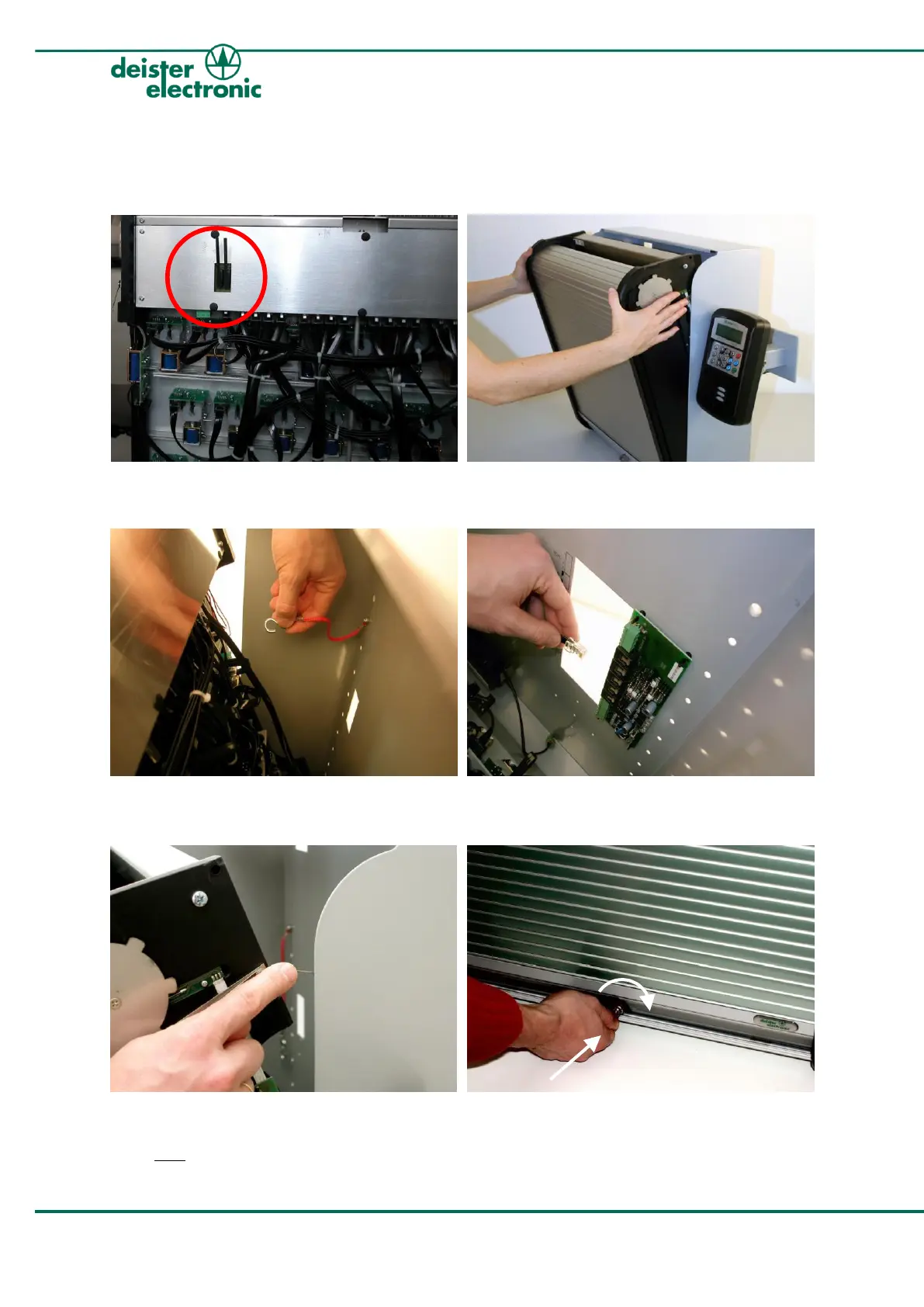
1.
Remove the safety tape from the two tamper
switches on the back of the cabinet insert.
3.
Re-attach the red safety-wire.
5.
While closing the cabinet, make sure that
the locking spring on the right side glides
back into the frame!
2.
Position the cabinet insert as shown above.
4.
Plug in the cable from the cabinet insert into
the backplane PCB -->“Local MUX”.
6.
Tightly push in the lock and remove the key.



 To Next Page