maxx_guide_installation_de-en_v080508
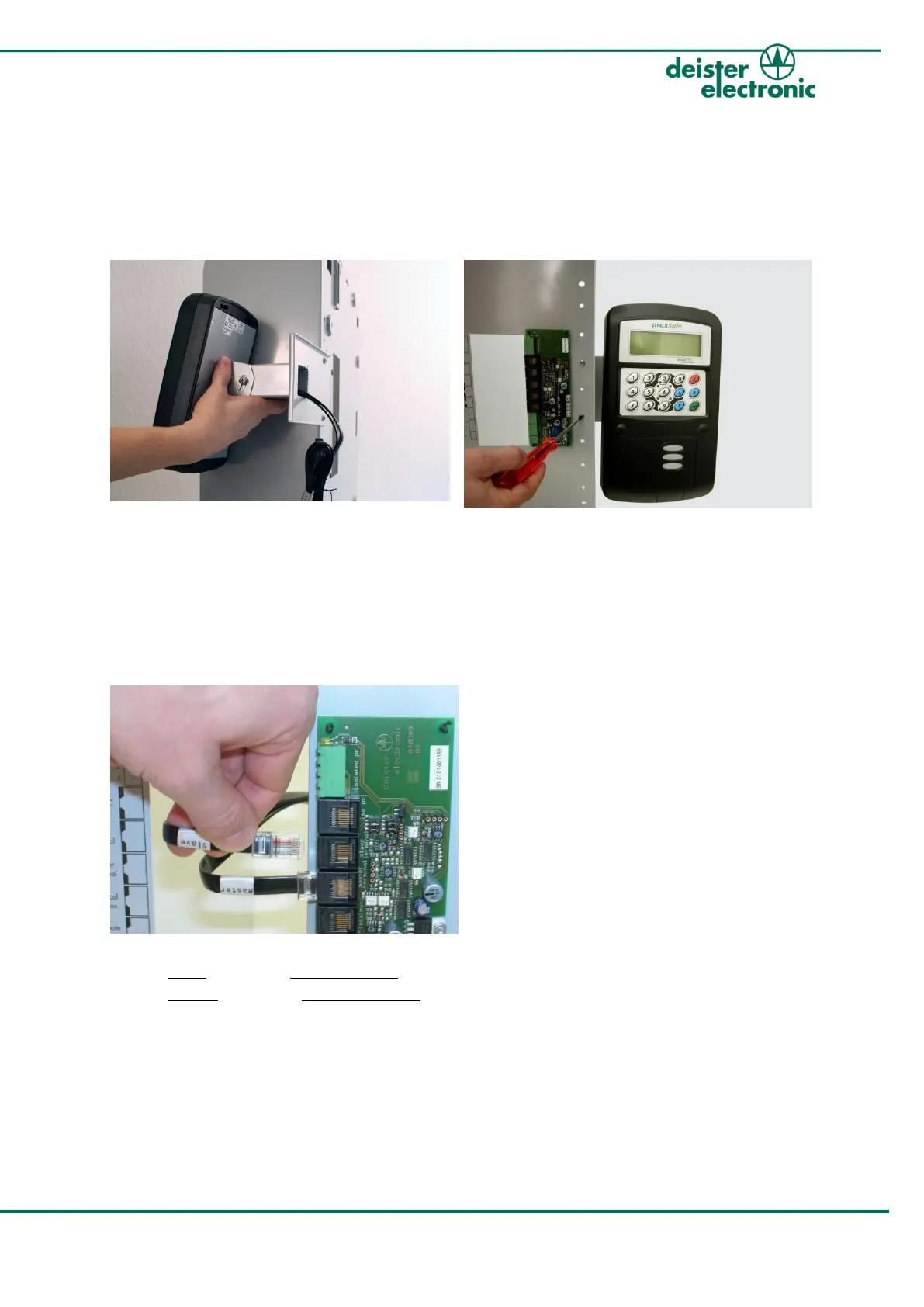
4. Mount Terminal to Cabinet
The Terminal is prepared for right-side mounting. For left-side mounting, please refer to
the „proxSafe maxx Wiring & Installation Instructions“ on the supplied installation CD.
1.
Take the proxSafe Terminal out of the
package. The two connection cables should
be guided through the hole in the back of
the Terminal bracket.
Now position the Terminal bracket behind
the cabinet frame.
2.
Fix the Terminal with the two enclosed
screws to the cabinet frame from the
inside.
3.
Plug the two cables into the backplane PCB:
Cable “Slave” -> Plug “Slave Terminal”
Cable “Master” -> Plug “Master Terminal”



 To Next Page