28 Part Number GA_SM 08/18
Operation Section 3
Alarm Management
Alarm Management
Back
!
Audible Alarm
ON
Configuration Screen\Alarm Management
• Access to this page requires the manager password.
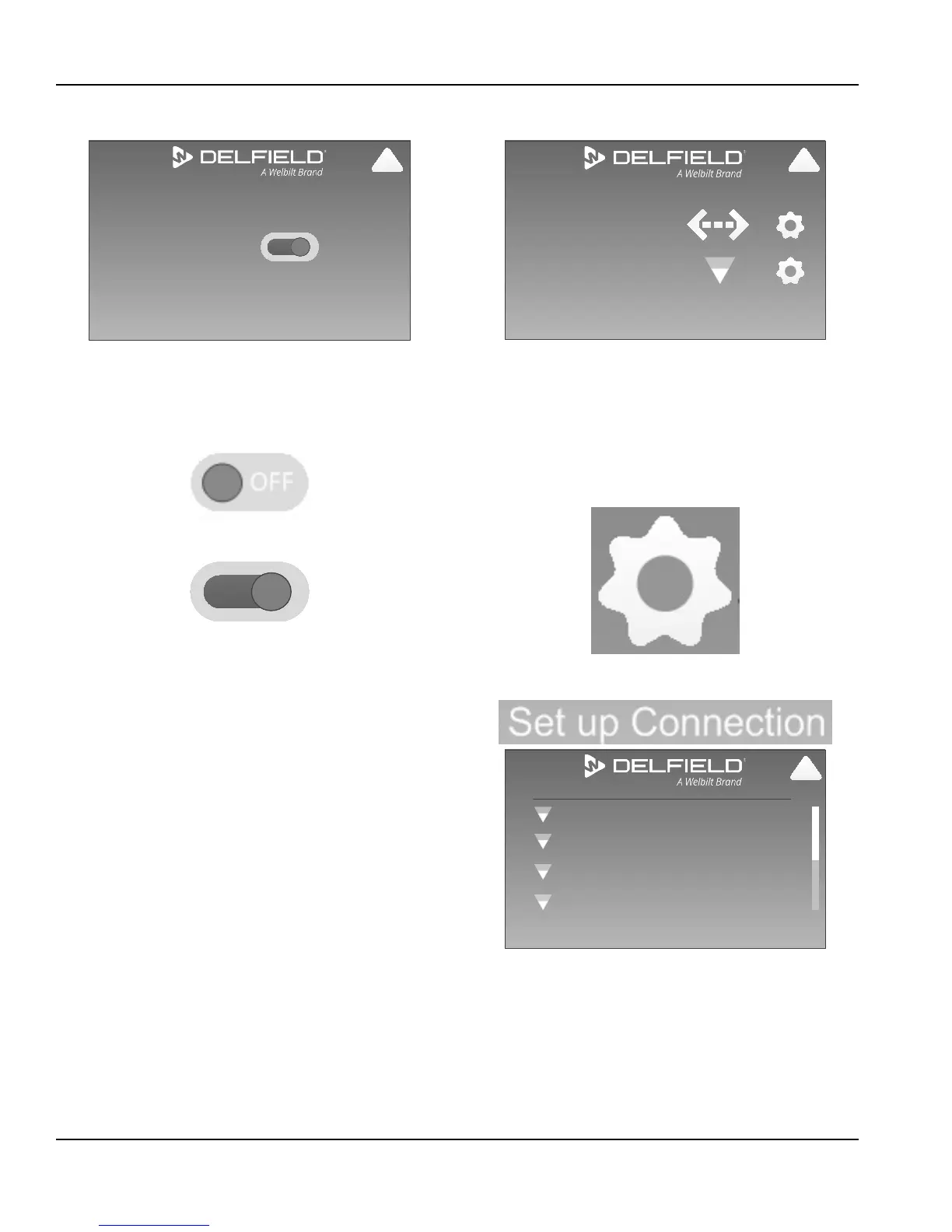
• Selecting this Icon switches the audible alarm between
Off and On. On is the factory setting.
Audible Alarm is Off
Audible Alarm is On
Network Connection
Connected to:
Back Connection Setup
Ethernet: 10.214.25.62
WiFi: SSID: net_name
!
Configuration Screen\Network Connection
• Ethernet: will display local area network name and icon if
it is connected.
• WiFi: will display the WiFi network name and signal
strength if it is connected.
• Ethernet and WiFi both offer access to a IP Address Setup
screen. Select the cog icon.
• Manage network connection by selecting Set Up
Connection.
Back Add a Network
WBT_Enterprise
[WPA-PSK-TKIP=CCMP][WPA2-PSK-TKIP+CCMP][ESS]
Manage Networks
Freds_WiFi
[WPA-PSK-CCMP][WPA2-PSK-CCMP][WPS][ESS]
WBT_Guest
[WPA-PSK-TKIP=CCMP][WPA2-PSK-TKIP+CCMP][ESS]
Freds_WiFi
[WPA-PSK-TKIP=CCMP][WPA2-PSK-TKIP+CCMP][ESS]
!
Configuration Screen\Network Connection
\Set Up Connection
• Screen will list up to eight networks, their name, type of
security, and signal strength using an icon.
• Use the scroll bar on the right of the screen to see
additional networks.


 To Next Page
 Loading...