L'installazione dei seguenti componenti attiva BitLocker:
● Unità disco rigido o unità SSD
● Scheda di sistema
Strumenti consigliati
Le procedure in questo documento potrebbero richiedere i seguenti strumenti:
● Phillips screwdriver #0
● Phillips screwdriver #1
● Torx #5 (T5) screwdriver
● Plastic scribe
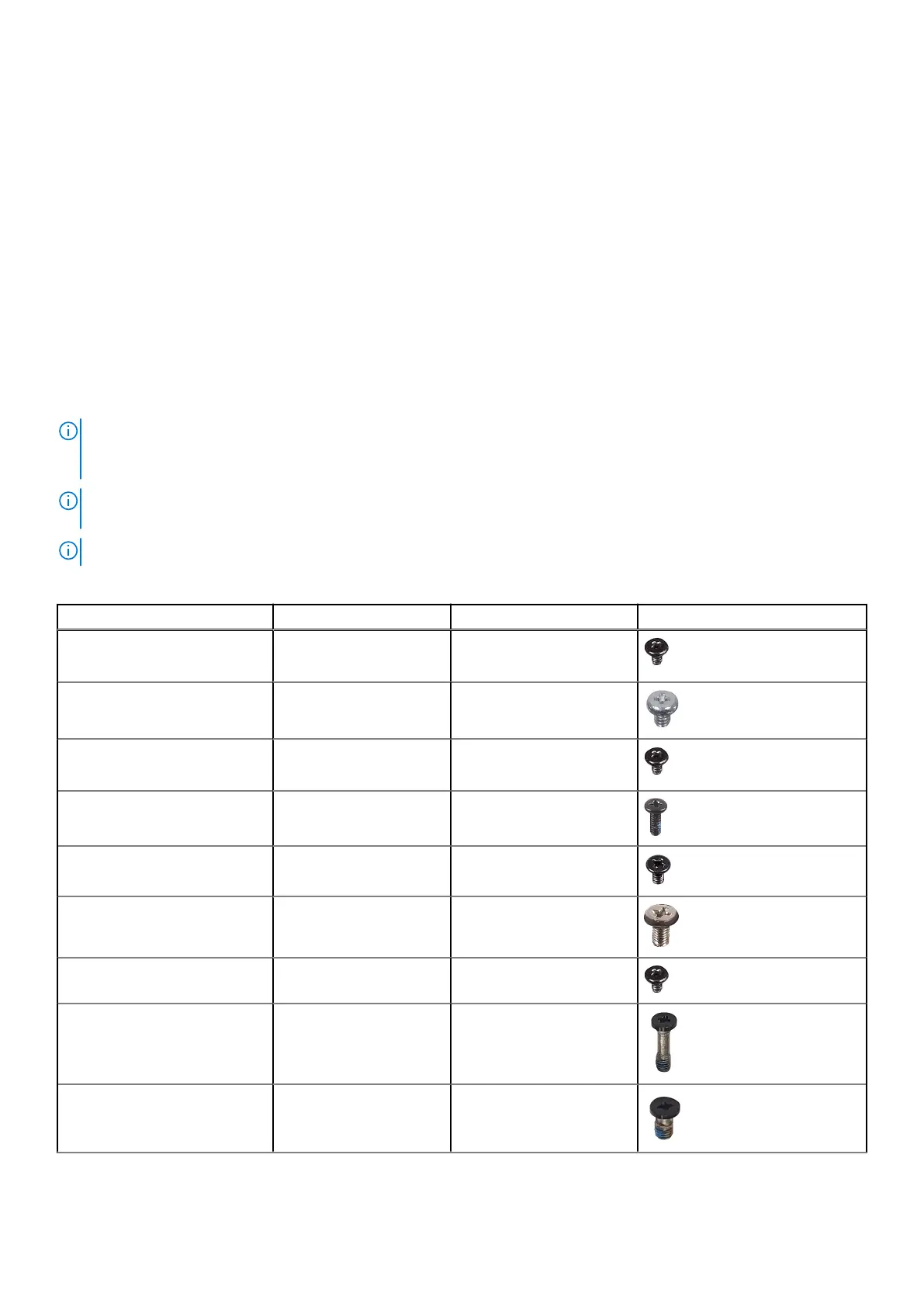
Screw list
N.B.: When removing screws from a component, it is recommended to note the screw type, the quantity of screws, and
then place them in a screw storage box. This is to ensure that the correct number of screws and correct screw type is
restored when the component is replaced.
N.B.: Some computers have magnetic surfaces. Ensure that the screws are not left attached to such surfaces when
replacing a component.
N.B.: Screw color may vary with the configuration ordered.
Tabella 25. Screw list
Component Screw type Quantity Screw image
M.2 2230/M.2 2280 Solid-state
drive
M2x3 1
Hard-drive and optical-drive
supporting bracket (LOW)
#6-32 1
Optical-drive supporting bracket
(LOW)
M2x3 1
Serial/VGA module M2x5
2
DP/HDMI/Type-C module M3x3 2
SD-card reader M3x5 1
WLAN card M2x3 1
Processor-fan and heat-sink
assembly
Captive 4
Voltage regulator heat-sink Captive 4
Interventi sui componenti del computer 35











 To Next Page