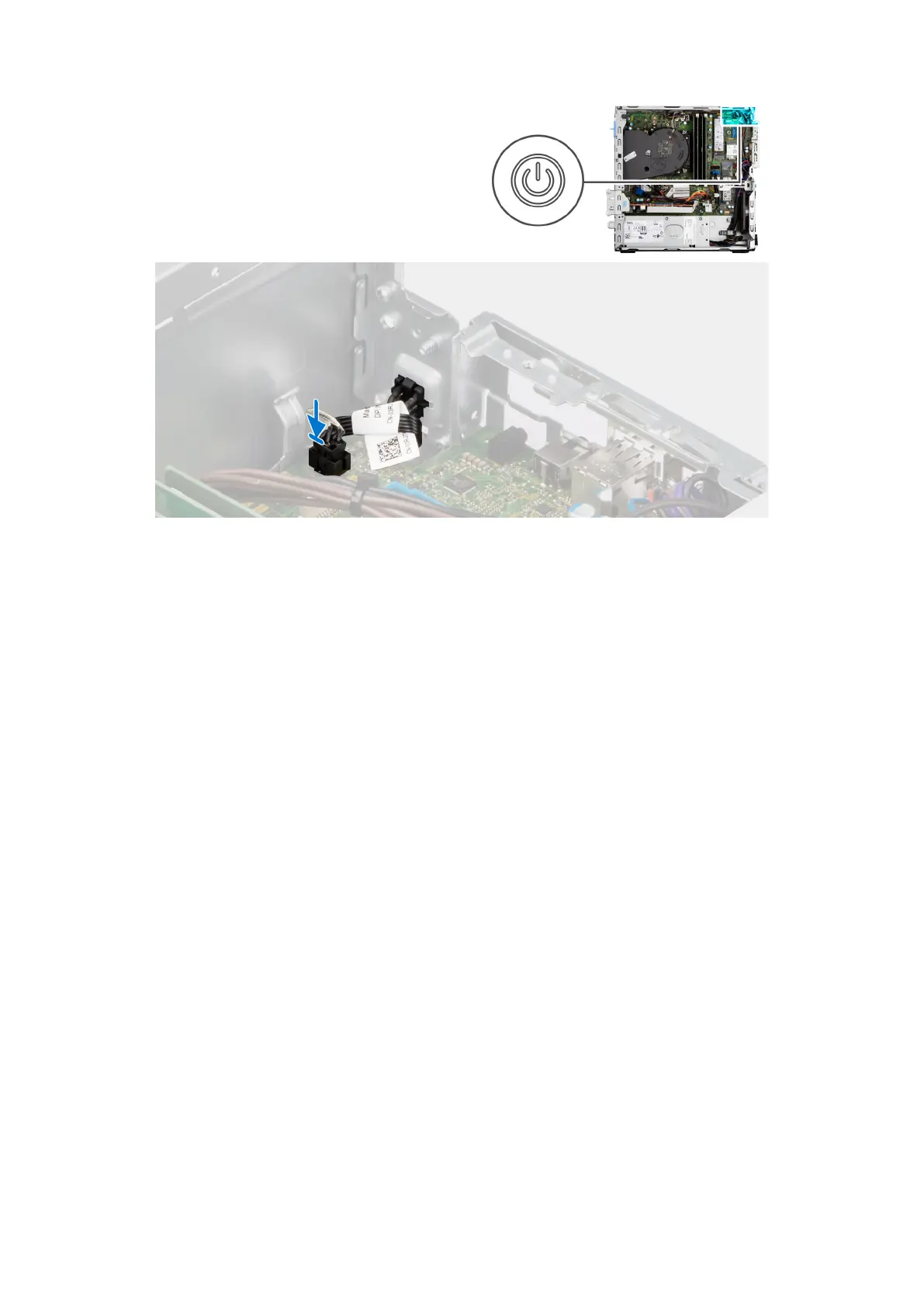
Procedura
1. Far scorrere il pulsante di accensione nello slot sullo chassis.
2. Collegare il cavo del pulsante di accensione al connettore sulla scheda di sistema.
Fasi successive
1. Installare il pannello laterale.
2. Seguire le procedure descritte in Dopo aver effettuato gli interventi sui componenti interni del computer.
Interruttore di intrusione
Removing the intrusion switch
Prerequisites
1. Follow the procedure in Before working inside your computer.
2. Remove the side cover.
About this task
The following image indicates the location of the intrusion switch and provides a visual representation of the removal procedure.
74
Rimozione e installazione di unità sostituibili sul campo (FRU)











 To Next Page