Using a screw driver, push and remove the antenna cover from the chassis.
2. Remove the antenna cover from the screw driver and dispose the antenna cover.
3. Align the pins on the clip with the holes on the system board and press the clip to secure the clip to the system board.
4. Push the antennas into the slots on the back of the chassis.
5. Install the nut and washer to secure the antennas to the chassis.
6. Route the antenna cables through the routing guides on the system board.
7. Press the antenna cable into the clip on the system board.
Next steps
1. Install the wireless card if applicable.
2. Install the disk-drive cage.
3. Install the 3.5-inch hard drive if applicable.
4. Install the 2.5-inch hard drive if applicable.
5. Install the front bezel.
6. Install the side cover.
7. Follow the procedure in After working inside your computer.
Moduli di input/output opzionali
Modulo seriale
Rimozione del modulo seriale
Prerequisiti
1. Seguire le procedure descritte in Prima di effettuare interventi sui componenti interni del computer.
2. Rimuovere il pannello laterale.
Informazioni su questa attività
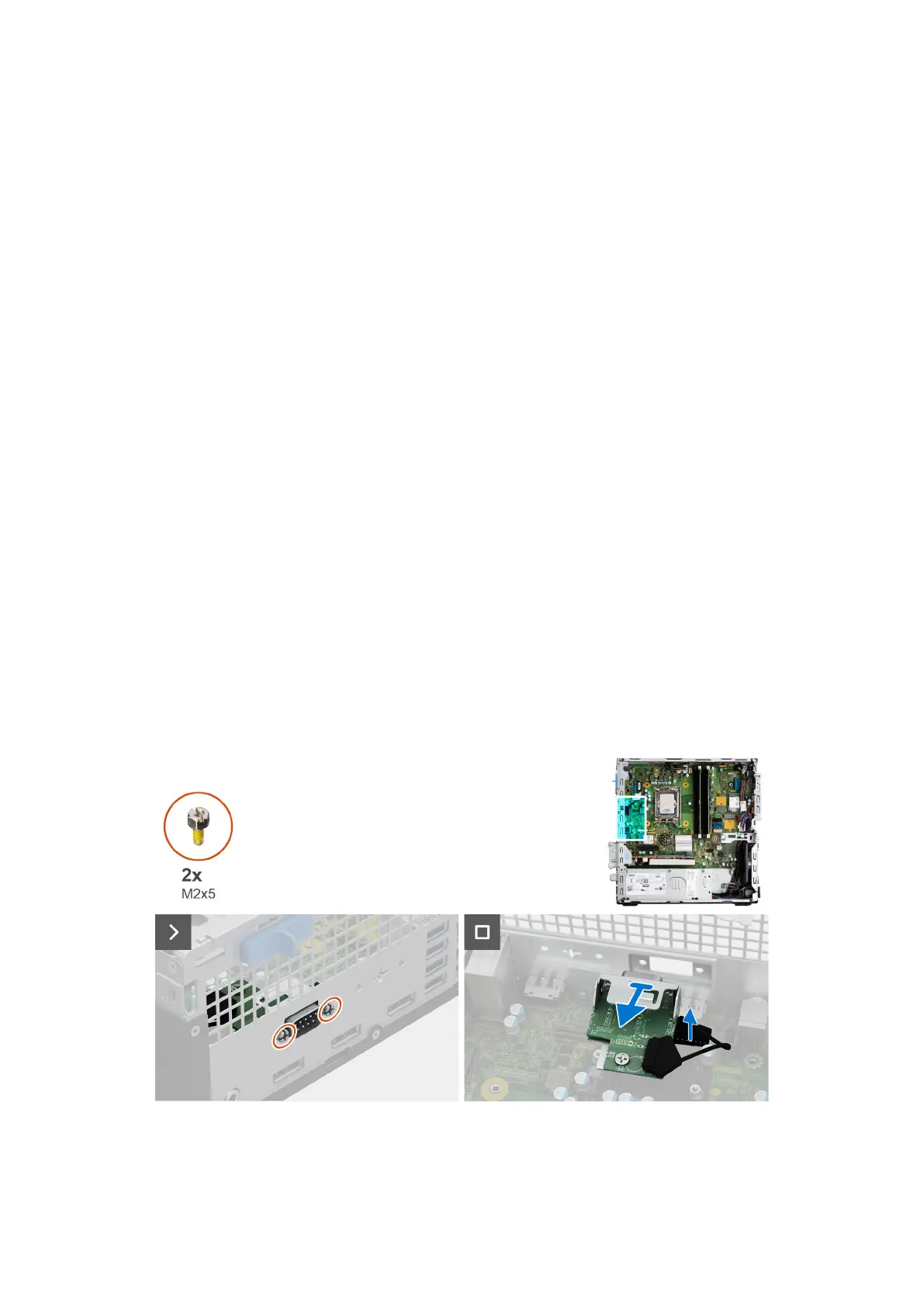
La seguente immagine indica la posizione del modulo seriale e fornisce una rappresentazione visiva della procedura di rimozione.
Procedura
1. Rimuovere le 2 viti a croce (M2x5) che fissano il modulo seriale allo chassis.
2. Scollegare il cavo del modulo seriale dal connettore sulla scheda di sistema.
92
Rimozione e installazione di unità sostituibili sul campo (FRU)











 To Next Page