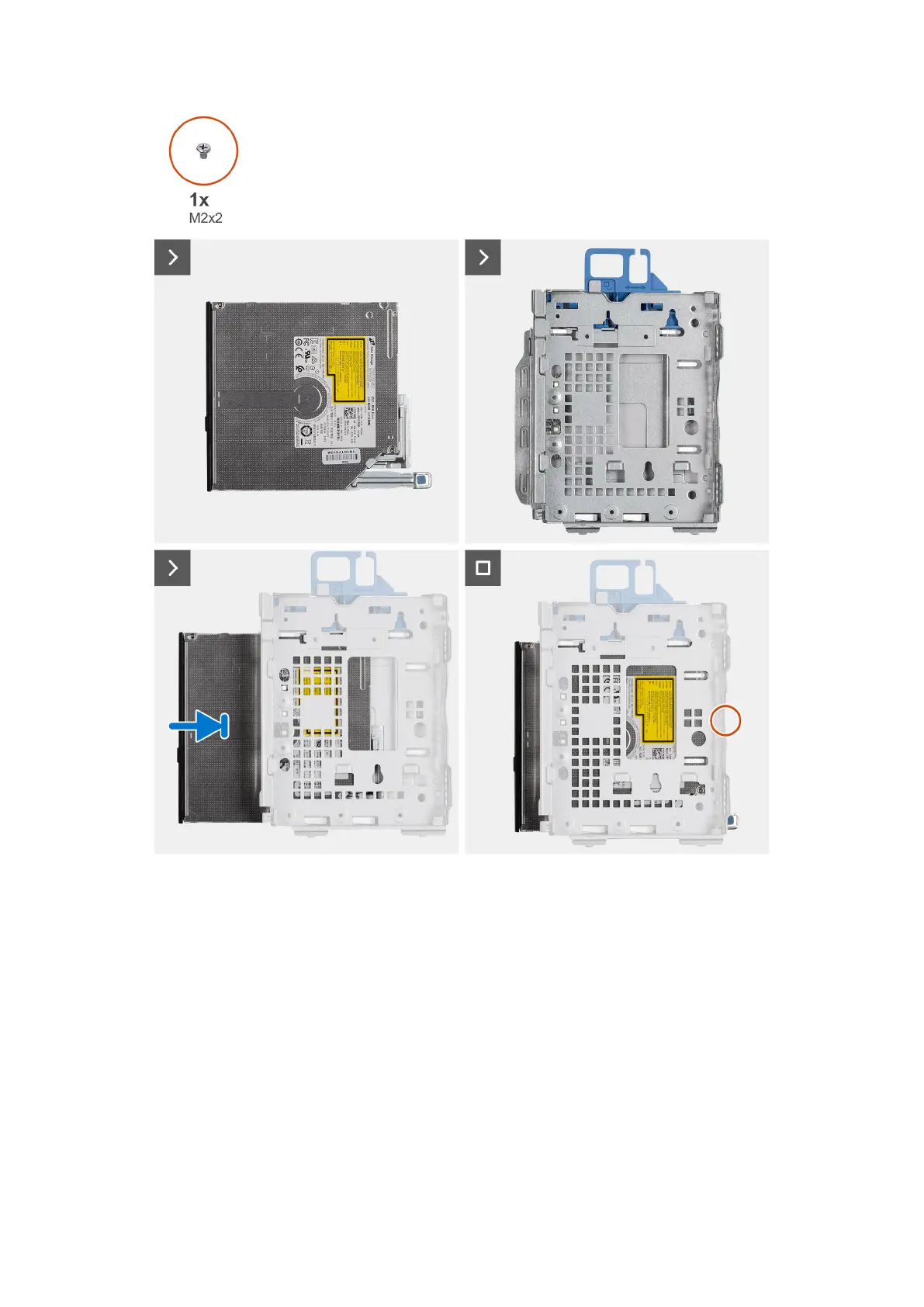
Steps
Slide the optical drive into the disk-drive cage until it snaps into place.
Next steps
1. Install the 3.5-inch hard drive if applicable.
2. Install the 2.5-inch hard drive if applicable.
3. Install the disk-drive cage.
4. Install the front bezel.
5. Install the side cover.
6. Follow the procedure in After working inside your computer.
54
Rimozione e installazione delle unità sostituibili dal cliente (CRU)











 To Next Page