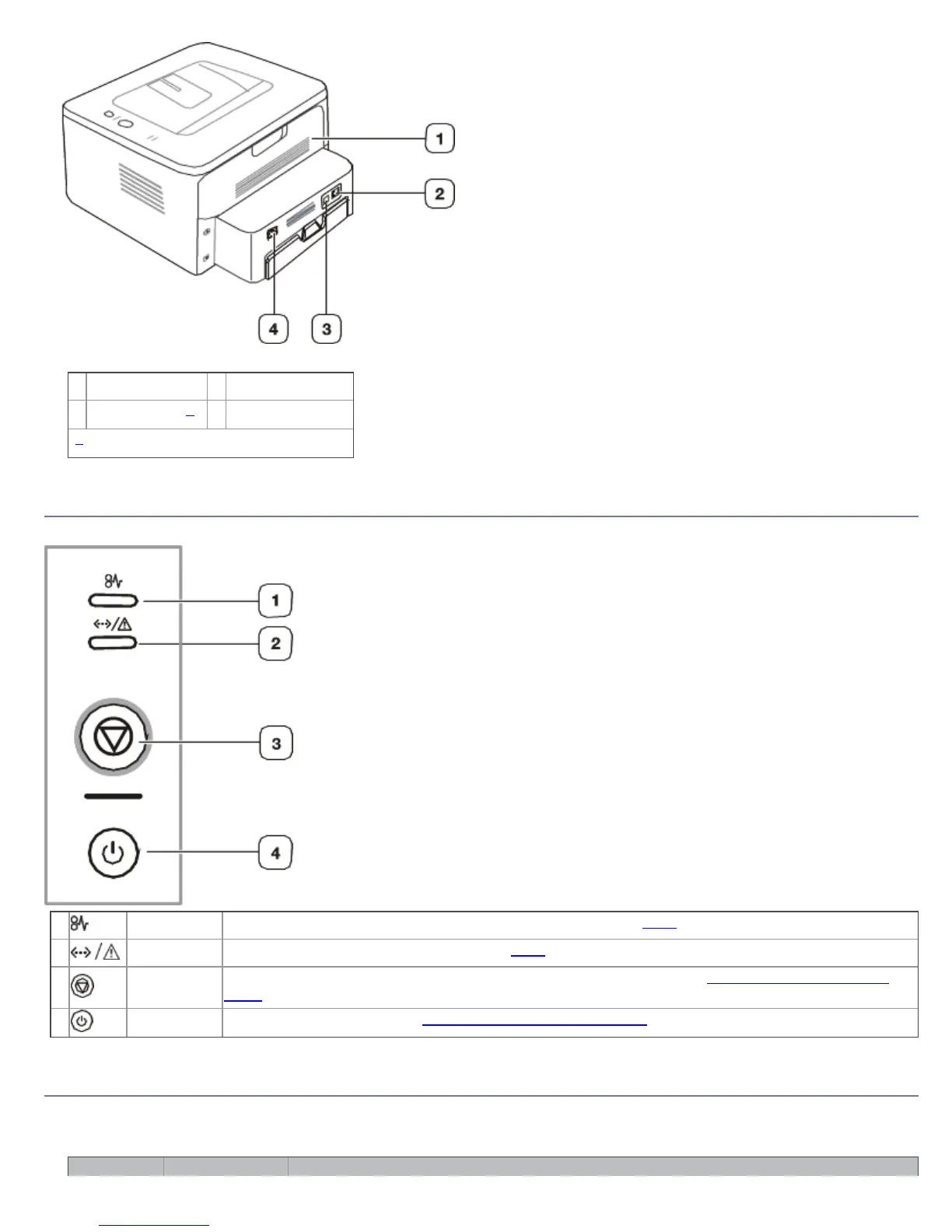
This illustration may differ from your machine depending on its model.
1
Rear cover
3
USB port
2
Network Port
[a]
4
Power receptacle
[a]
Dell 1130n only.
Control panel overview
This control panel may differ from your machine depending on its model.
1
Jam Shows the status of jam occurrence of your machine. (See LEDs.)
2
Online/Error Shows the status of your machine. (See LEDs.)
3
Cancel Stops an operation at any time. Also there are more functions. (See Understanding the control
panel.)
4
Power Turns power on or off. (See Understanding the control panel.)
Understanding the control panel
LEDs
The color of the LEDs indicates the machine's current status.



 To Next Page