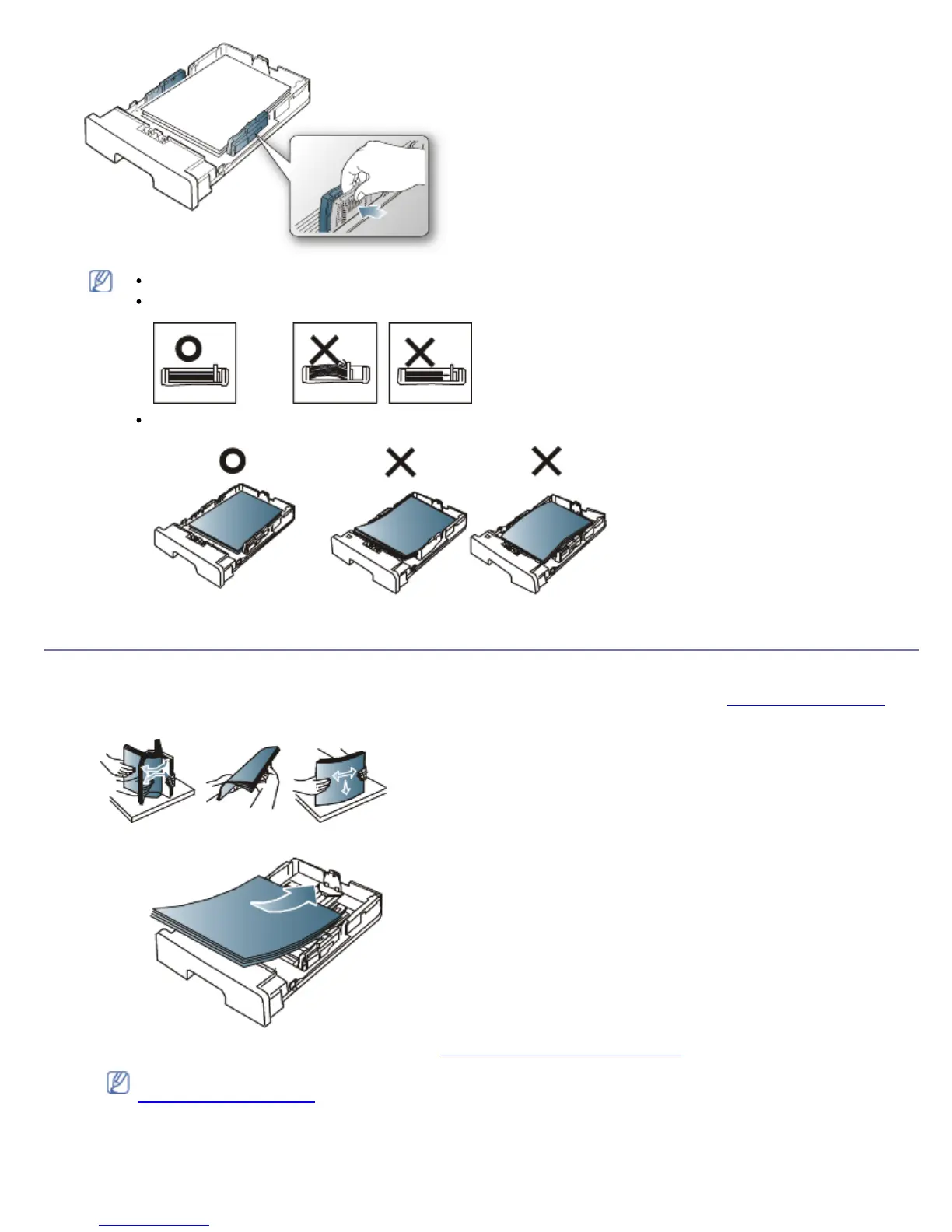
Do not push the paper width guide too far causing the media to warp.
If you do not adjust the paper width guide, it may cause paper jams.
Do not use a paper with more than 6 mm curl.
Loading paper in the tray
Tray 1
1. Pull out the paper tray . And adjust the tray size to the media size you are loading. (See Changing the tray size.)
2. Flex or fan the edge of the paper stack to separate the pages before loading papers.
3. And place paper with the side you want to print facing down.
4. Set the paper type and size for the tray 1. (See Setting the default tray and paper.)
If you experience problems with paper feeding, check whether the paper meets the media specification. (See
Print media specifications.)
Manual tray
The manual tray can hold special sizes and types of print material, such as postcards, note cards, and envelopes. It is
useful for single page printing on letterhead or colored paper.



 To Next Page