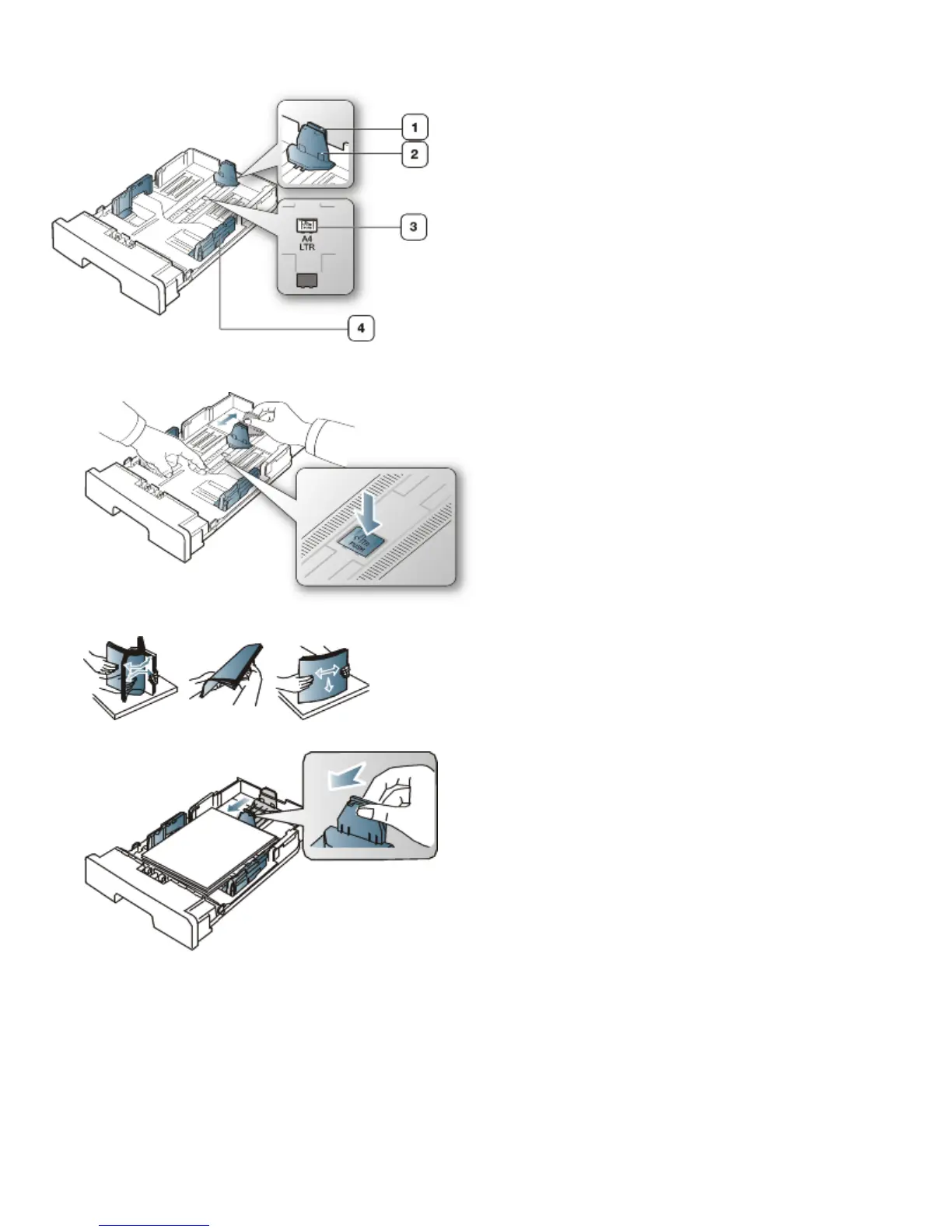
The tray is preset to Letter or A4 size, depending on your country. To change the size, you need to adjust the paper
guides.
1. Support guide
2. Paper length guide
3. Guide lock
4. Paper width guide
1. With one hand press and hold the guide lock, and with the other hand, hold the paper length guide and support guide
together. Slide the paper length guide and support guide to locate them in the correct paper size slot.
2. Flex or fan the edge of the paper stack to separate the pages before loading papers. Insert the paper into the tray.
3. After inserting paper into the tray, adjust the support guide so that it lightly touches the paper stack.
4. Squeeze the paper width guides and slide them to the desired paper size marked at the bottom of the tray.



 To Next Page