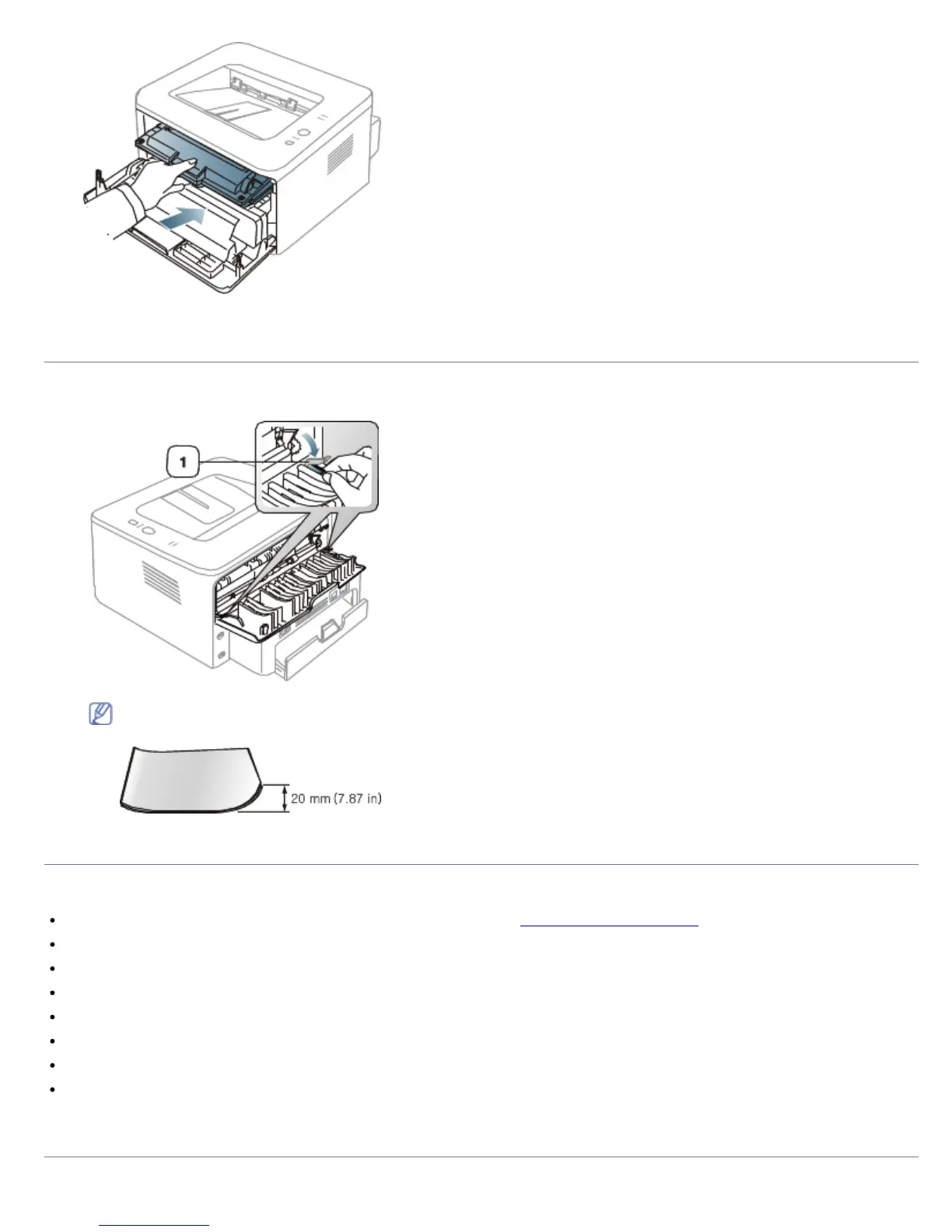
5. Close the front cover. Ensure that the cover is securely closed.
Tips for avoiding paper curls
1. Open the rear cover.
2. Pull down the pressure lever on each side.
1. Pressure lever
Keep the rear cover opened during printing.
Only use when the printout has more than 20 mm curl.
Tips for avoiding paper jams
By selecting the correct media types, most paper jams can be avoided. When a paper jam occurs, refer to the next
guidelines.
Ensure that the adjustable guides are positioned correctly. (See Loading paper in the tray.)
Do not overload the tray. Ensure that the paper level is below the paper capacity mark on the inside of the tray.
Do not remove paper from the tray while your machine is printing.
Flex, fan, and straighten paper before loading.
Do not use creased, damp, or highly curled paper.
Do not mix paper types in a tray.
Use only recommended print media.
Ensure that the recommended side of the print media is facing down in the tray, or facing up in the manual tray.
Clearing paper jams



 To Next Page