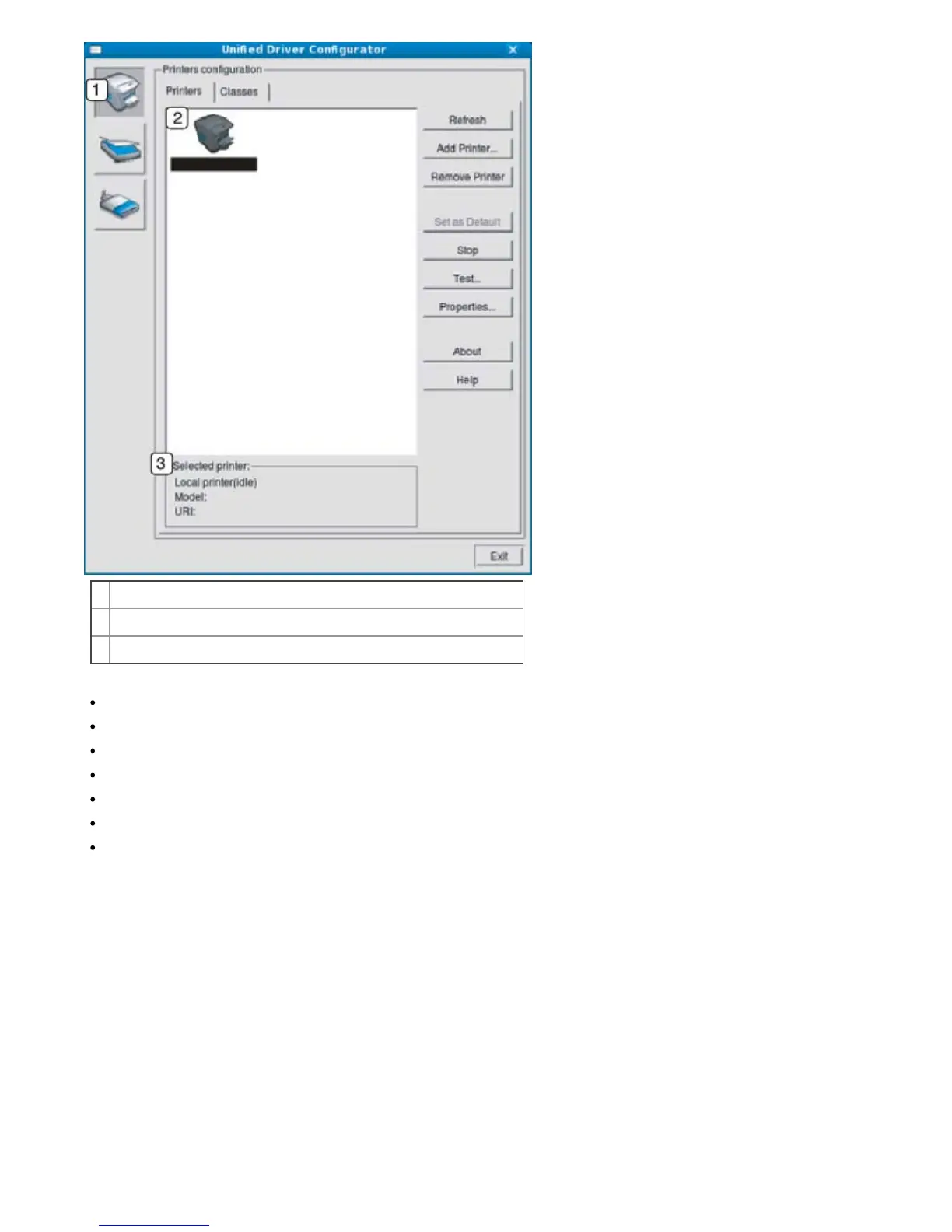
1
Switches to Printers configuration.
2
Shows all of the installed machine.
3
Shows the status, model name and URI of your machine.
The printer control buttons are, as follows:
Refresh: Renews the available machines list.
Add Printer: Allows you to add a new machines.
Remove Printer: Removes the selected machine.
Set as Default: Sets the current selected machine as a default machine.
Stop/Start: Stops/starts the machine.
Test: Allows you to print a test page to ensure the machine is working properly.
Properties: Allows you to view and change the printer properties.
Classes tab
The Classes tab shows a list of available machine classes.



 To Next Page