Dell 1707FPc
8
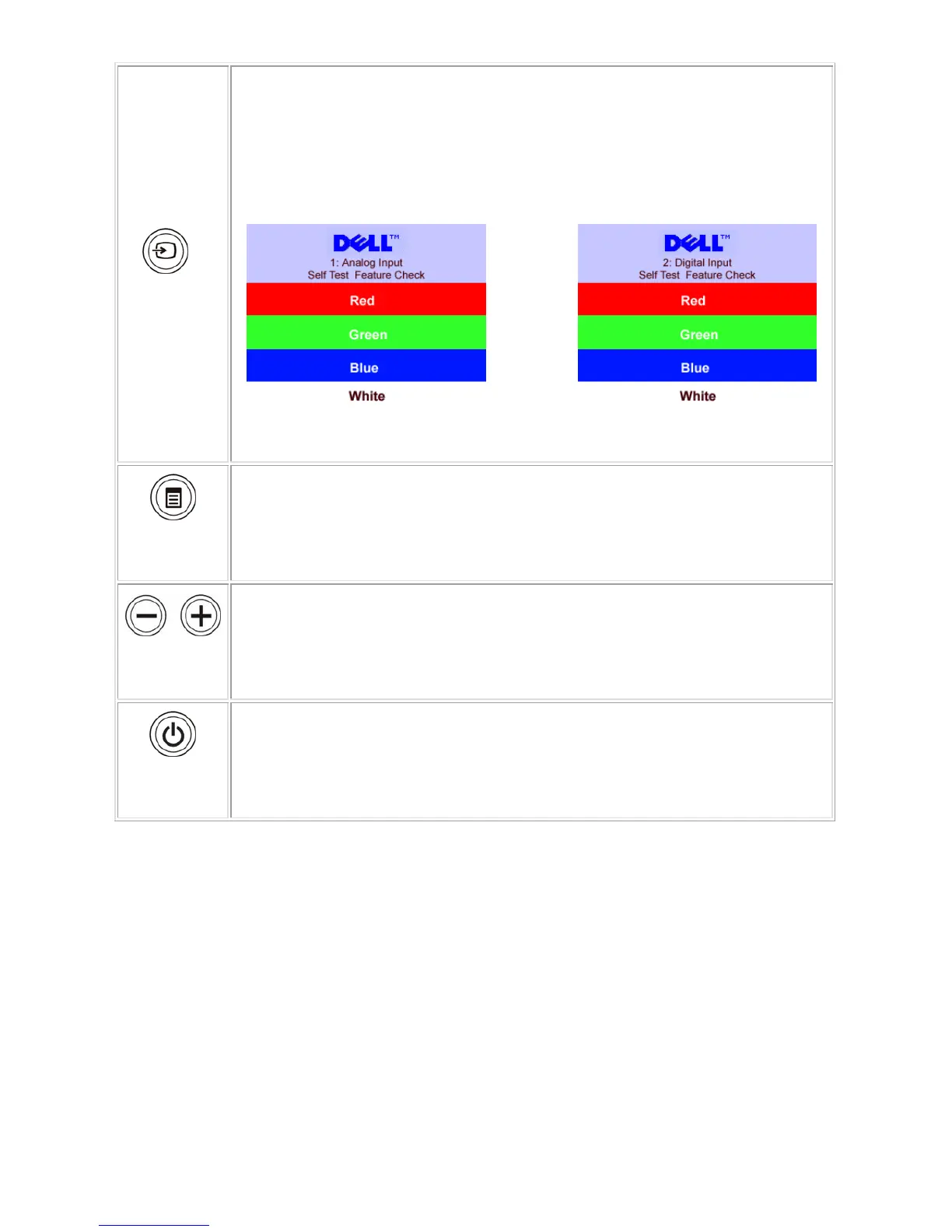
Input select
Use the Input Select button to select between two different video signals that may be
connected to your monitor.
NOTE: The floating 'Dell Self-test Feature Check' dialog appears on a black
background If the monitor cannot sense a video signal. Depending upon the
selected input, one of the dialogs shown below will scroll continually.
OSD menu /
select
The Menu button is used to open and exit the on-screen display (OSD), and exit from
menus and sub-menus.
Down (-) and
Up (+)
Use these buttons to adjust (decrease/increase ranges) items in the OSD menu.
Power Button
and Indicator
Use the power button to turn the monitor on and off.
The green light indicates the monitor is on, and fully functional. An amber light indicates
power save mode.
Back View










 To Next Page