Setting Up Your Monitor: Dell 1908WFP Flat Panel Monitor User's Guide
file:///T|/htdocs/monitors/1908WFP/en/ug/operate.htm[10/31/2012 11:34:21 AM]
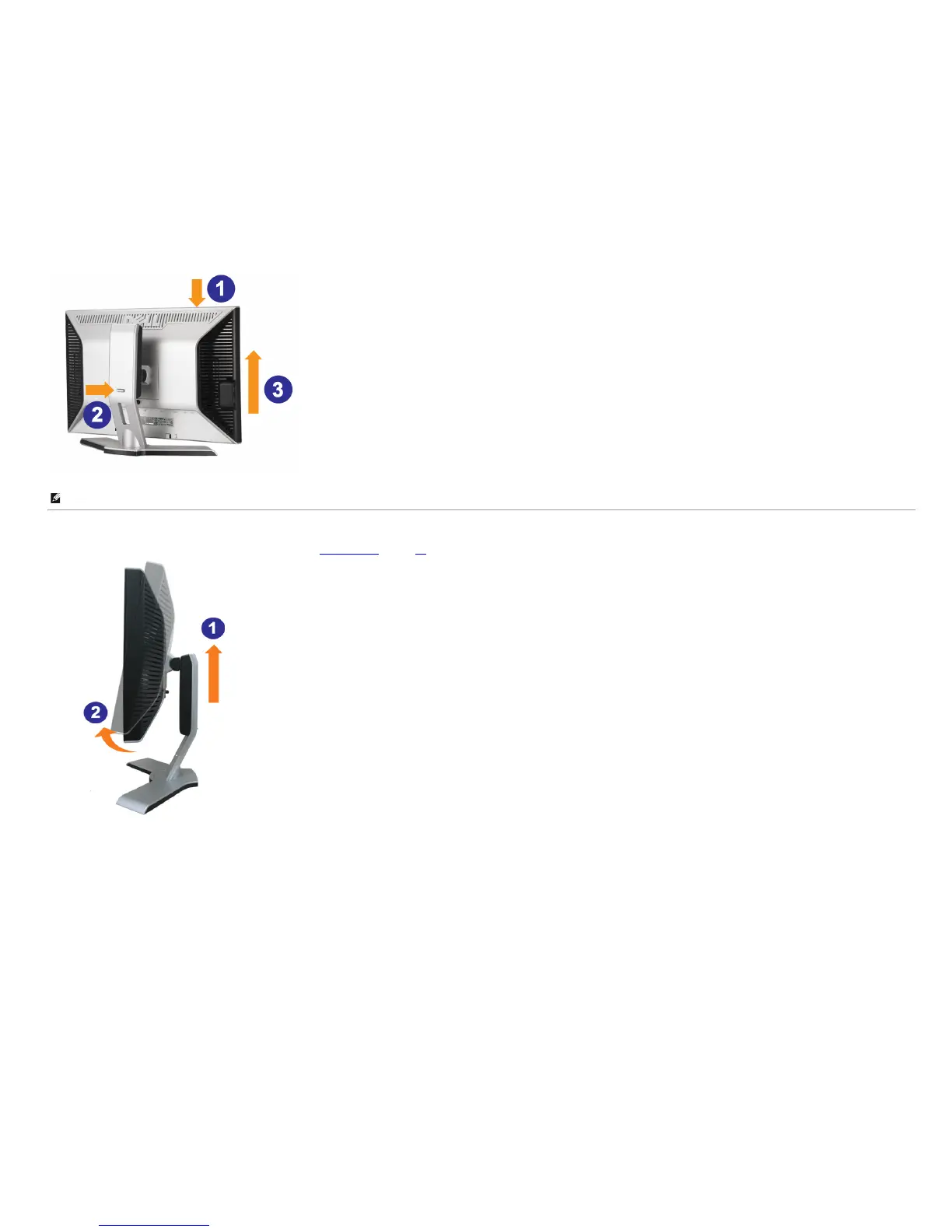
NOTE: Before you move the monitor to a new location, lock the stand by lowering monitor until it clicks in to place.
Rotating the Monitor
Before you rotate the monitor, your monitor should either be vertically extended (Vertical Extension) or titled (Tilt) to avoid hitting the bottom edge of the monitor.












 To Next Page