Dell 1909W Flat Panel Monitor User's Guide
file:///T|/htdocs/monitors/1909W/en/ug/about.htm[11/8/2012 2:53:29 PM]
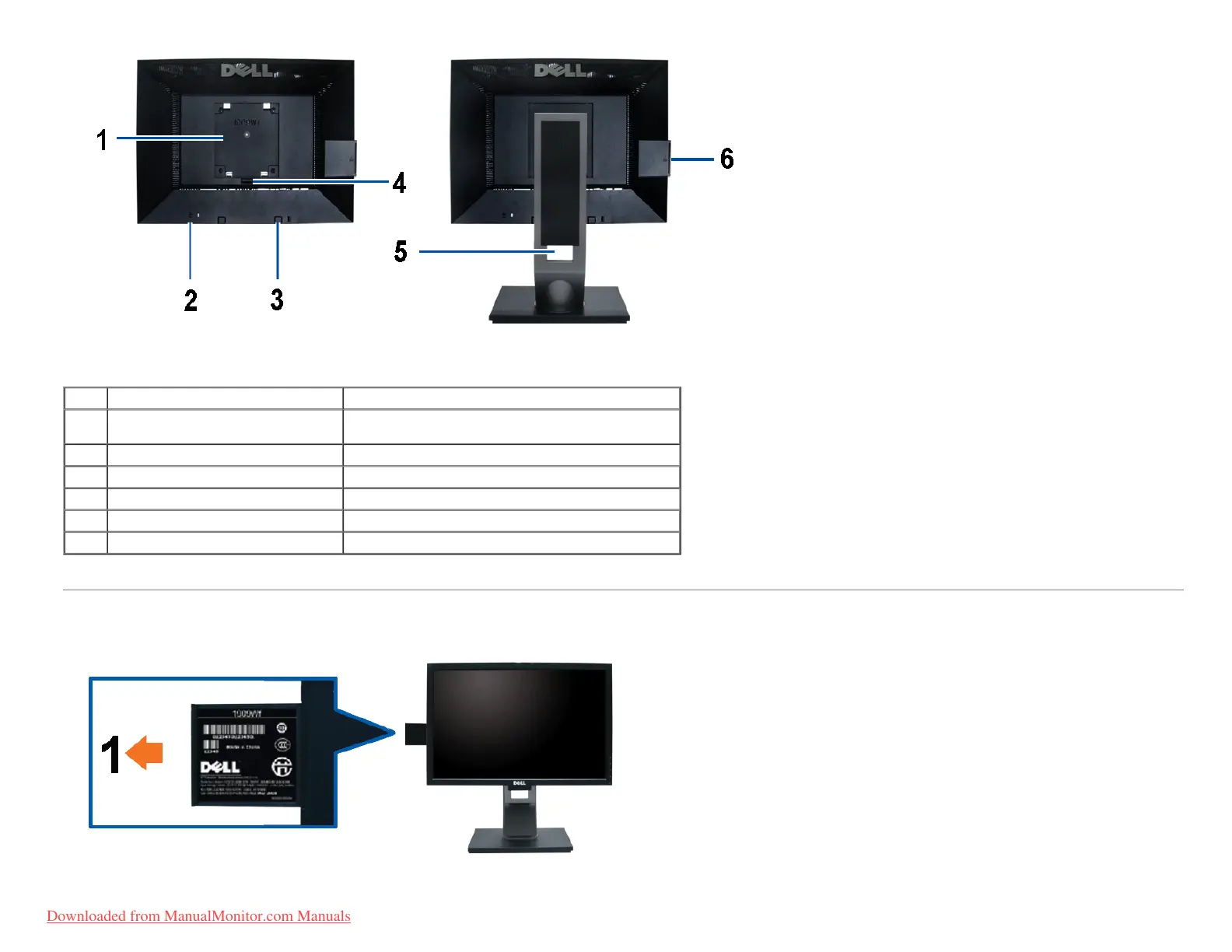
Back view Back View with monitor stand
Label Description Use
1
VESA mounting holes (100mm)
(Behind attached base plate)
To mount the monitor.
2 Security lock slot To help secure your monitor.
3 Dell Soundbar mounting brackets To attach the optional Dell Soundbar.
4 Stand Release Button To press to release the stand.
5 Cable management slot To organize cables by placing them through the slot.
6 label compartment To pull out to view labels
Note: The regulatory rating label and barcode serial number label is revealed when plate is pulled out from USB compartment.
Label View
Monitor front view with pull-out card extended to reveal barcode serial number marks.
Downloaded from ManualMonitor.com Manuals











 To Next Page