Dell 1909W Flat Panel Monitor User's Guide
file:///T|/htdocs/monitors/1909W/en/ug/operate.htm[11/8/2012 2:54:10 PM]
3. Headphone connectors
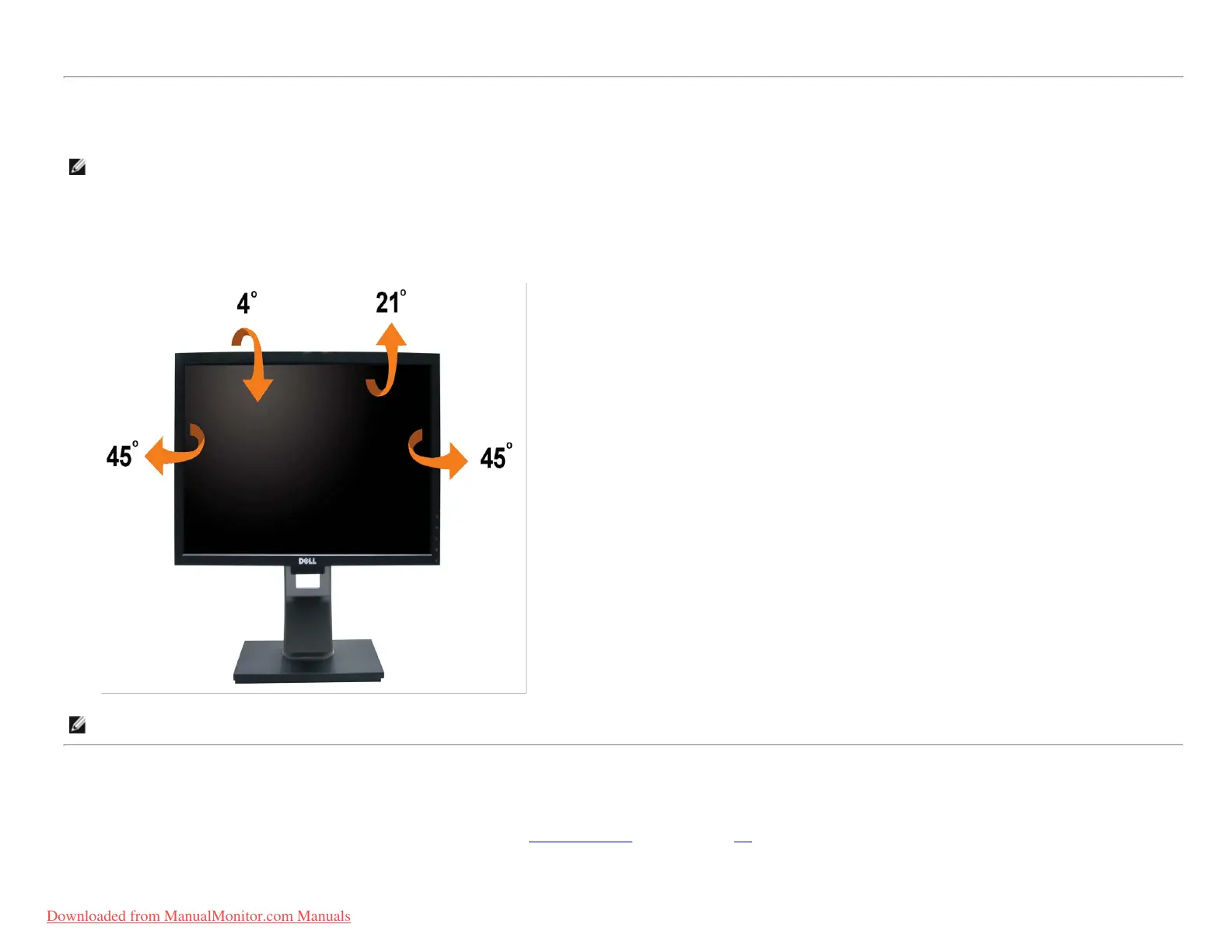
Using the Tilt, Rotation
NOTE: This is applicable for a monitor with a stand. When the OptiPlex
TM
USFF 780/ OptiPlex
TM
SFF 980 AIO stand is bought, please refer to the respective AIO stand setup guide for set
up instructions.
Tilt
With the built-in pedestal, you can tilt the monitor for the most comfortable viewing angle.
NOTE: The stand is detached when the monitor is shipped from the factory.
Rotating the Monitor
Before you rotate the monitor, your monitor should be fully vertically extended (Vertical Extension) and fully tilted (Tilt) up to avoid hitting the bottom edge of the monitor.
Downloaded from ManualMonitor.com Manuals











 To Next Page