Dell 1909W Flat Panel Monitor User's Guide
file:///T|/htdocs/monitors/1909W/en/ug/operate.htm[11/8/2012 2:54:10 PM]
Using the On-Screen Display (OSD) Menu
Accessing the Menu System
NOTE: If you change the settings and then either proceed to another menu or exit the OSD menu, the monitor automatically saves those changes. The changes are also saved if you
change the settings and then wait for the OSD menu to disappear.
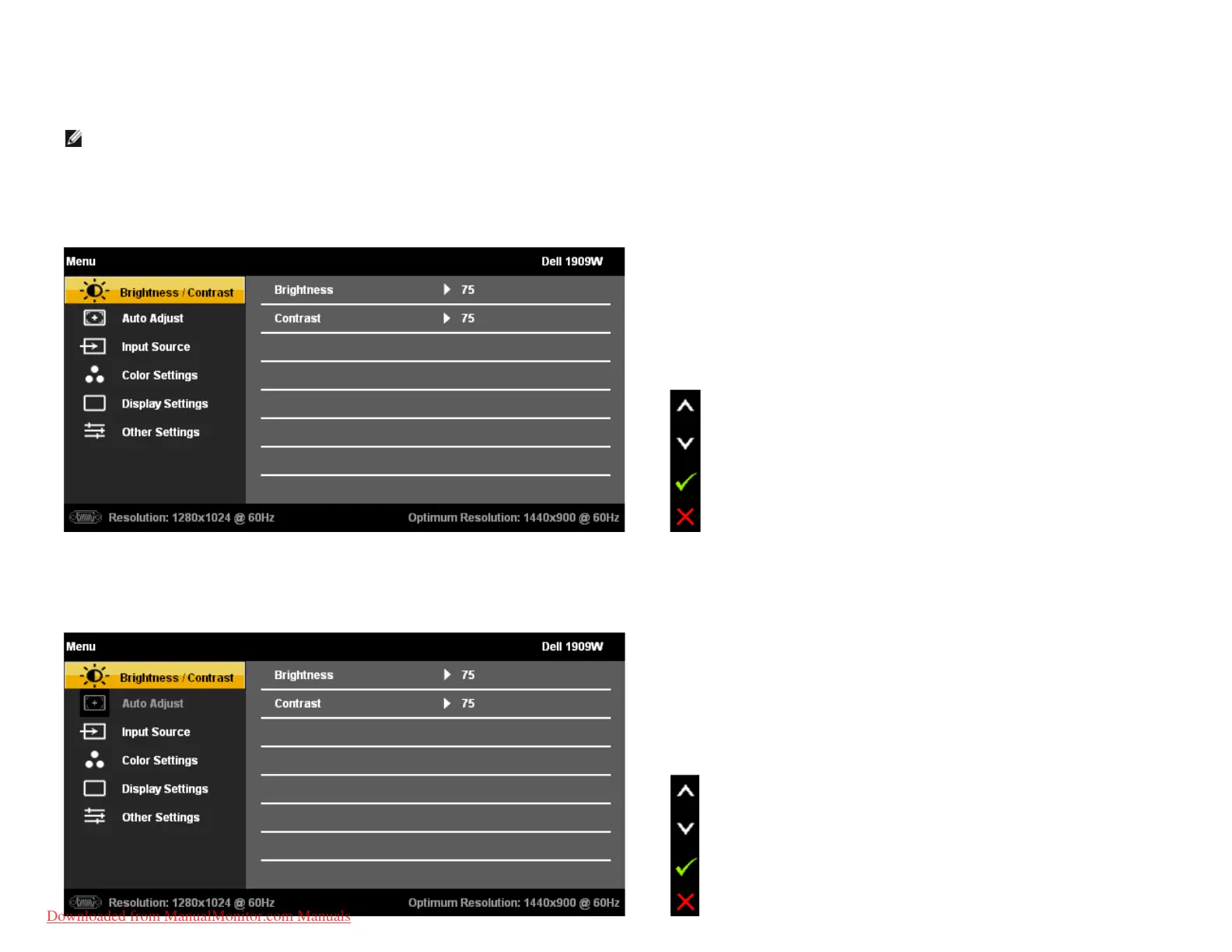
1. Push the MENU button to launch the OSD menu and display the main menu.
Main Menu for Analog (VGA) Input
or
Main Menu for DVI Input
Downloaded from ManualMonitor.com Manuals











 To Next Page