Dell 1909W Flat Panel Monitor User's Guide
file:///T|/htdocs/monitors/1909W/en/ug/setup.htm[11/8/2012 2:53:45 PM]
WARNING: Before you begin any of the procedures in this section, follow the Safety Instructions.
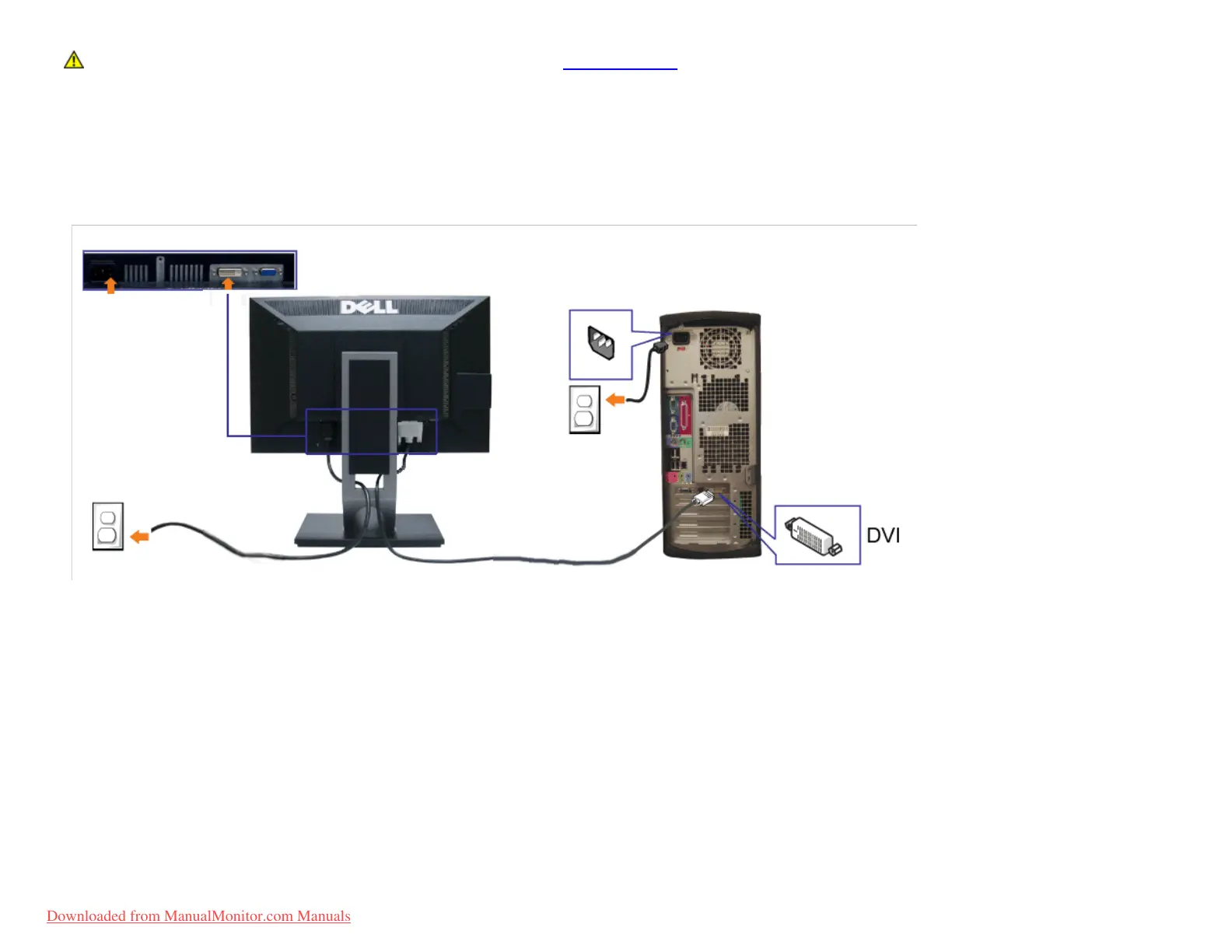
To connect your monitor to the computer:
1. Turn off your computer and disconnect the power cable.
2. Connect either the white (digital DVI-D) or the blue (analog VGA) display connector cable to the corresponding video port on the back of your computer. Do not use both cables
on the same computer. Use both the cables only when they are connected to two different computers with appropriate video systems.
Connecting the white DVI cable
Connecting the blue VGA cable
Downloaded from ManualMonitor.com Manuals











 To Next Page