Dell 1909W Flat Panel Monitor User's Guide
file:///T|/htdocs/monitors/1909W/en/ug/operate.htm[11/8/2012 2:54:10 PM]
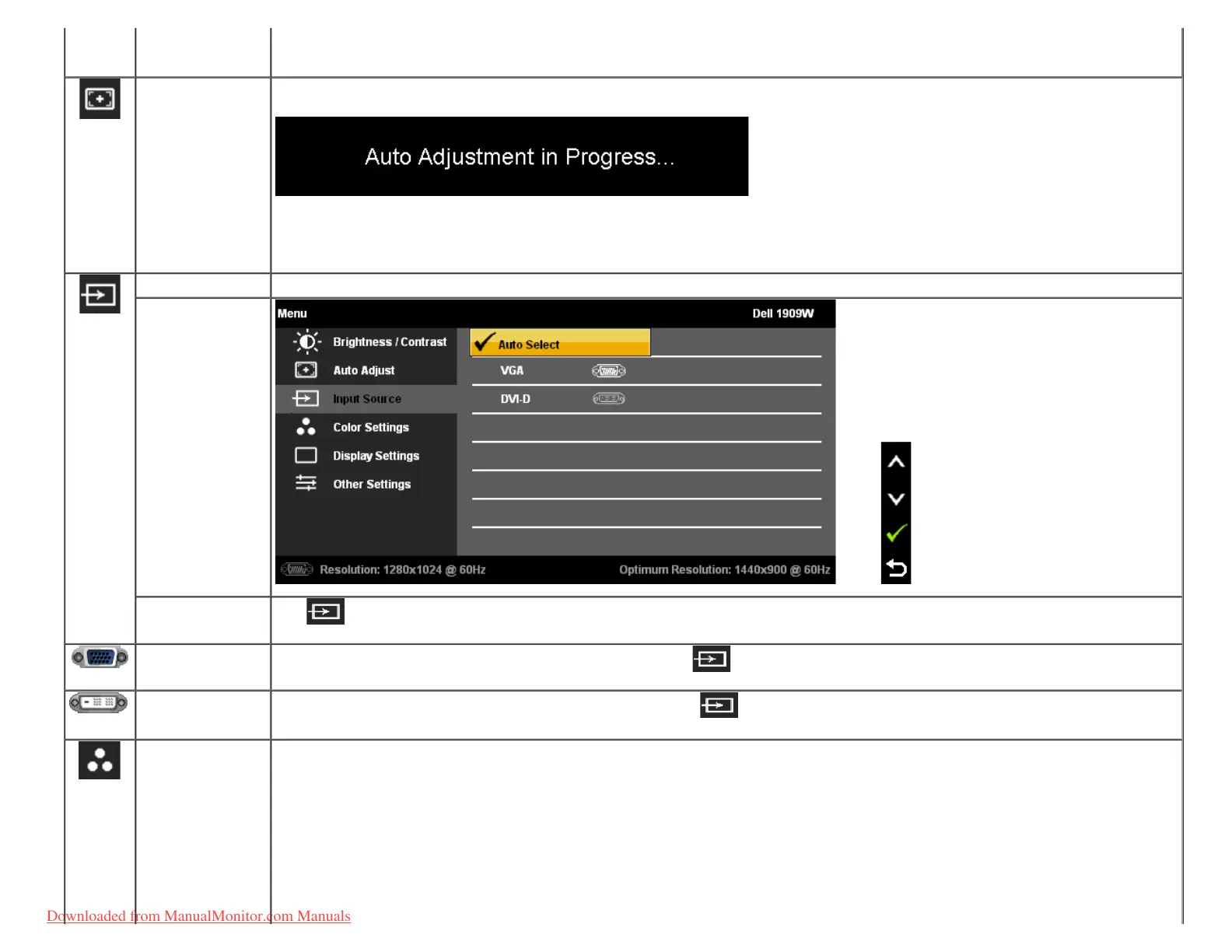
AUTO ADJUST
Even though your computer recognizes your monitor on startup, the Auto Adjustment function optimizes the display settings for use with your particular
setup.
NOTE: In most cases, Auto Adjust produces the best image for your configuration.
NOTE: AUTO ADJUST option is only available when you are using the analog (VGA) connector.
INPUT SOURCE
Use the INPUT SOURCE menu to select between different video signals that may be connected to your monitor.
AUTO Select
Push
to select the Auto Select, the monitor will auto detect either VGA input or DVI-D input.
VGA
Select VGA input when you are using the analog (VGA) connector. Push
to select the VGA input source.
DVI-D
Select DVI-D input when you are using the Digital (DVI) connector. Push
to select the DVI input source.
COLOR SETTINGS
Use the Color Settings to adjust the color setting mode and color temperature.
There are different color setting sub-menus for VGA/DVI-D and Video input.
Downloaded from ManualMonitor.com Manuals











 To Next Page