About your monitor │ 25
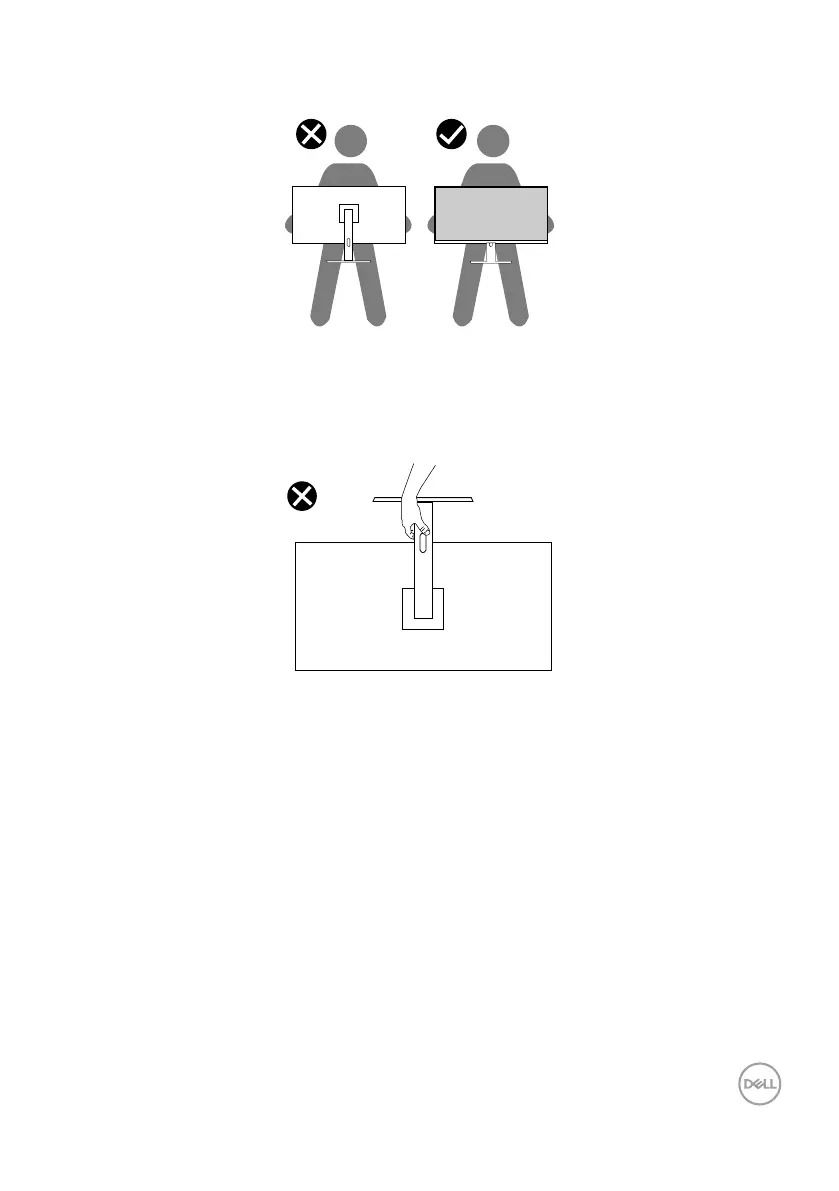
• When lifting or moving the monitor, ensure the screen is facing away from you and
do not press on the display area to avoid any scratches or damage.
• When transporting the monitor, avoid any sudden shock or vibration to it.
• When lifting or moving the monitor, do not turn the monitor upside down while
holding the stand base or stand riser. This may result in accidental damage to the
monitor or cause personal injury.


 To Next Page