38 │ Setting up the monitor
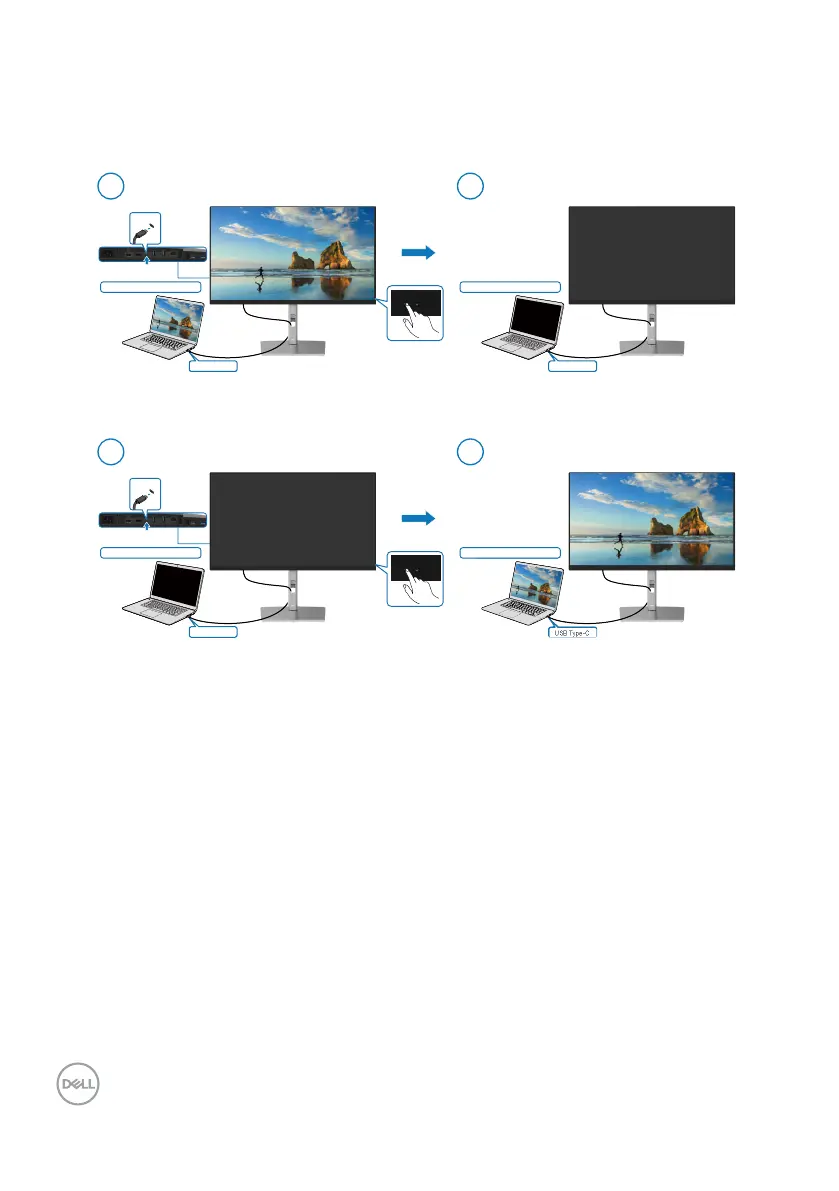
System ON/OFF with power button
When you press the monitor power button or PC power button, the Monitor/PC state is
as follows:
USB Type-C
USB Type-C
Initial system power state (ON)
Initial monitor power state (ON)
New Power state of monitor (OFF)
Press PC/Monitor
power button
1
USB Type-C
New Power state of system (OFF)
2
USB Type-C
USB Type-C
Initial system power state (OFF)
Initial monitor power state (OFF
ew Power state of monitor (ON)
Press PC/Monitor
power button
1
USB Type-C
New Power state of system (ON)
2


 To Next Page