Back to Contents Page
Setting Up the Monitor
Dell™2209WA Flat Panel Monitor User's Guide
Attaching the Stand
Connecting the Monitor
Organizing Your Cables
Attaching the Soundbar (optional)
Removing the Stand
Attaching the Stand
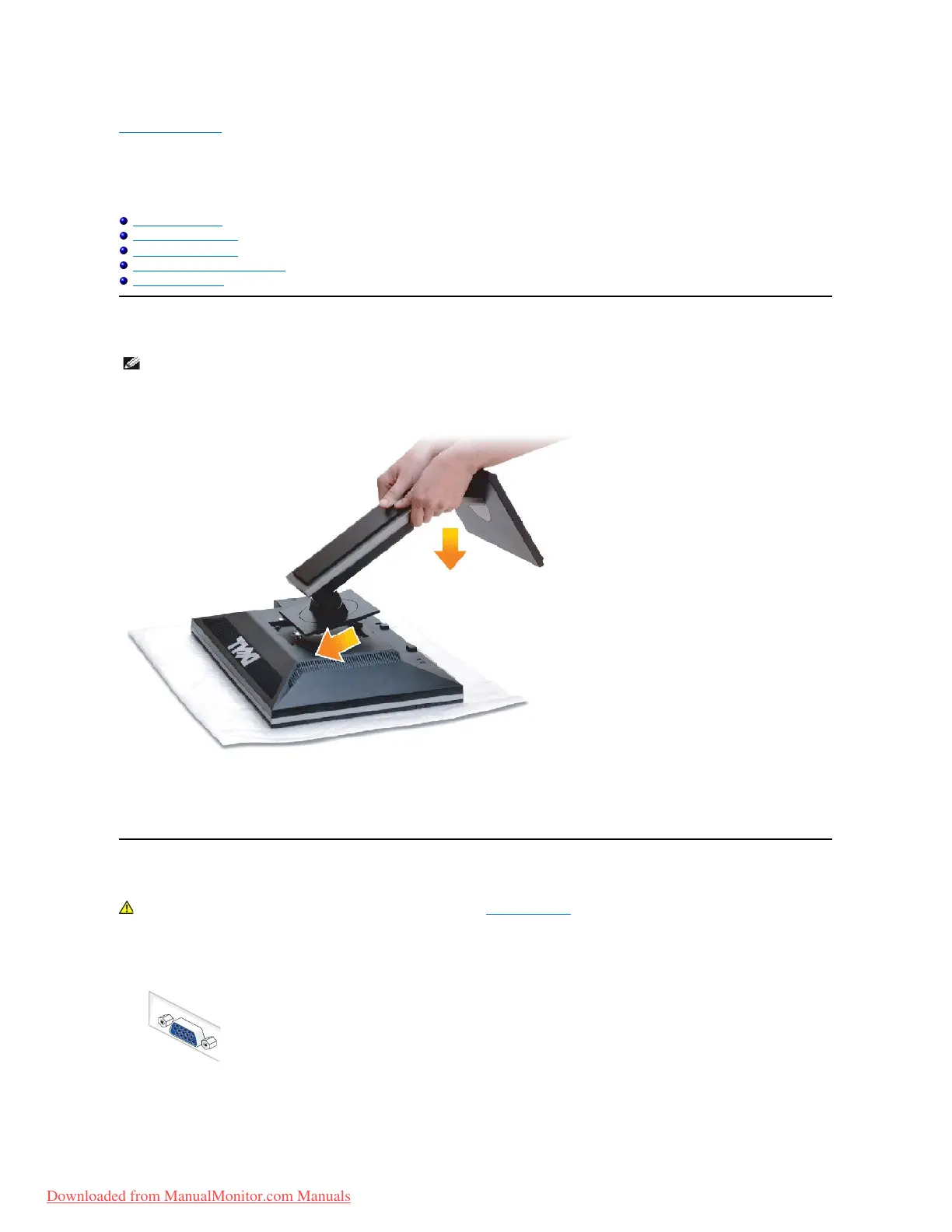
To attach the monitor stand:
1. Remove the cover and place the monitor on it.
2. Fit the two tabs on the upper part of the stand to the groove on the back of the monitor.
3. Press the stand till it snaps into its place.
Connecting Your Monitor
To connect your monitor to the computer:
1. Turnoffyourcomputeranddisconnectthepowercable.
Connect the blue (VGA) cable from your monitor to your computer.


 To Next Page