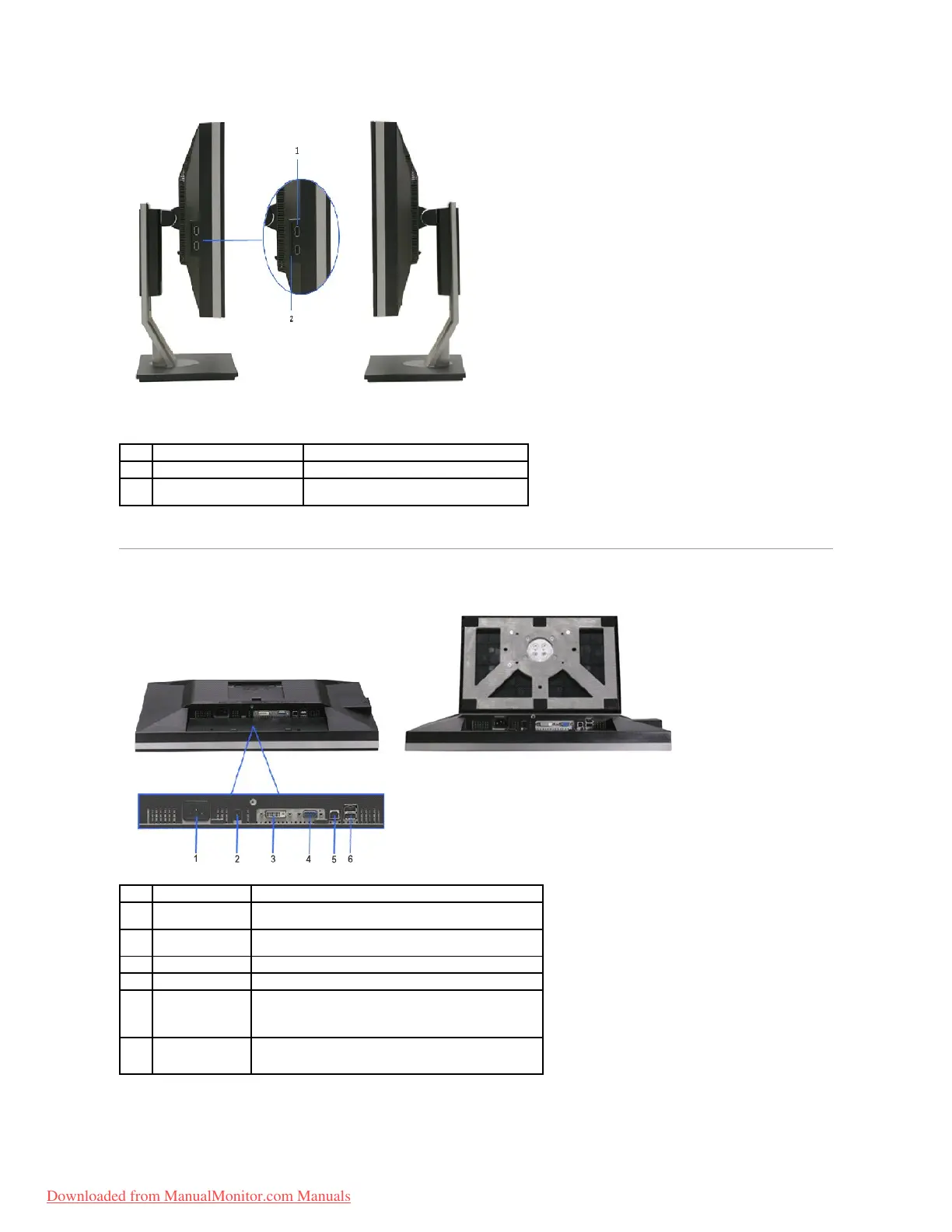
Connect your USB devices.
Provide clean monitor back view when reference
to labels is not required.
Bottom view with monitor stand
DC power connector
for Dell Soundbar.
Connect the power cord for the soundbar (optional)
Connect your computer DVI cable
Connect your computer VGA cable
Connect theUSB cable that came with your monitor to the
monitor and the computer. Once this cable is connected you
can use the USB connectors on the side and bottom of the
monitor.
Connect your USB devices. You can only use this connector
after you have connected the USB cable to the computer and
USB upstream connector on the monitor.
Downloaded from ManualMonitor.com Manuals


 To Next Page