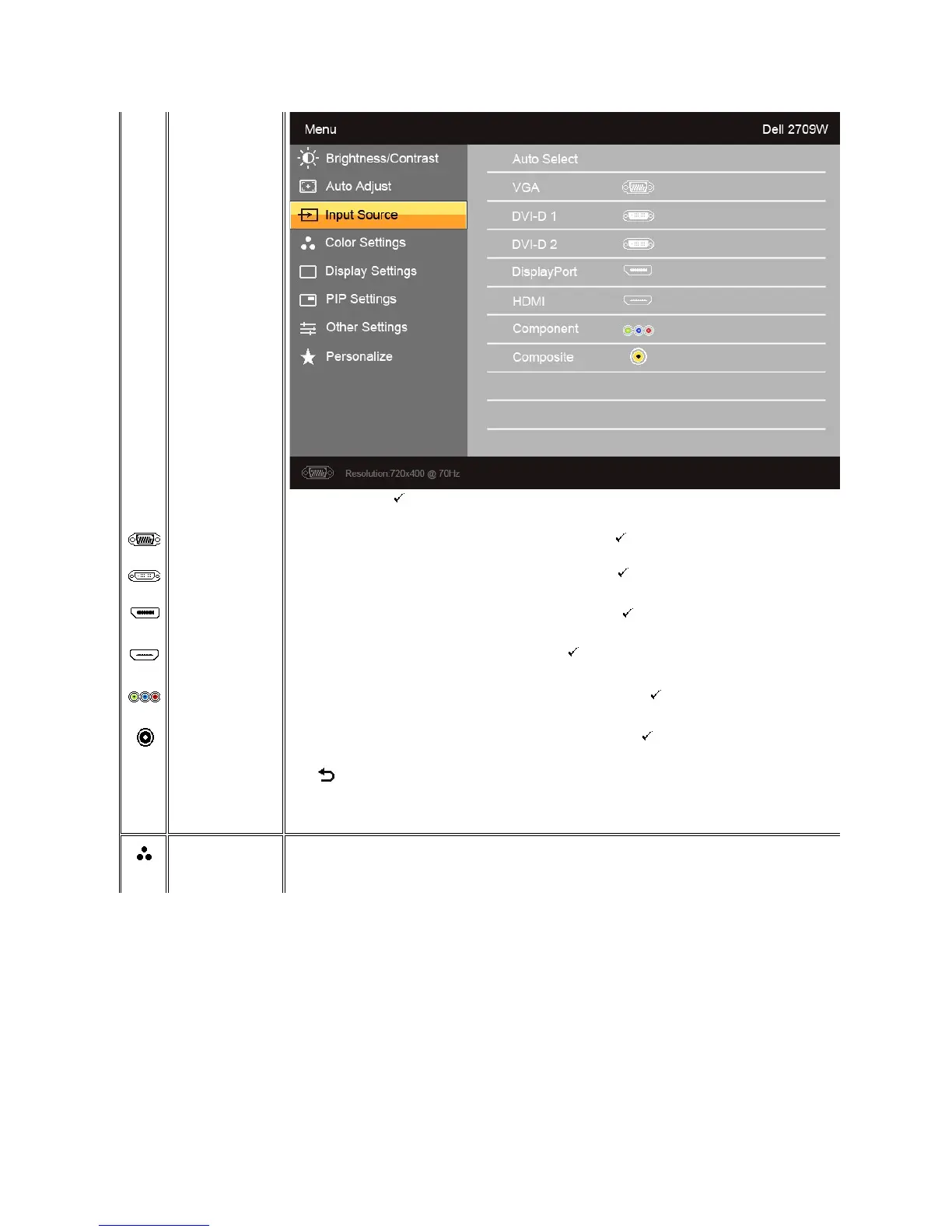
Scan for Sources. Press to scan for available input signals.
Select VGA input when you are using the analog (VGA) connector. Press to select the VGA input source.
Select DVI-D input when you are using the Digital (DVI) connector. Press to select the DVI input source.
Select DisplayPort input when you are using DisplayPort connector. Press toselecttheDisplayPortinputsource.
Select HDMI input when you are using HDMI connector. Press toselecttheHDMIinputsource.
Select Component input when you are using component video connector. Press to select the component input source.
Select Composite input when you are using composite video connector. Press to select the composite input source.
Press to go back to the main menu.
Allows you to set the image mode and color format.
Image mode submenu for VGA/DVI-D input







 To Next Page