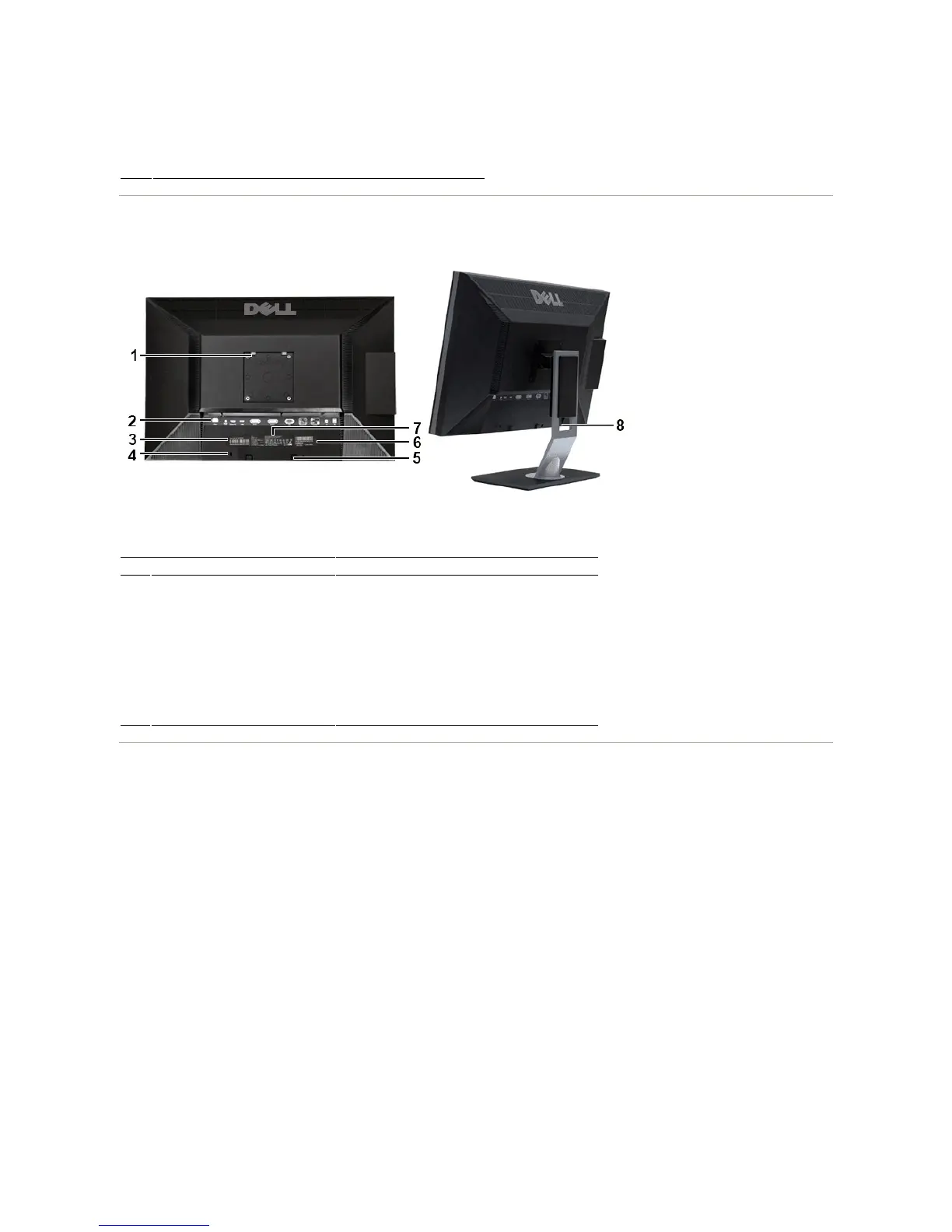
Back View
BackviewBackViewwithmonitorstand
Side View
Power button (with power light indicator)
VESA mounting holes (100mm)
(Behind attached VESA Plate)
To indicate the positions and types of connectors.
To contact Dell for express service.
To help secure your monitor.
Dell Soundbar mounting brackets
To attach the optional Dell Soundbar.
Barcode serial number label
To contact Dell for technical support.
Lists the regulatory approvals.
To organize cables by placing them through the slot.










 To Next Page