After you have completed connecting the DVI/VGA/DisplayPort cable, follow the procedure below to connect the USB cable to the computer and complete your
monitor setup:
l Connect the upstream USB port (cable supplied) to an appropriate USB port on your computer.
l Connect USB peripherals to the downstream USB ports (rear or side) on the monitor. (See rear or side view for details.)
l Plugthepowercablesforyourcomputerandmonitorintoanearbyoutlet.
l Turn on the monitor and the computer.
If your monitor displays an image, installation is complete. If it does not display an image, see Solving Problems.
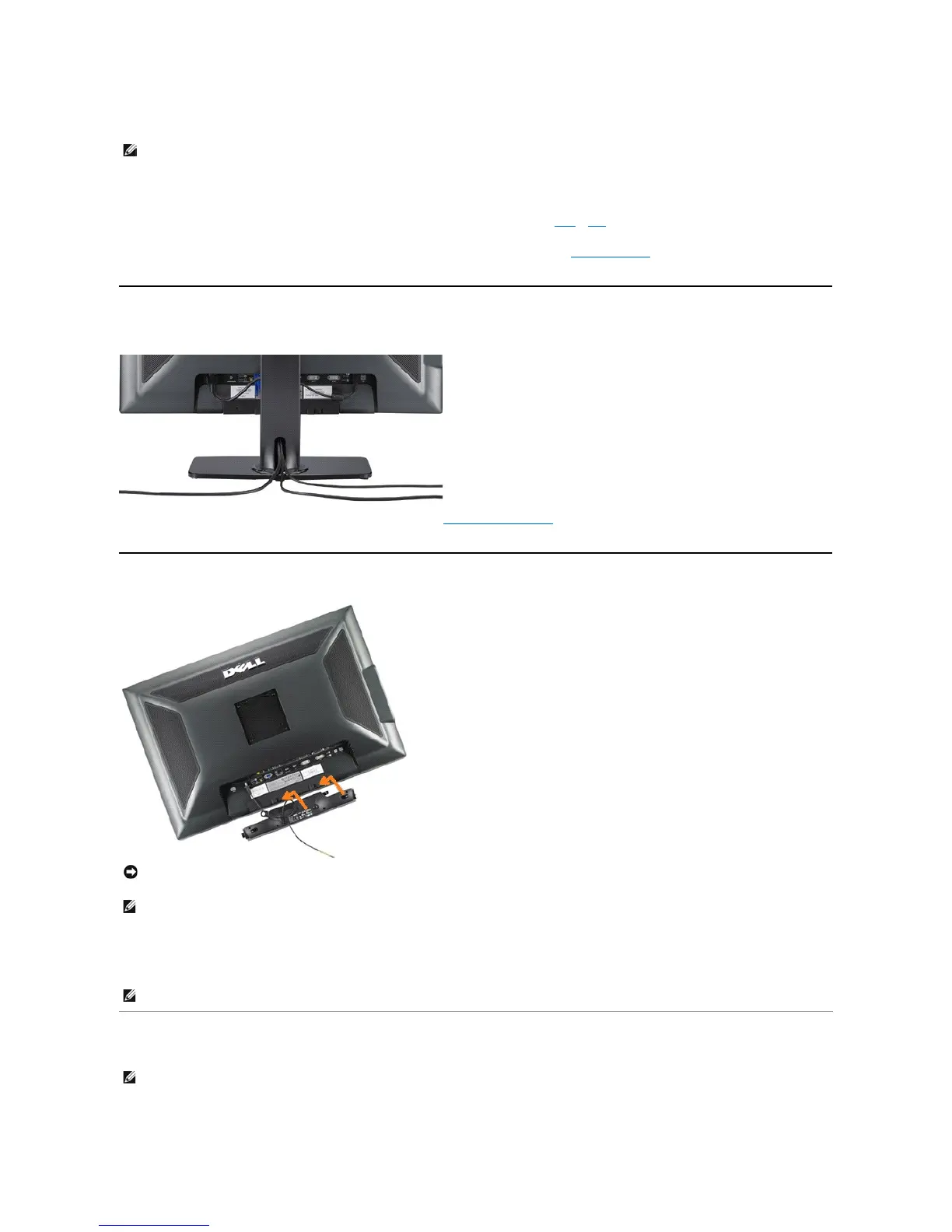
l Use the cable holder on the monitor stand to organize the cables.
Organizing Your Cables
After attaching all necessary cables to your monitor and computer, (See Connecting Your Monitorforcableattachment,)usethecableholdertoorganizeall
cables as shown above.
Attaching the Soundbar
Removing the Stand
Complete the following steps to remove the stand:








 To Next Page