EasyManua.ls Logo

Dell 3008WFP - Universal Serial Bus (USB) Interface

Dell 3008WFP
37 pages
Print Icon
To Next Page IconTo Next Page
To Previous Page IconTo Previous Page
Loading...
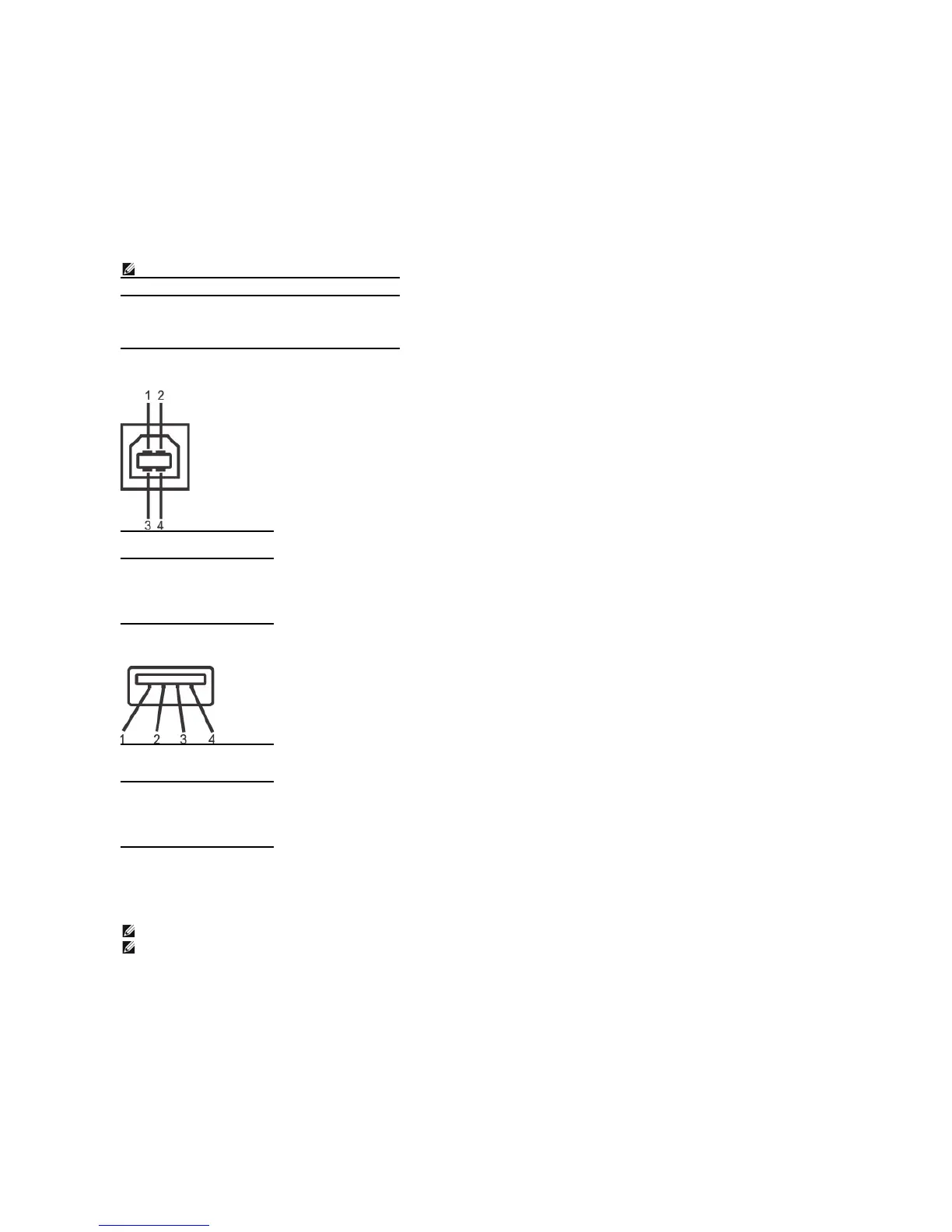
Universal Serial Bus (USB) Interface
This section gives you information about the USB ports that are available on the left side of your monitor.
USB Upstream Connector
USB Downstream Connector

USB Ports
l 1 upstream - rear
l 4 downstream - 2 on rear; 2 on left side
NOTE: This monitor supports High-Speed Certified USB 2.0 interface.
Transfer speed
Data Rate
Power Consumption
High speed
480 Mbps
2.5W(Max.,eachport)
Full speed
12 Mbps
2.5W(Max.,eachport)
Low speed
1.5 Mbps
2.5W(Max.,eachport)
Pin Number
4-pin Side of
the connector
1
DMU
2
VCC
3
DPU
4
GND
Pin Number
4-Pin Side of
the Signal
Cable
1
VCC
2
DMD
3
DPD
4
GND
NOTE:USB2.0functionalityrequiresaUSB2.0-
capablecomputer.
NOTE:
The monitor's USB interface works only when the monitor is on or in power save mode. If you turn off the monitor and then turn it on, the attached peripherals may take a few seconds
to resume normal functionality.

Related product manuals