42 Maintenance
www.dell.com/supplies | support.dell.com
NOTICE: Lowering the imaging drum into the printer without correctly aligning the rollers with the slots
can damage the imaging drum.
NOTICE: Do not allow the surface covered with a protective sheet to come into contact with anything.
3.
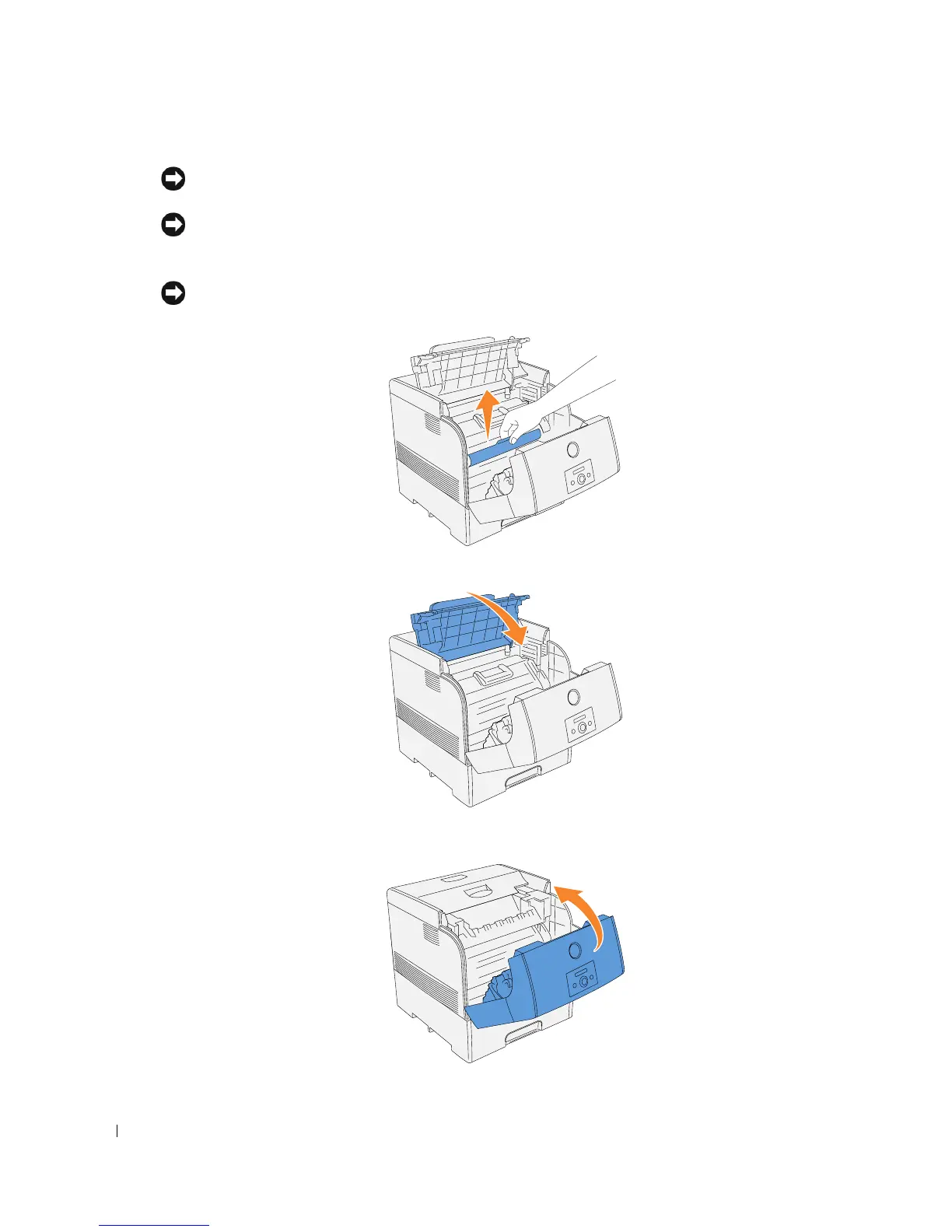
Pull the protective cover on the imaging drum straight up to remove it.
NOTICE: Do not touch the transfer roller (black-colored roller). Make sure that nothing touches or
scratches the roller surface. Scratches or oil from your hands on the roller deteriorates print quality.
4.
Close the imaging drum cover.
5.
Close the front cover.














 To Next Page