52 Maintenance
www.dell.com/supplies | support.dell.com
Installing the New Fuser
1.
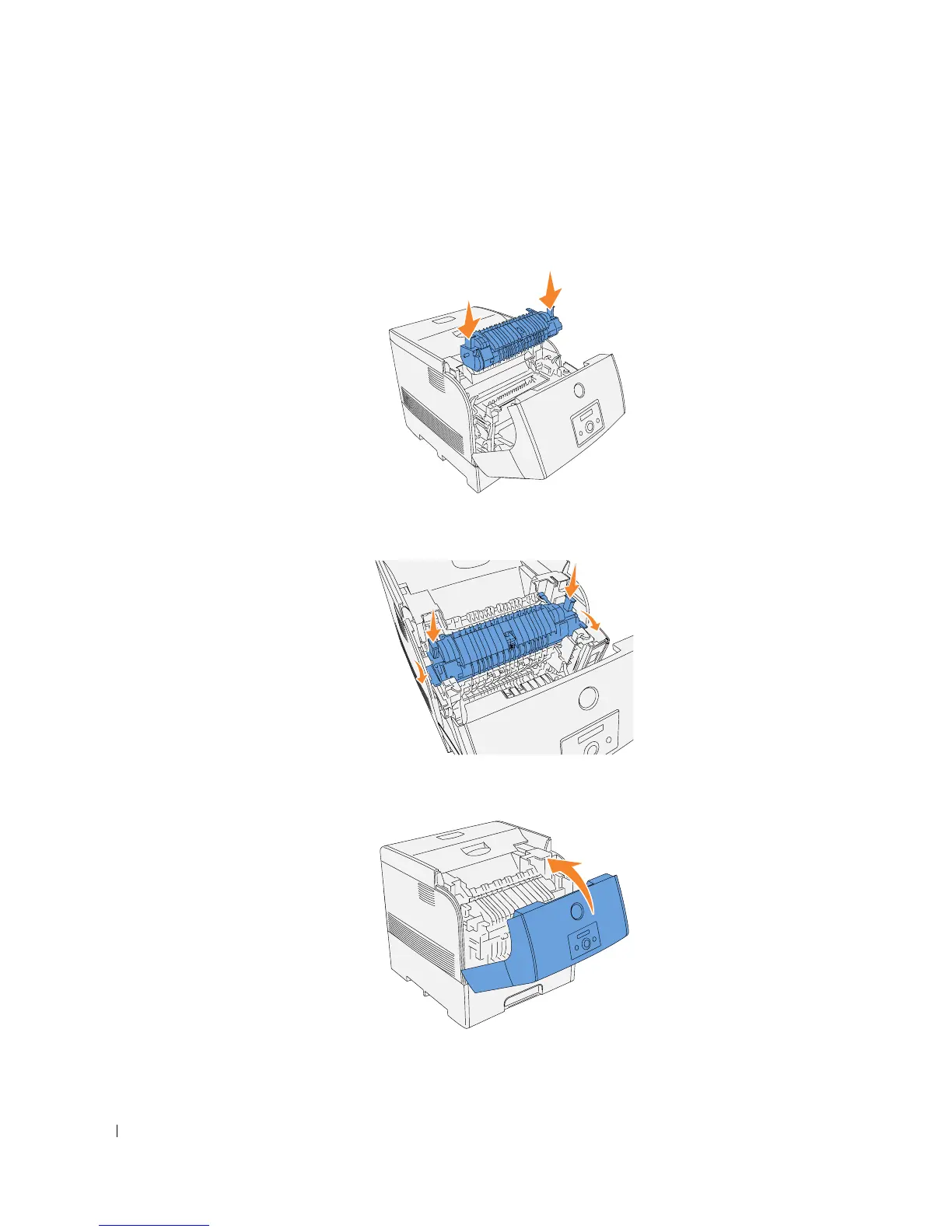
Unpack a new fuser, grip the fuser by the knobs, align it with the slots in the printer, and
slowly push it in.
2.
Completely push down the fuser by holding the knobs at both ends of the fuser until the
levers next to both ends of the fuser return to their original position.
3.
Close the outer front cover.














 To Next Page