56 Maintenance
www.dell.com/supplies | support.dell.com
Cleaning the Automatic Density Control (ADC) Sensor
CAUTION: Before performing any of the following procedures, read and follow the "CAUTION: SAFETY
INSTRUCTIONS" on page 9.
When the printer's automatic density control (ADC) sensor is dirty, follow the procedure below to
clean it.
1.
Turn off the printer.
2.
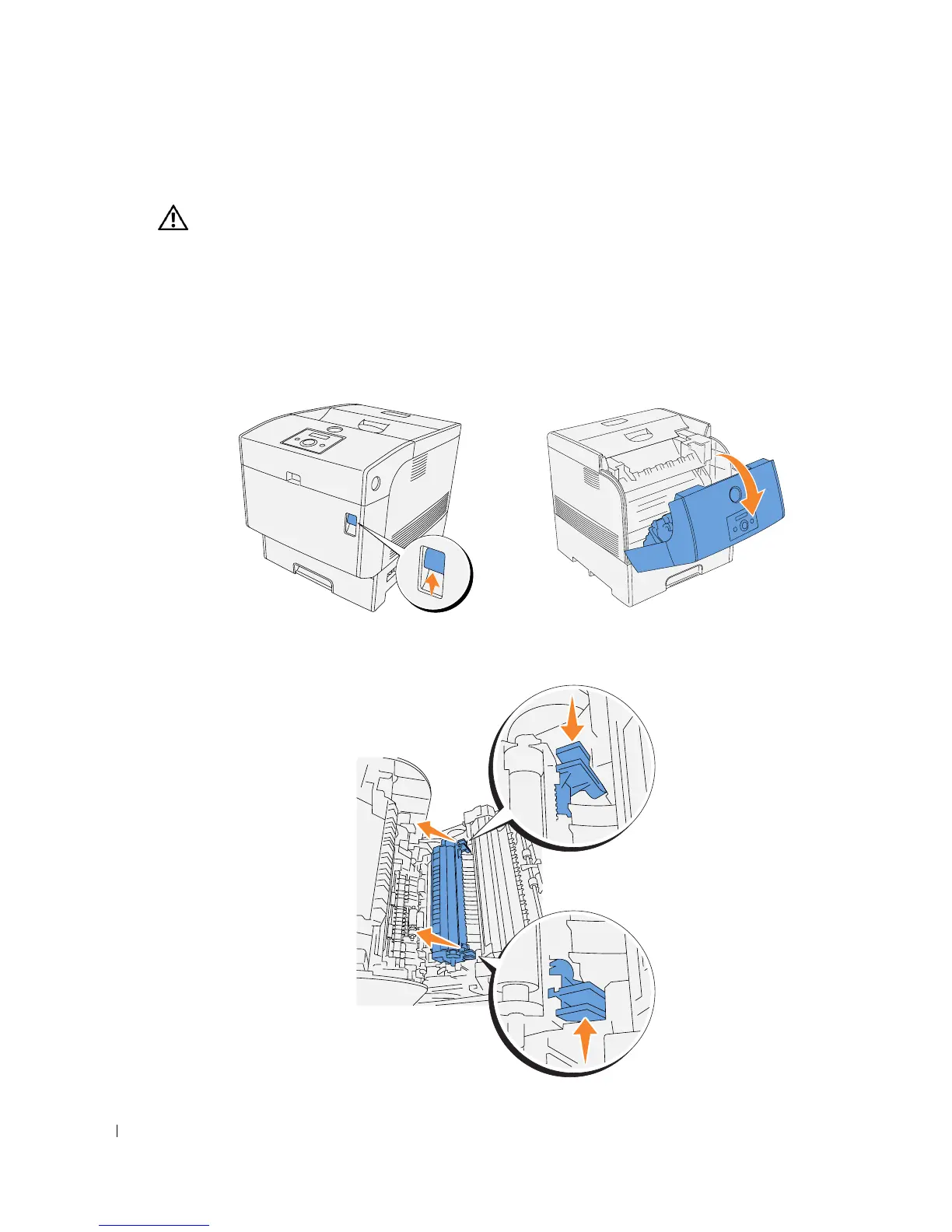
Push the front latch up and fully open the front cover.
3.
Grip the tabs at both ends of the transfer roller and gently lift it out of the printer.














 To Next Page