54 Maintenance
www.dell.com/supplies | support.dell.com
3.
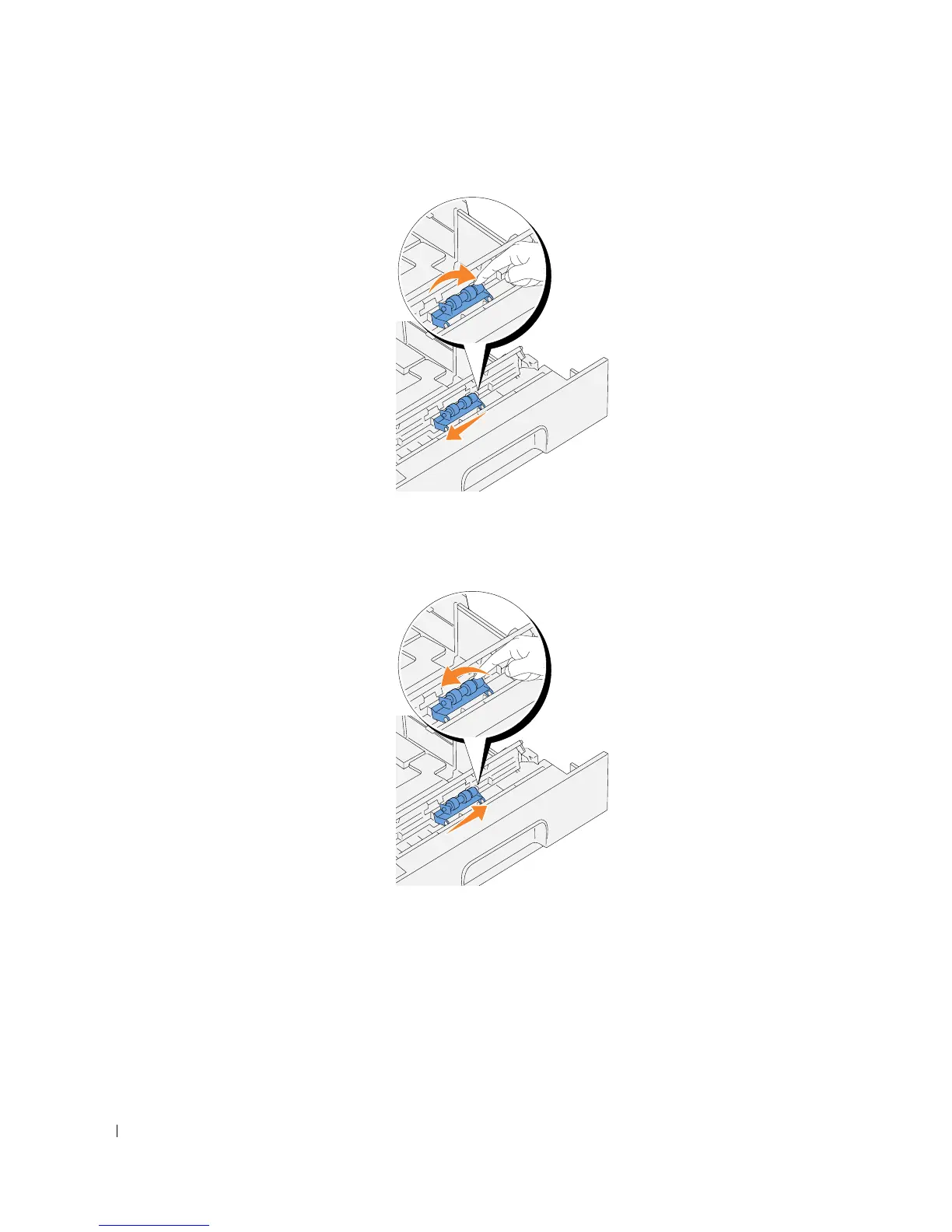
Gently raise the separator roller assembly, and slide it to the left.
Installing the New Separator Roller
1.
Align the holes of the new separator roller with the projections in the tray and slide the
separator roller until it stops. Then, release your hand from the separator roller.














 To Next Page