46 Maintenance
www.dell.com/supplies | support.dell.com
5.
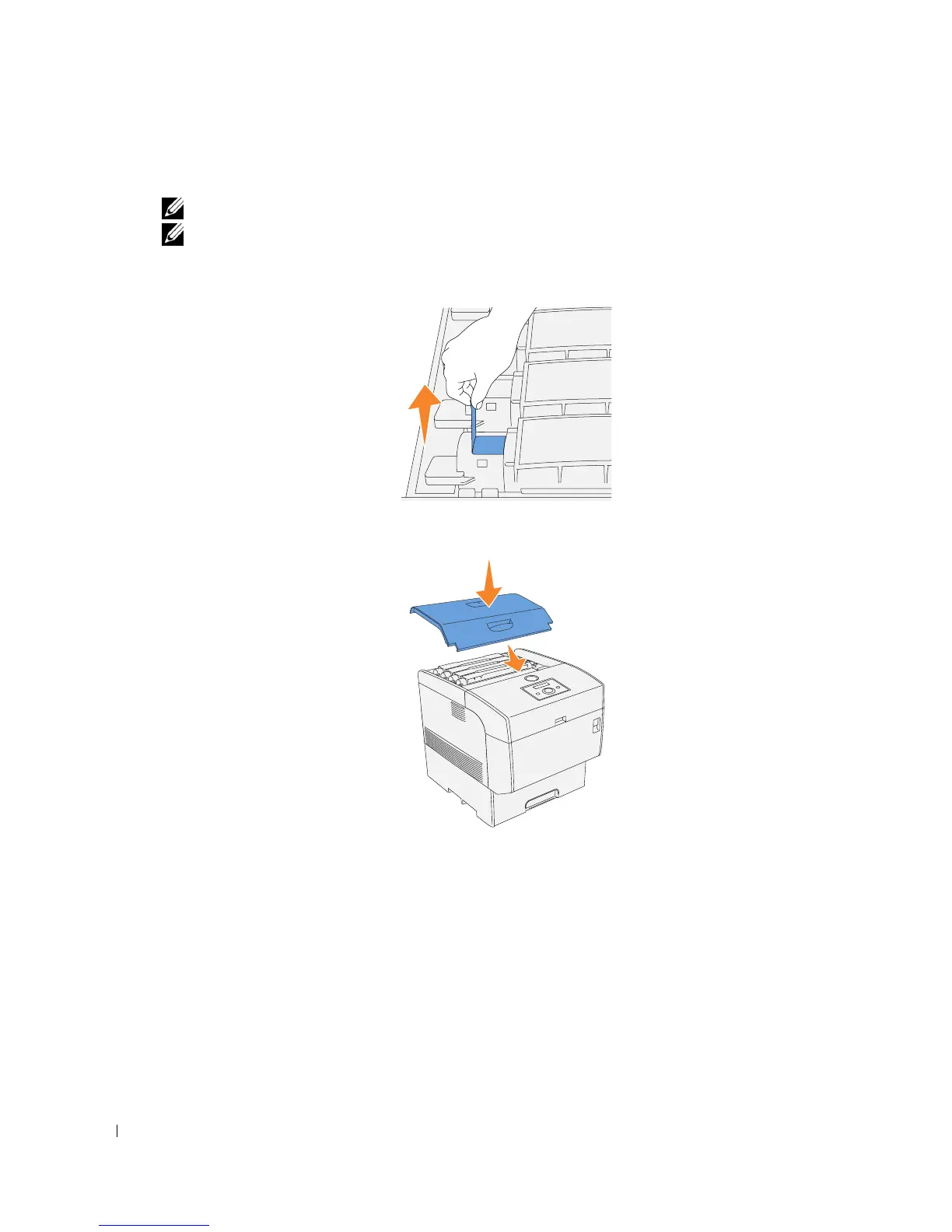
Pull the toner seal straight up to remove it.
NOTE: Pull the toner seal straight up. Pulling the toner seal diagonally may tear the seal.
NOTE: If it takes more than five seconds to remove the toner seal after inserting the toner cartridge in
the printer, an error message may appear. In this case, perform step 4 again, or turn the printer off once
and then on again.
6.
Replace the top cover by inserting its front side into the printer first.














 To Next Page