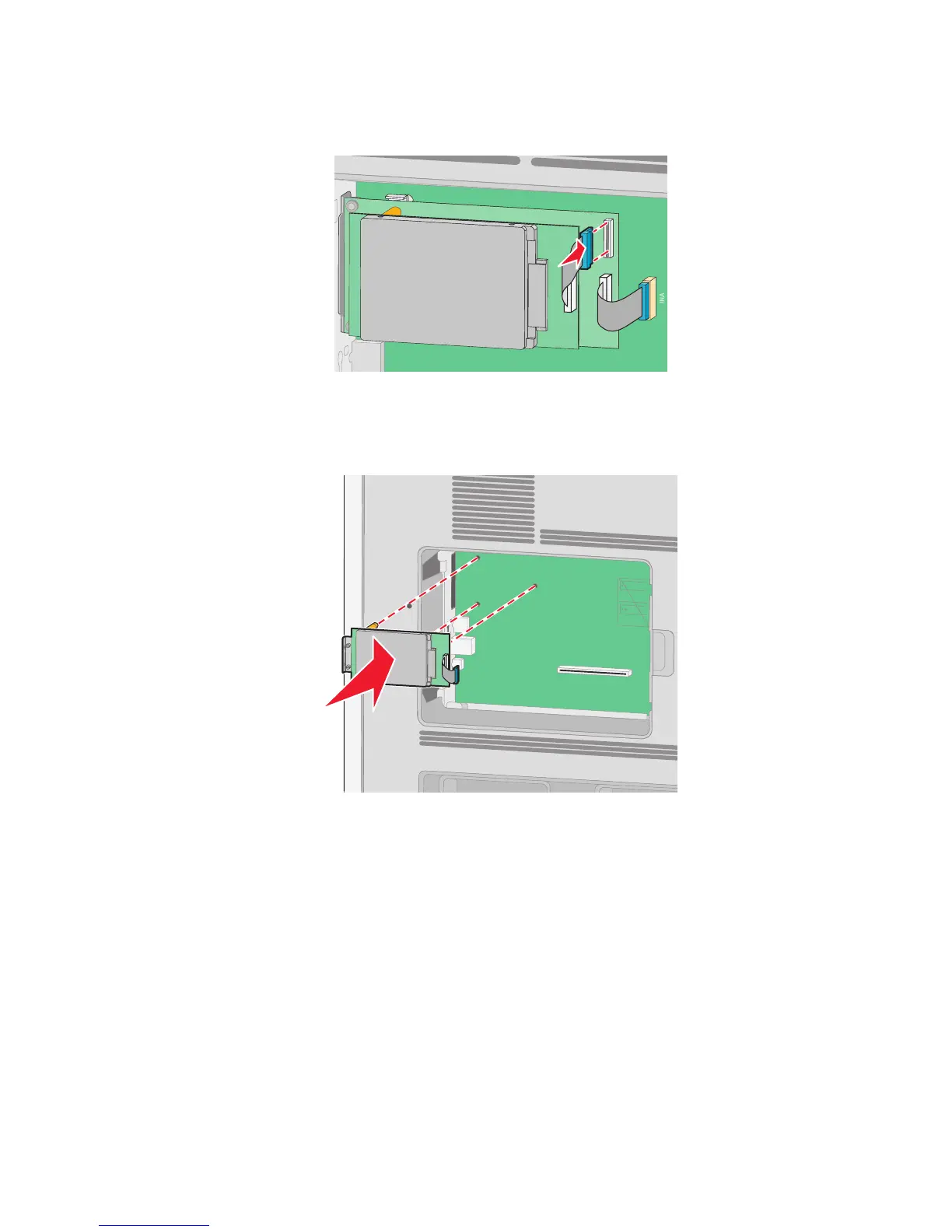
c Insert the plug of the printer hard disk interface cable into the receptacle of the ISP.
Note: The plugs and receptacles are color coded.
To install a printer hard disk directly onto the system board:
a Align the standoffs of the printer hard disk with the holes in the system board, and then press downward on
the printer hard disk until the standoffs have seated into place.
Additional printer setup
33














 To Next Page