Loading the standard or optional 250-sheet or
550-sheet tray
Although the 250-sheet tray and the 550-sheet tray are different in appearance, they require the same process for
loading paper. Use these instructions to load paper in either tray:
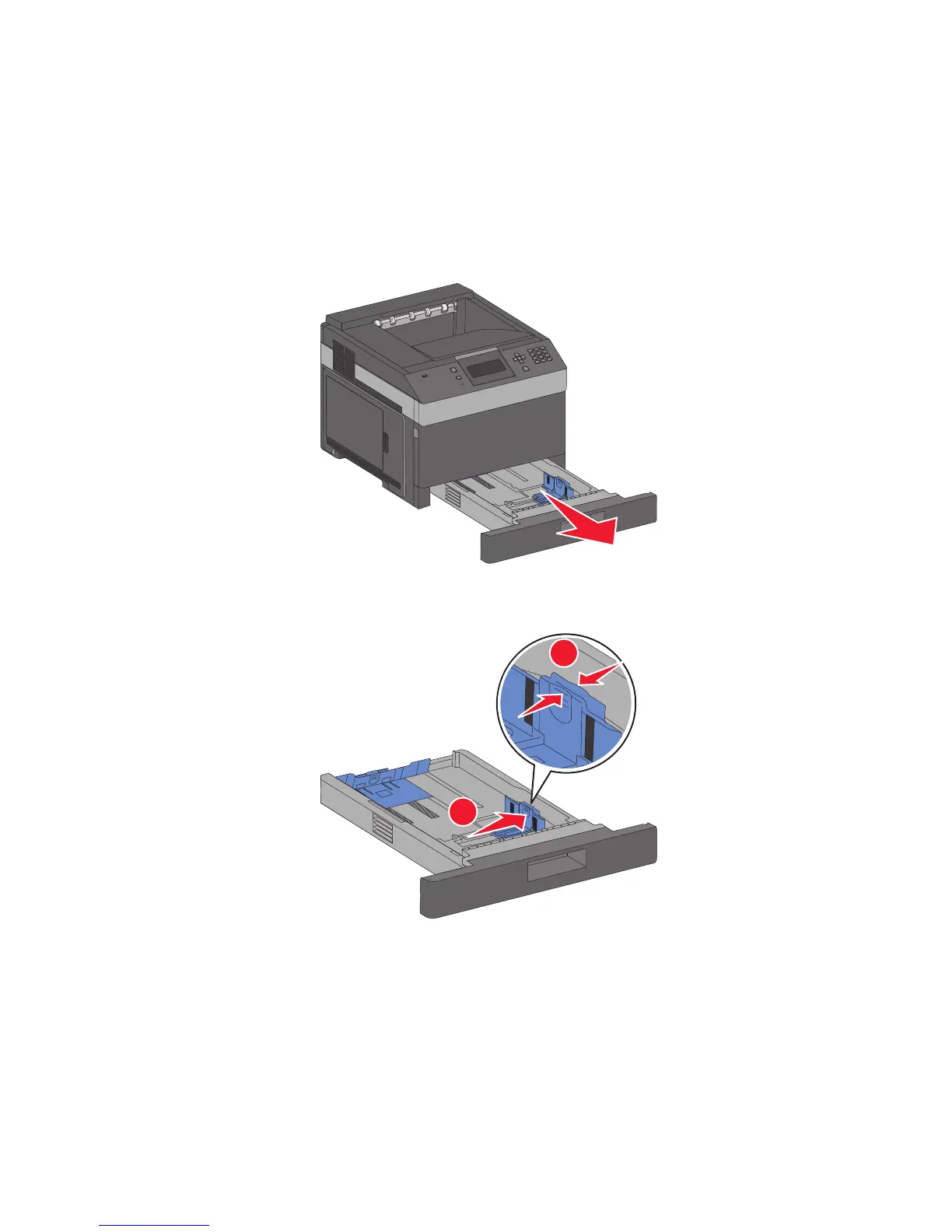
1 Pull the tray out.
Note: Do not remove trays while a job prints or while Busy appears on the display. Doing so may cause a jam.
2 Squeeze the width guide tab inward as shown, and move the width guide to the correct position for the paper
size being loaded.
2
1
Loading paper and specialty media
54














 To Next Page