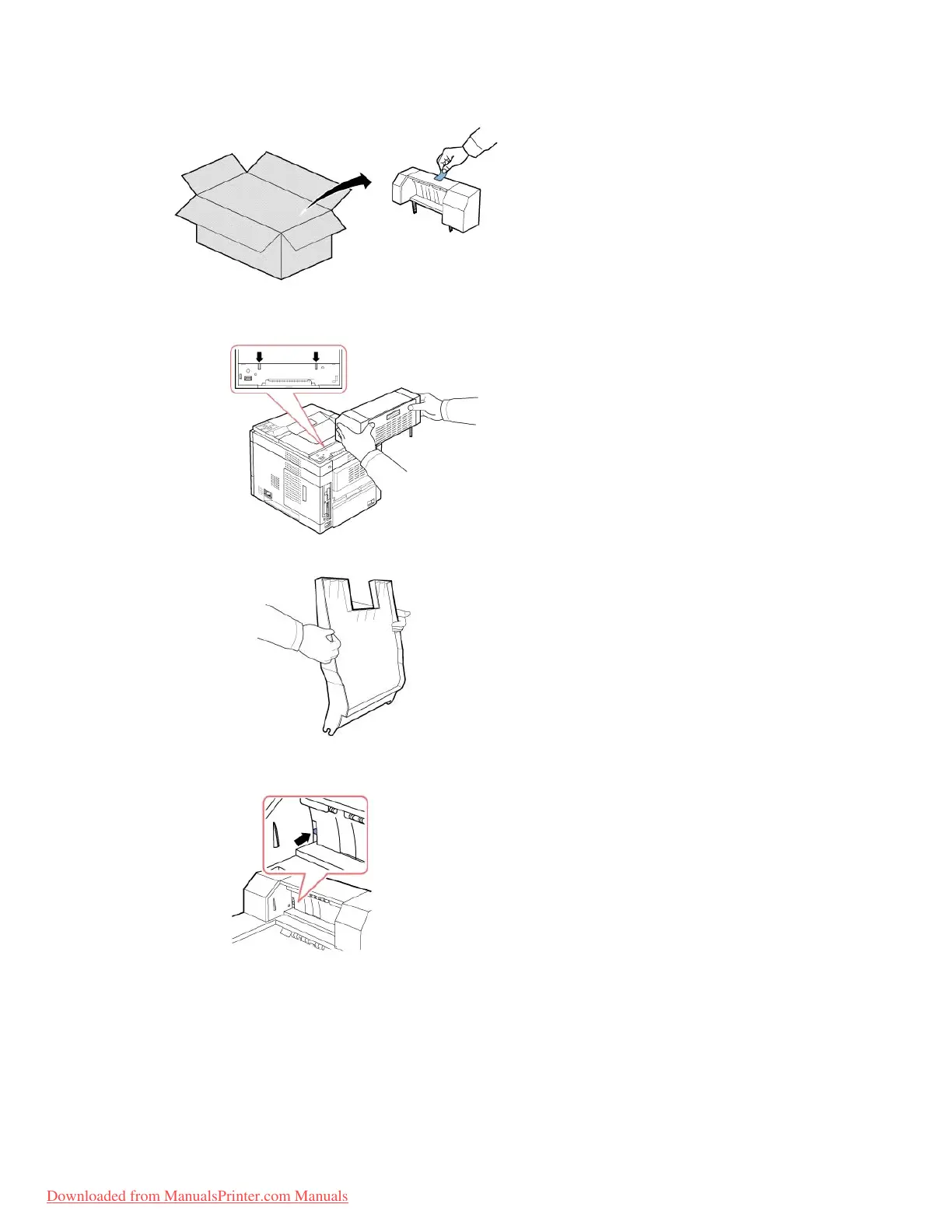
4. Locate the Output Expander alignment pins and insertion slots on the printer. Align the pins on the output expander with the slots on the printer and
place the Output Expander on top.
5. Grasp the Output Expander stacker as shown.
6. Locate the slots on the Output Expander where the stacker will be inserted.
7. Align the stacker, as shown.














 To Next Page