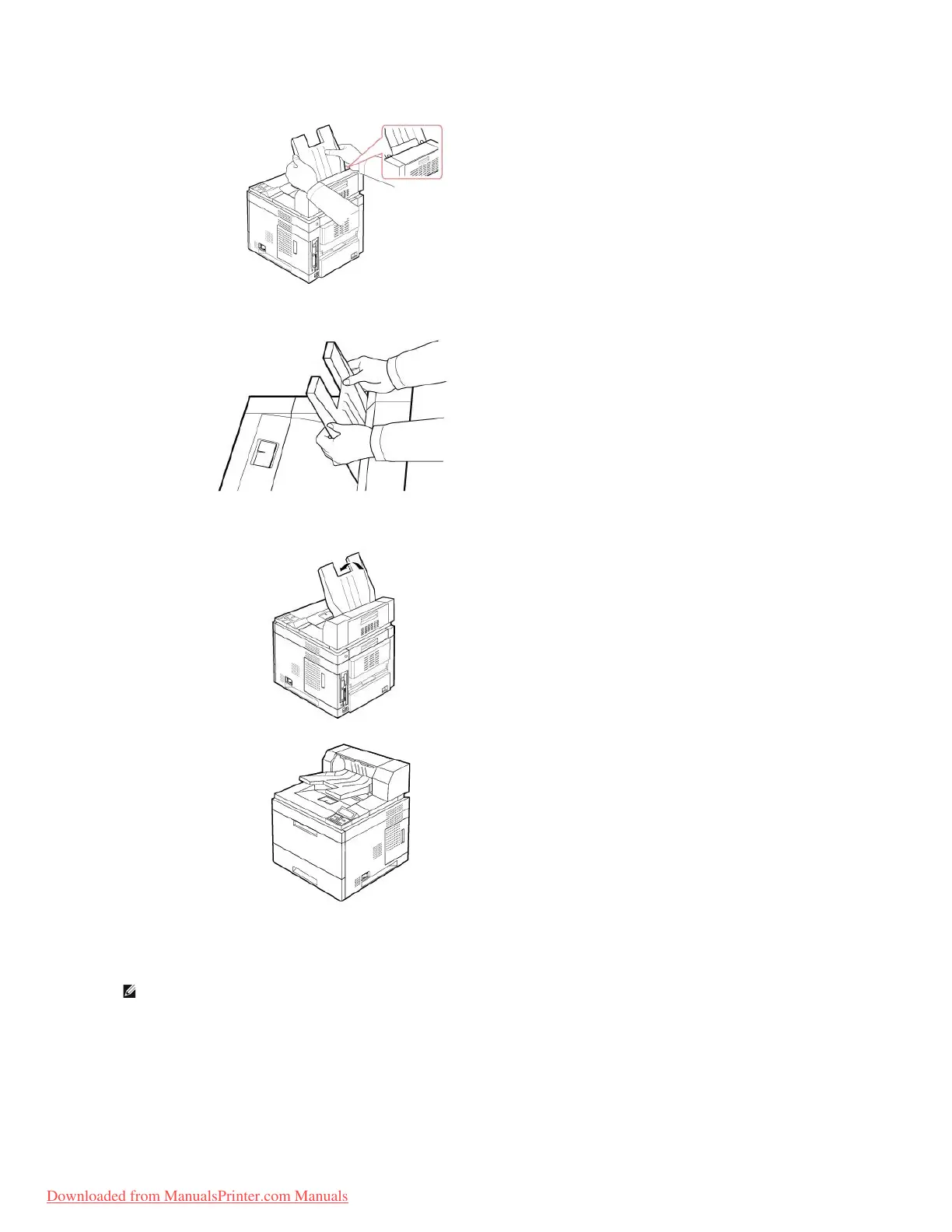
8. Slide the stacker into the slots on the Output Expander. For easy insertion, ensure there is contact between the rib on the stacker and the top edge of
the Output Expander.
9. Flip the Output Expander stacker down.
10. Reconnect the power cord and cables to the printer and power on the printer.
To use Output Expander when you print a document,, you must configure the properties of the printer driver.
To access the properties of the printer driver:
1. Click the Windows Start button.
2. For Windows NT 4.0/2000, select Settings and then Printers.
For Windows XP/2003, select Printers and Faxes.














 To Next Page