Connecting and Pairing Your Speaker
The Dell Bluetooth Portable Speaker supports both wired (3.5 mm) stereo input and
wireless audio via Bluetooth. You can wirelessly stream audio from any Bluetooth
device with optimal audio performance streaming within 33 ft (10 m).
Aux Input
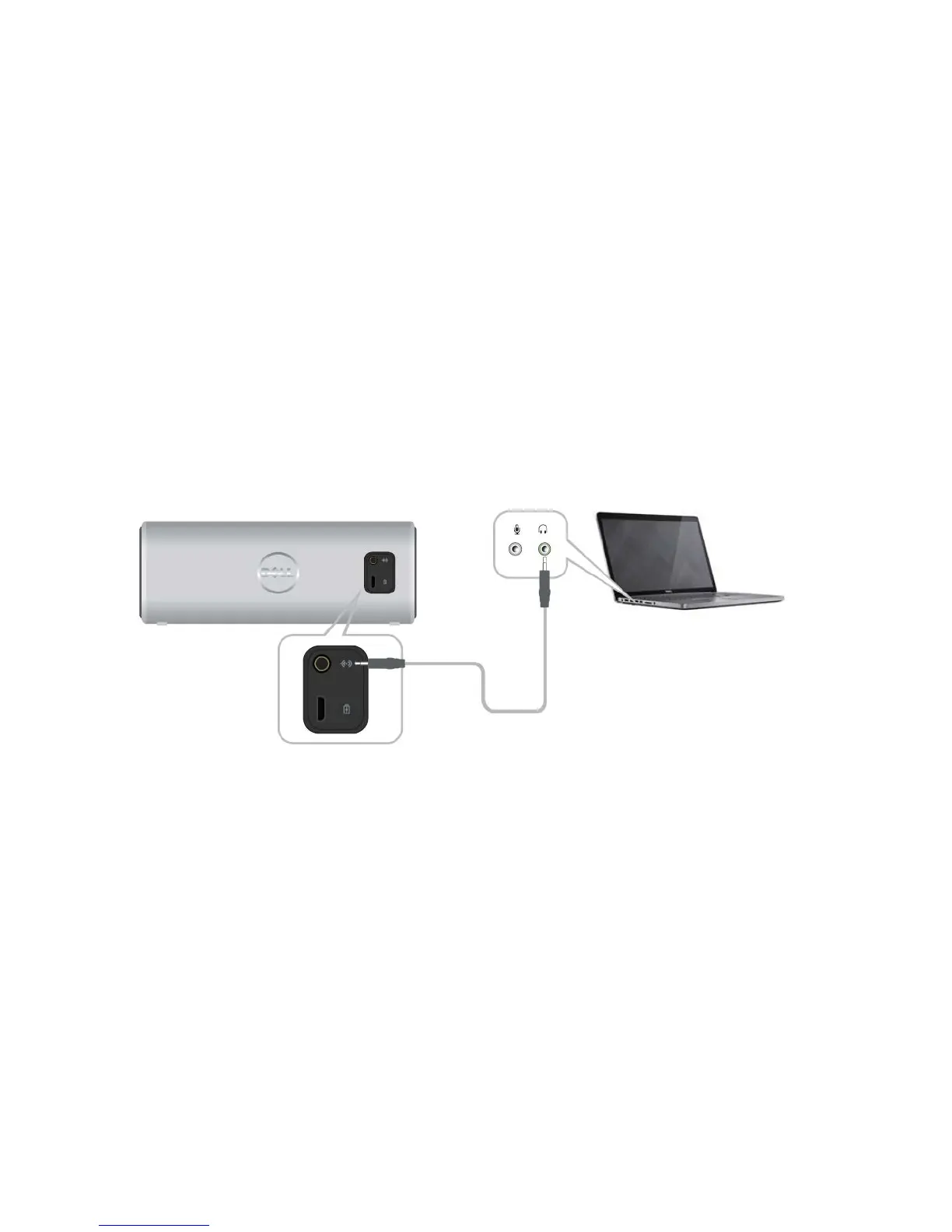
You can play audio using the aux-in cable that came with your speaker.
1 Connect the aux-in cable on the back of the speaker.
2 Connect the other end of the cable to the aux-in port on your audio device.



 To Next Page