Need help?
Do you have a question about the Dell AD211 and is the answer not in the manual?
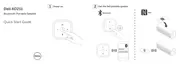
Details the key features of the Dell Bluetooth Portable Speaker, including portability, sound quality, and connectivity options.
Instructions on how to turn the speaker on and off, including LED indicators for status.
Guidance on how to charge the speaker's battery for optimal performance and battery status indicators.
How to connect the speaker using an aux-in cable for wired audio playback.
Steps to pair the speaker with Bluetooth-enabled devices for wireless audio streaming.
Instructions for quick and convenient pairing using NFC technology with compatible devices.
Detailed steps for adding the Dell Bluetooth speaker to a Windows 7 computer via Control Panel.
Detailed steps for adding the Dell Bluetooth speaker to a Windows 8 computer via Control Panel.
How to answer incoming calls using the speakerphone functionality and the Talk/Mute button.
Instructions for muting the microphone during a call and resuming speaker functionality.
Identifies common issues encountered with the Bluetooth speaker and provides possible solutions.
Provides general information about the speaker, including model number and supported operating systems.
Details the electrical specifications of the speaker, such as operating voltage, current, and output power.
Lists the physical dimensions and weight of the speaker, including cable lengths.
Specifies the environmental operating and storage conditions, including temperature and humidity.
Outlines the Bluetooth 4.0 specifications, including radio transmission type and operational range.
Details the limited warranty and return policies for Dell-branded products, including regional variations.
Provides warnings and information regarding FCC compliance and potential radio interference.
Lists the various agency approvals and certifications obtained for the Dell Bluetooth speaker.
 General
| Speaker type | - |
|---|---|
| Number of drivers | 2 |
| Number of speakers | 1 |
| Audio output channels | 2.0 channels |
| Impedance | - Ω |
| Frequency range | - Hz |
| RMS rated power | 5 W |
| Speakers RMS power | 2.5 W |
| Total Harmonic Distortion (THD) | 10 % |
| Bluetooth | Yes |
| Cord length | 0.6 m |
| Bluetooth range | 10 m |
| Bluetooth version | 4.0 |
| Connectivity technology | Wired & Wireless |
| Product type | Stereo portable speaker |
| Product color | Silver |
| Built-in display | No |
| Recommended usage | Universal |
| Battery voltage | 3.7 V |
| Power source type | Battery |
| Battery life (max) | 10 h |
| Battery current | 2.5 A |
| Storage temperature (T-T) | 40 - 65 °C |
| Operating relative humidity (H-H) | 0 - 90 % |
| Operating temperature (cooling) (T-T) | 0 - 40 °C |
| Cables included | AUX, USB |
| Quantity per pack | 1 pc(s) |
 Weight and Dimensions
| Depth | 150 mm |
|---|---|
| Width | 62 mm |
| Weight | 340 g |


 To Next Page