Charging the Battery
For best results, fully charge your speaker for 6 hours before use.
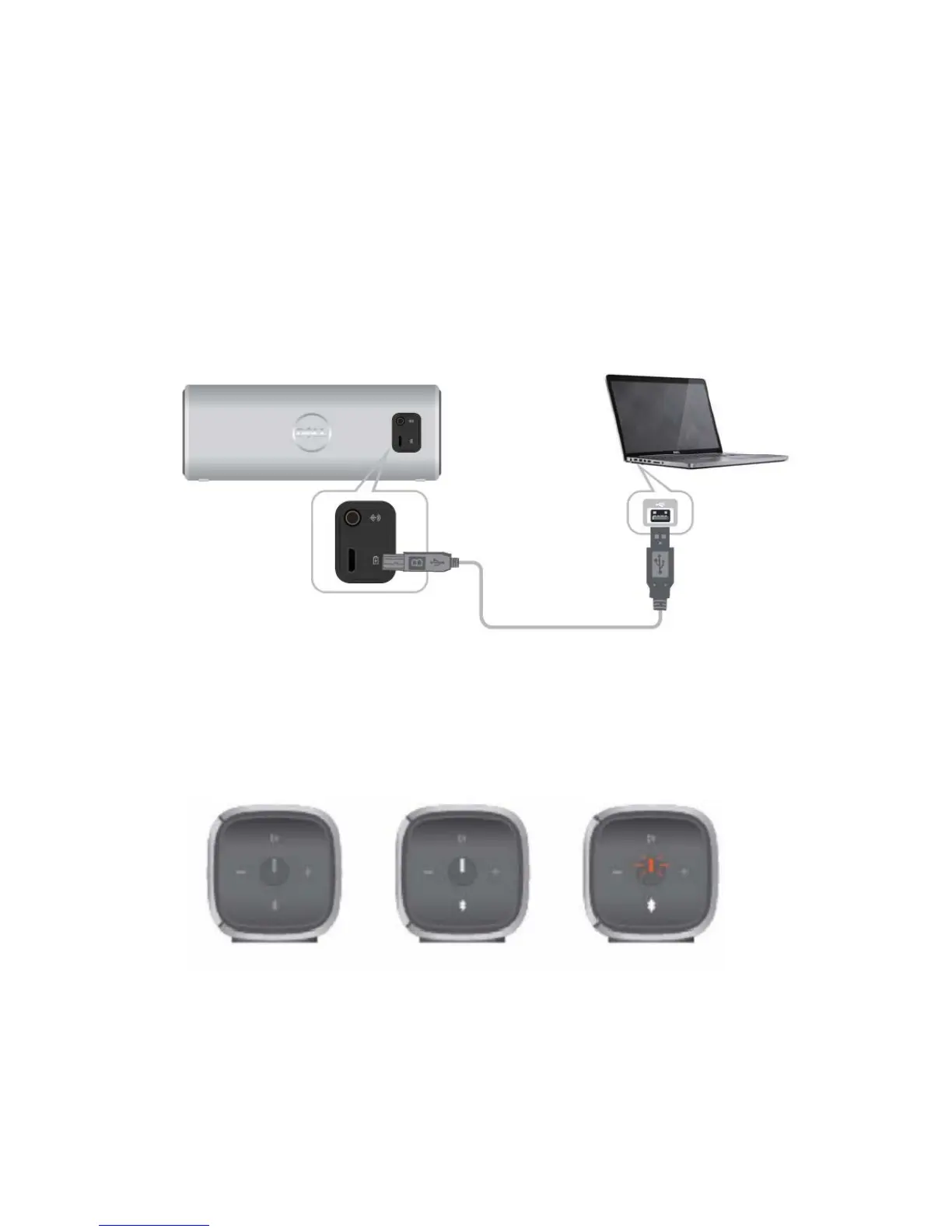
To charge your speaker, connect the USB cable from your computer to the micro USB
port on the back of your speaker. Alternatively, you could use the existing Micro USB
cable from your smart phone or tablet.
When the battery is off, the power LED is off.
When the battery is fully charged, the power LED is solid white.
When the battery is low, the power LED is blinking amber.
Off On Blinking
Disconnected Power On Low Battery



 To Next Page