Bluetooth Pairing
The speaker needs to be paired before you can use your Bluetooth devices.
1 Turn on/enable Bluetooth on your computer or your Bluetooth device.
2 Power on your speaker.
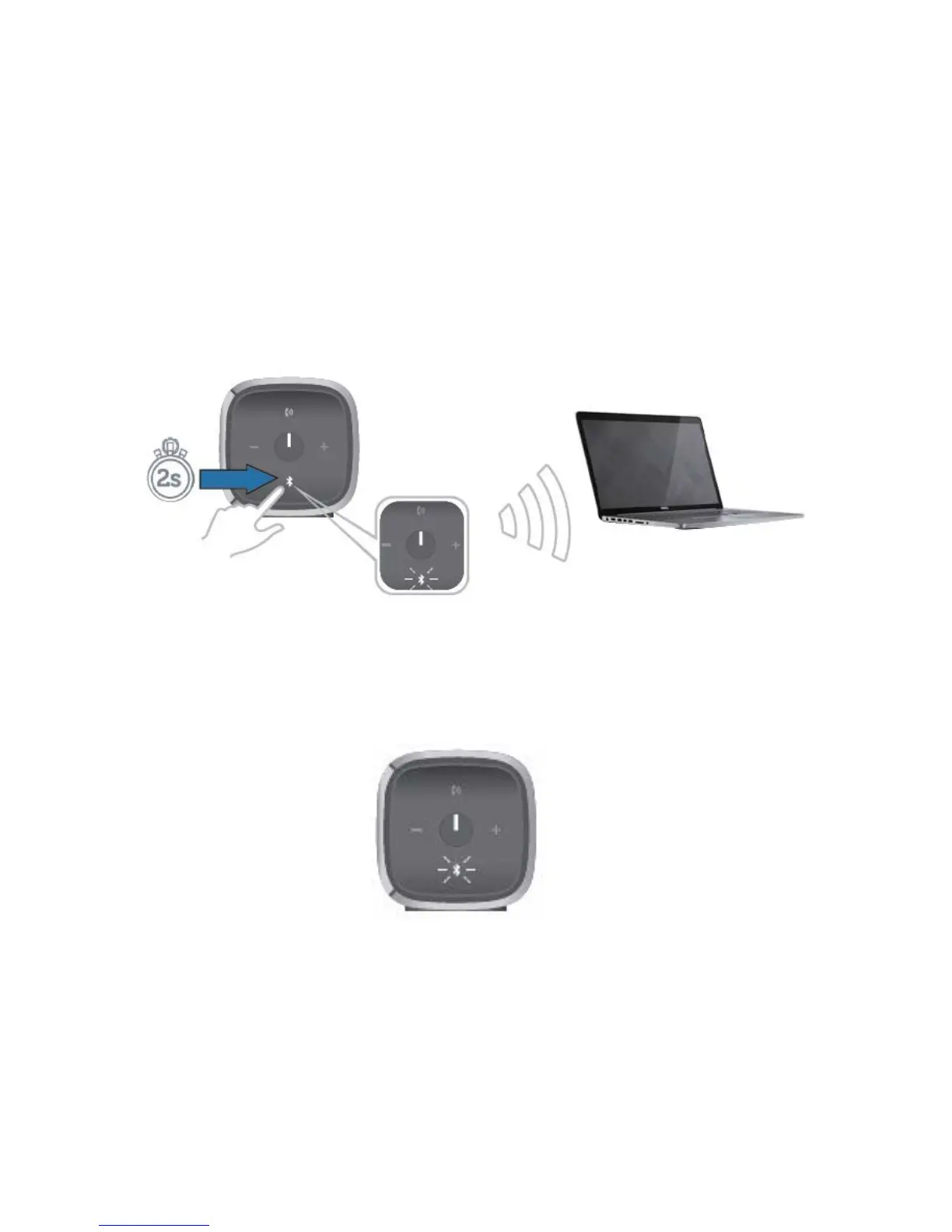
3 Press and hold the Bluetooth button on the speaker for two seconds to start the
device search.
4 The Bluetooth devices detected will be displayed on your computer or
Bluetooth device, select the Dell Portable speaker for pairing. The Bluetooth
LED will blink white to indicate that the device is in pairing mode.



 To Next Page