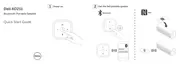
Adding the Speaker to Your Computer
To add the speaker to your computer, follow the instructions below. Select the
applicable steps based on the operating system installed on your computer.
Before You Begin
1 If using Aux-input:
• Connect the aux-in cable on the back of the speaker.
• Connect the other end of the cable to the aux-in port on your Windows
computer.
2 If using Bluetooth:
• Turn on/enable Bluetooth on your speaker.
• Turn on/enable Bluetooth on your Windows computer.



 To Next Page