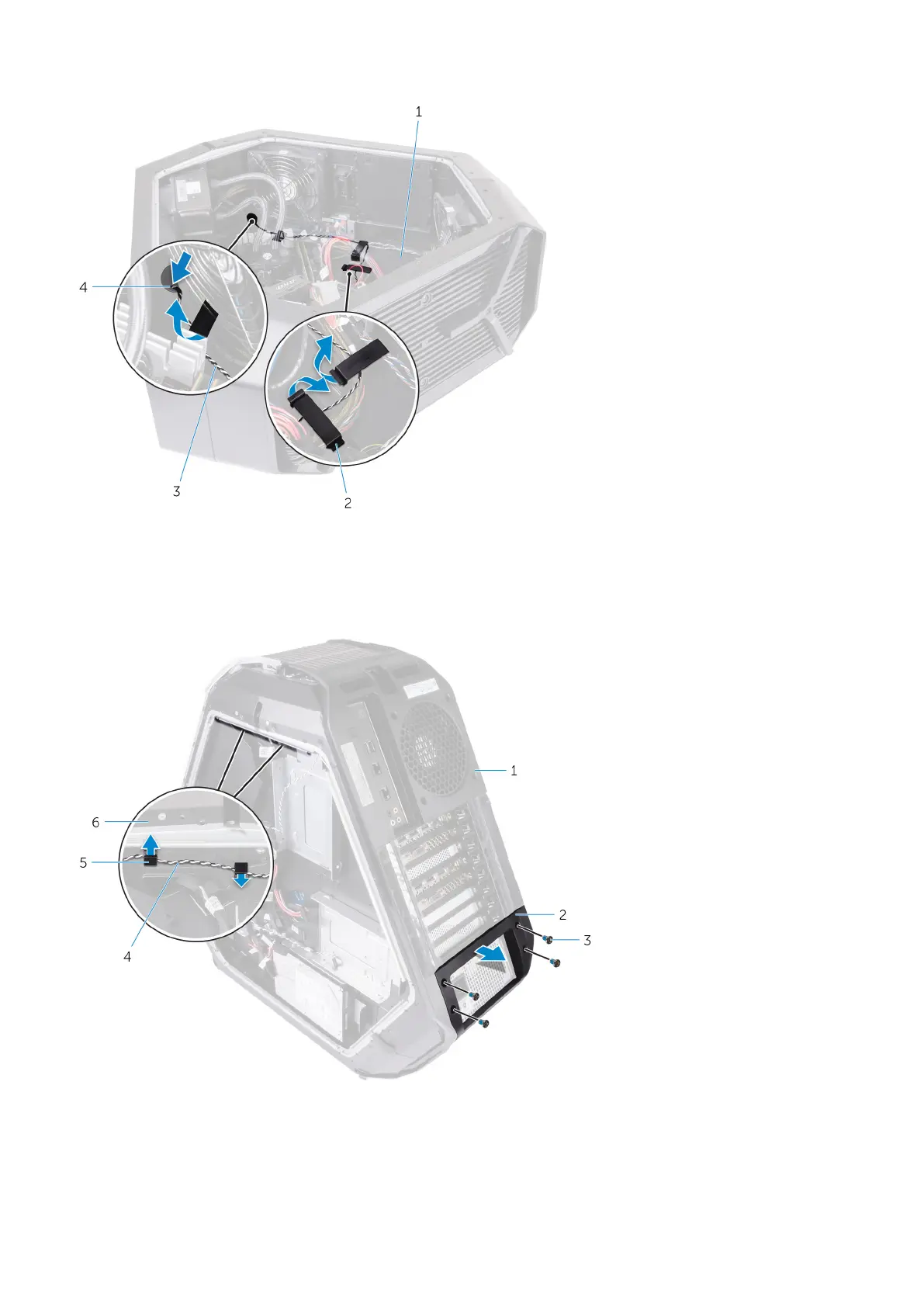
1. chassis 2. securing clip
3. rear I/O accessibility lighting cable 4. slot
4. Remove the four screws (#6-32x6) that secure the power-supply unit to the back of the chassis.
5. Lift the power-supply unit cover away from the chassis.
6. Remove the rear I/O accessibility lighting cable from the routing guides on the chassis.
1.
rear bezel 2. power-supply unit cover
3. screws (4) 4. rear I/O accessibility lighting cable
5. routing guides (2) 6. chassis
7. Remove the four screws (#6-32x6) that secure the rear bezel to the top and bottom of the chassis.
99










 To Next Page