035
035
/
CHAPTER 5: INSTALLING ADDITIONAL OR REPLACEMENT COMPONENTS
Removing the Memory Module(s)
Below is the procedure on how to remove the memory module(s).
Follow the instructions in “Before You Begin” on page 1. 33.
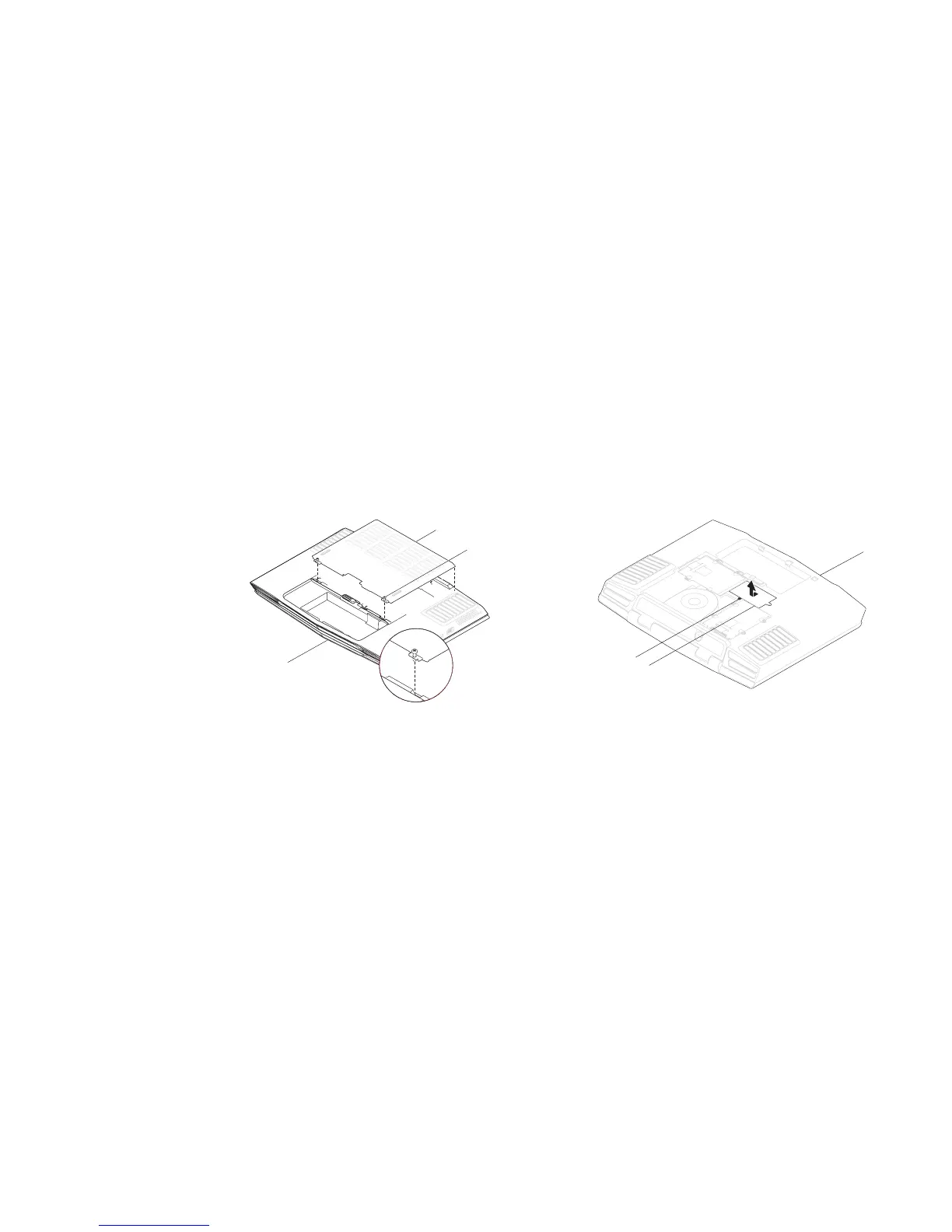
Loosen the two captive screws and remove the compartment door.2.
1
2
3
1 compartment door 3 front of the notebook
2 captive screws (2)
Loosen the captive screw and remove the memory module door.3.
2
3
1
1 front of the notebook 3 captive screw
2 memory module door











 To Next Page