038
038
/
CHAPTER 5: INSTALLING ADDITIONAL OR REPLACEMENT COMPONENTS
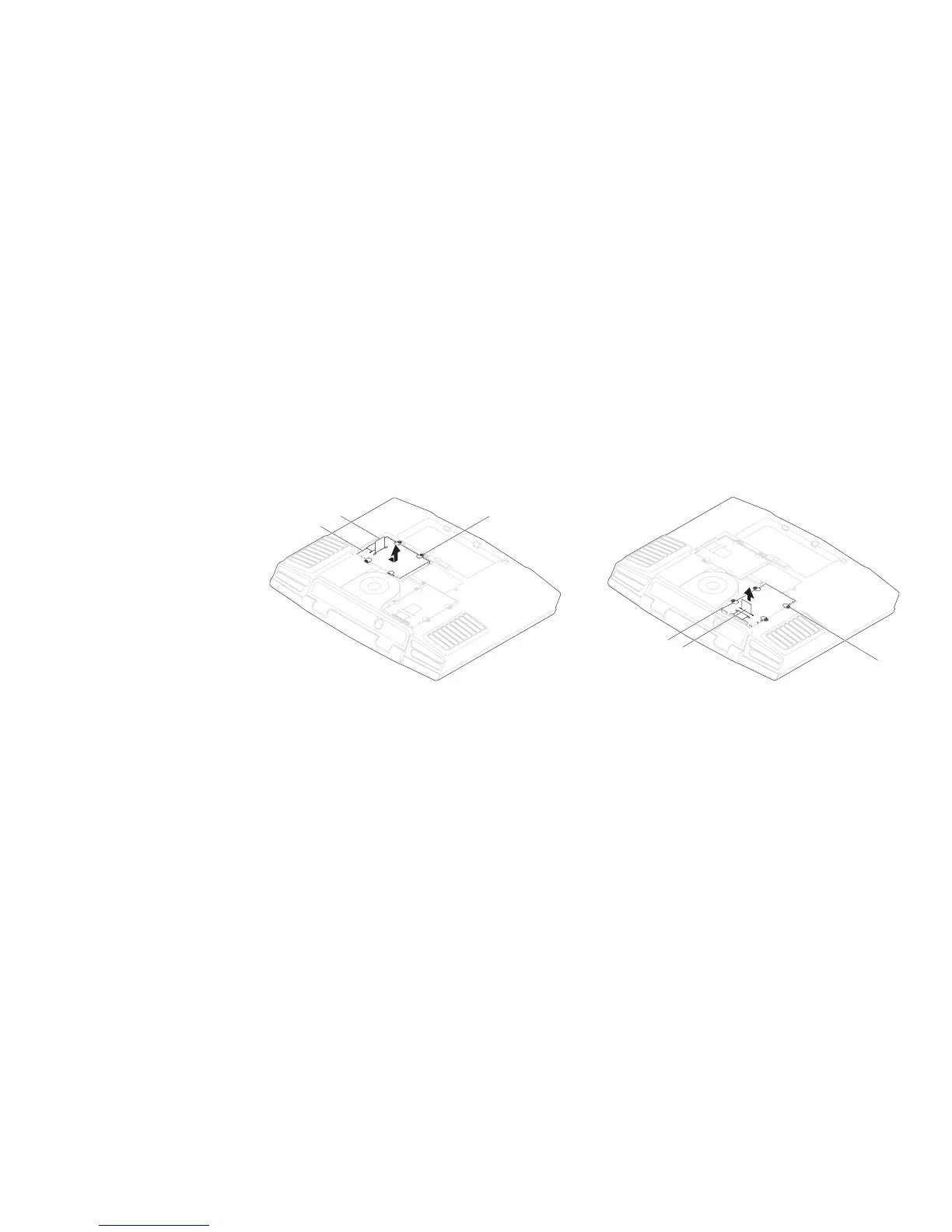
Loosen the four captive screws on the primary hard drive (HDD0).3.
Slide the primary hard drive (HDD0) towards the back using the pull tab and 4.
lift it out.
1
2
3
Primary Hard Drive (HDD0)
1 primary hard drive (HDD0) 3 captive screws (4)
2 pull tab
Loosen the four captive screws on the secondary hard drive (HDD1).5.
Using the pull tab, lift the secondary hard drive (HDD1) out of the computer 6.
base.
1
2
3
Secondary Hard Drive
(HDD1)
1 captive screws (4) 3 secondary hard drive (HDD1)
2 pull tab











 To Next Page