039
039
/
CHAPTER 5: INSTALLING ADDITIONAL OR REPLACEMENT COMPONENTS
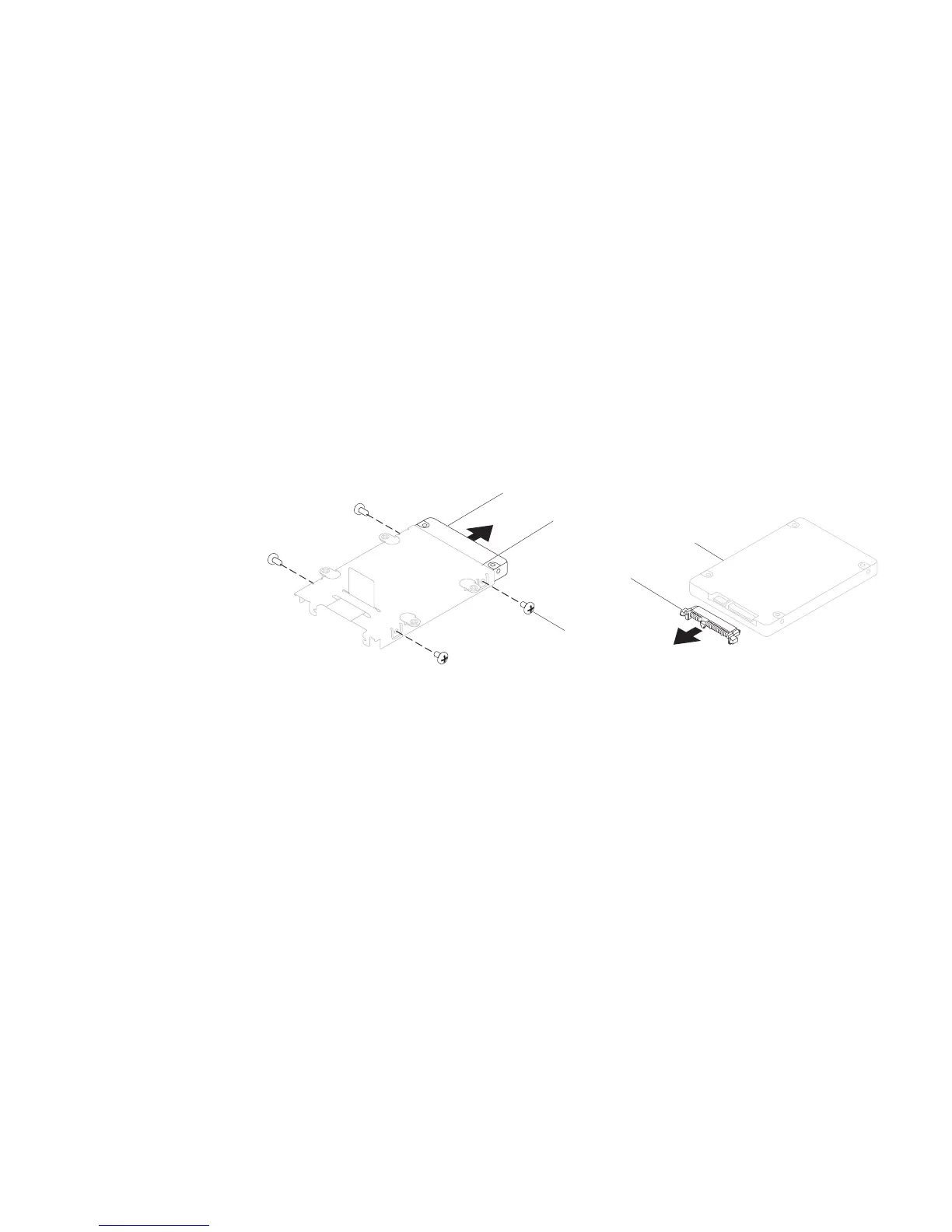
Remove the four screws from the sides of both the hard drives.7.
Slide the hard drives out of the respective brackets.8.
1
2
3
1 hard drive 3 screws (4)
2 hard drive bracket
Remove the interposer from the secondary hard drive (HDD1).9.
1
2
Secondary Hard Drive (HDD1)
1 interposer 2 secondary hard drive (HDD1)
To replace the hard drives, perform the removal steps in reverse order.












 To Next Page